Medical Identity Theft Mistakes That Expose Patient Records
Most medical identity theft stems from internal configuration errors and weak access controls rather than external hacking attempts targeting the network perimeter.

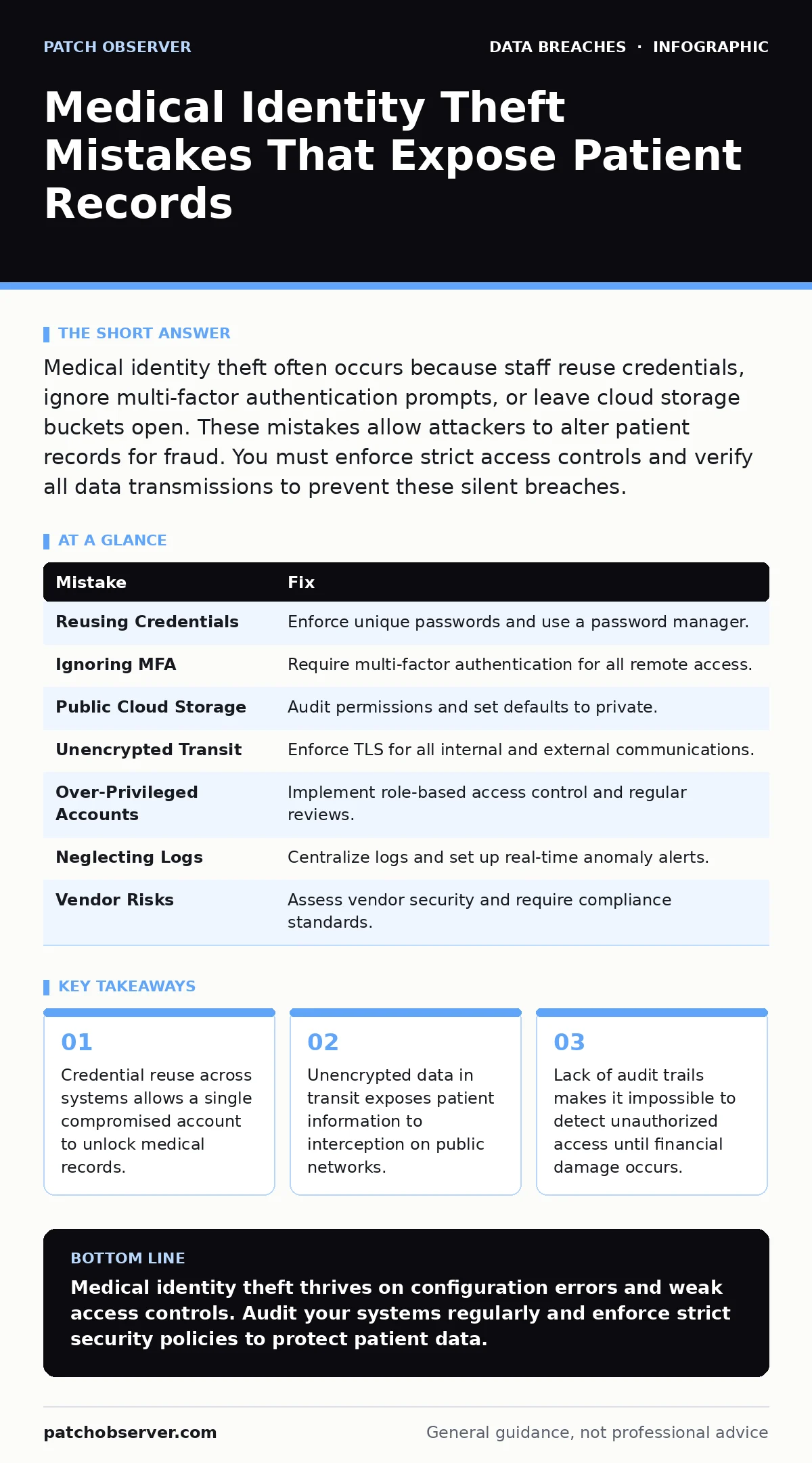
Medical identity theft often occurs because staff reuse credentials, ignore multi-factor authentication prompts, or leave cloud storage buckets open. These mistakes allow attackers to alter patient records for fraud. You must enforce strict access controls and verify all data transmissions to prevent these silent breaches.
Mistake 1: Reusing Credentials Across Clinical and Administrative Systems
Staff often use the same username and password for email, scheduling software, and electronic health records. This convenience creates a single point of failure. If an attacker compromises a low-security system like a help desk ticketing tool, they immediately gain access to sensitive patient data.
Why it hurts:
Credential stuffing attacks exploit this habit. Attackers take leaked credentials from unrelated breaches and test them against healthcare portals. Once inside, they can alter insurance information, add fraudulent dependents, or redirect billing. The damage compounds because medical records are rarely deleted, allowing the fraud to persist for years without detection.
The fix:
Enforce unique credentials for every system. Implement a password manager that generates complex, random passwords for each service. This isolates breaches. If one system is compromised, the attacker cannot pivot to the electronic health record system. Regularly audit account activity to ensure no shared accounts exist.
Mistake 2: Ignoring Multi-Factor Authentication for Remote Access
Many organizations enable multi-factor authentication but allow users to bypass it for "convenience" or trust based on IP address. This assumption fails when attackers spoof locations or when staff work from unsecured networks. Remote access is the primary entry point for external threats.
Why it hurts:
Without multi-factor authentication, a stolen password grants full access. Attackers do not need to break encryption if they possess valid credentials. They can log in from anywhere, download patient lists, and modify records. The lack of a second verification step means the system cannot distinguish between a legitimate user and an impostor holding their credentials.
The fix:
Require multi-factor authentication for all remote connections, regardless of location. Use hardware security keys or authenticator apps rather than SMS codes, which are vulnerable to SIM swapping. This adds a layer of protection that passwords alone cannot provide. Ensure the policy applies to all administrative and clinical accounts without exception.
Mistake 3: Leaving Cloud Storage Buckets Publicly Accessible
Cloud infrastructure offers scalability but introduces configuration complexity. Administrators often deploy storage buckets for backups or shared documents without reviewing default permissions. These buckets may become publicly readable, exposing patient data to anyone who scans for open resources.
Why it hurts:
Publicly accessible storage allows attackers to download entire databases without interacting with the application layer. This bypasses firewalls and intrusion detection systems. The data is often unencrypted at rest, making it immediately usable for identity theft. Misconfigured cloud storage leaks are a leading cause of accidental data disclosure in modern healthcare environments.
The fix:
Audit cloud storage permissions regularly. Set default permissions to private and require explicit approval for any public access. Use automated tools to scan for misconfigurations. Combine this with full disk encryption to protect data at rest. Even if an attacker accesses the storage, encrypted data remains unreadable without the proper decryption keys.
Mistake 4: Failing to Encrypt Data in Transit
Data moves between devices, servers, and external partners constantly. Many organizations assume their internal network is secure and skip encryption for internal transfers. This leaves data vulnerable to interception via man-in-the-middle attacks, especially on Wi-Fi networks.
Why it hurts:
Unencrypted traffic reveals sensitive information to anyone monitoring the network. Attackers can capture login credentials, patient details, or prescription data. This exposure facilitates medical identity theft by providing the raw information needed to create fake profiles. Encryption in transit ensures that even if data is intercepted, it remains unintelligible to unauthorized parties.
The fix:
Enforce TLS for all communications, both internal and external. Disable older, insecure protocols like HTTP and FTP. Verify that all applications use strong cipher suites. This protects data from the moment it leaves the device until it reaches the destination server. Regularly update certificates to prevent expiration-related service disruptions.
Mistake 5: Over-Privileged User Accounts
Staff often retain access rights to systems they no longer use. This "access creep" occurs when employees change roles but their old permissions remain active. Attackers target these accounts because they have broad access and are less likely to be monitored closely.
Why it hurts:
Excessive privileges allow an attacker to access more data than necessary. A compromised account with administrative rights can disable security logs, create backdoors, or exfiltrate large datasets. This violates the principle of least privilege, which restricts access to only what is needed for job functions. The risk increases with every unused account left active.
The fix:
Implement regular access reviews. Revoke permissions when employees change roles or leave the organization. Use role-based access control to assign permissions based on job requirements. This limits the blast radius of a compromised account. Monitor privileged accounts for unusual activity to detect misuse early.
See also: Network Access Control Definition: How Policies Block Unauthorized Devices · Data Encryption Explained: How to Scramble Secrets
Mistake 6: Neglecting Audit Logs and Monitoring
Many organizations collect logs but do not analyze them. Without active monitoring, suspicious activity goes unnoticed until a breach is reported. This delay allows attackers to operate freely within the network, modifying records and stealing identities.
Why it hurts:
Lack of visibility means you cannot detect intrusions in real-time. Attackers can move laterally, escalate privileges, and exfiltrate data without triggering alerts. This silence enables long-term persistence. You cannot protect what you cannot see. Effective monitoring provides the evidence needed to respond to incidents and understand the scope of the compromise.
The fix:
Centralize logs and set up alerts for anomalous behavior. Monitor for failed login attempts, unusual data access patterns, and privilege escalations. Use security information and event management tools to correlate events. This proactive approach helps identify threats before they result in significant damage. Regularly test your detection capabilities to ensure they remain effective.
Mistake 7: Ignoring Third-Party Vendor Risks
Healthcare organizations rely on numerous vendors for services like billing, lab results, and IT support. These vendors often have access to sensitive data but operate under different security standards. Failing to vet these partners leaves gaps in your security posture.
Why it hurts:
A vendor breach can expose your patient data. Attackers target weaker links in the supply chain to gain access to larger organizations. If a vendor lacks proper security controls, your data is at risk regardless of your own defenses. This indirect exposure is often overlooked in security assessments.
The fix:
Conduct thorough security assessments of all vendors. Require them to adhere to strict security standards, such as SOC 2 compliance. Include security requirements in contracts and perform regular audits. This ensures that your partners protect your data with the same rigor you apply internally. Treat vendor access as a critical risk factor.
| Mistake | Fix |
|---|---|
| Reusing Credentials | Enforce unique passwords and use a password manager. |
| Ignoring MFA | Require multi-factor authentication for all remote access. |
| Public Cloud Storage | Audit permissions and set defaults to private. |
| Unencrypted Transit | Enforce TLS for all internal and external communications. |
| Over-Privileged Accounts | Implement role-based access control and regular reviews. |
| Neglecting Logs | Centralize logs and set up real-time anomaly alerts. |
| Vendor Risks | Assess vendor security and require compliance standards. |
Key takeaways
- Credential reuse across systems allows a single compromised account to unlock medical records.
- Unencrypted data in transit exposes patient information to interception on public networks.
- Lack of audit trails makes it impossible to detect unauthorized access until financial damage occurs.
Medical identity theft thrives on configuration errors and weak access controls. Audit your systems regularly and enforce strict security policies to protect patient data.
Frequently asked questions
How do I know if my medical identity has been stolen?
Review your Explanation of Benefits statements regularly for services you did not receive. Check for unfamiliar providers or dates in your medical history. Contact your insurer if you spot discrepancies.
Can I recover from medical identity theft?
Yes, but it requires immediate action. Contact your healthcare provider and insurer to flag the fraud. Dispute incorrect charges and monitor your credit reports for new accounts opened in your name.
Does encryption prevent all medical identity theft?
Encryption protects data at rest and in transit, but it does not prevent credential theft or social engineering. You must combine encryption with strong access controls and user training for comprehensive protection.
What is the role of SOC 2 in healthcare security?
SOC 2 provides a framework for evaluating security controls at service providers. It ensures that vendors manage data securely, reducing the risk of third-party breaches.
How this guide was produced: written by the Patch Observer editorial team with AI assistance, checked against the public references listed below, and reviewed when the facts change. See our editorial policy or report an error.