Full Disk Encryption Best Practices for Secure Data Storage
Full disk encryption protects data at rest but fails completely if an attacker gains access to the system while it is unlocked and running in memory.

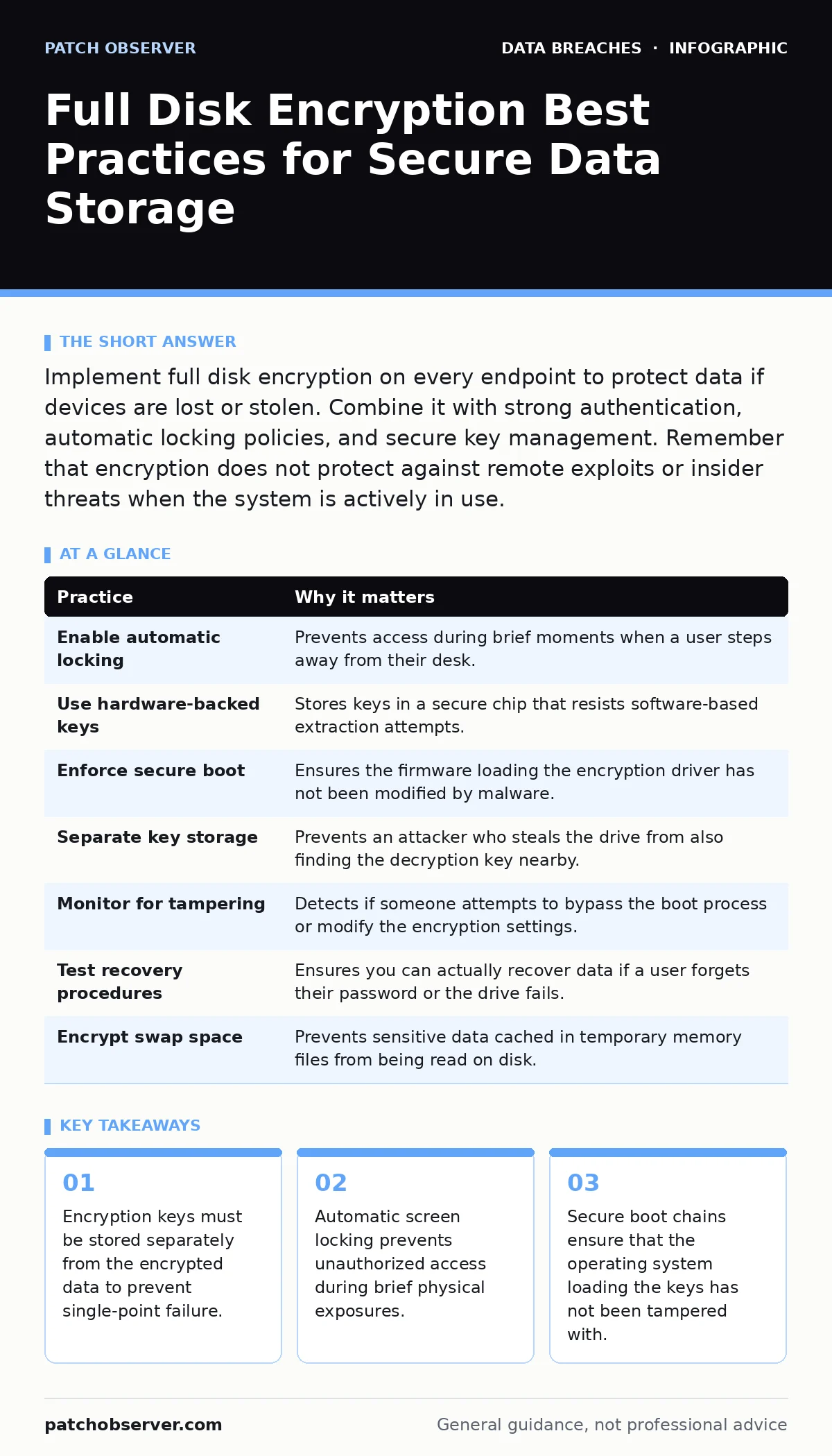
Implement full disk encryption on every endpoint to protect data if devices are lost or stolen. Combine it with strong authentication, automatic locking policies, and secure key management. Remember that encryption does not protect against remote exploits or insider threats when the system is actively in use.
Why Encryption Alone Is Not Enough
Full disk encryption transforms readable data into ciphertext using a cryptographic key. This process renders the data useless to anyone who intercepts the storage medium without that key. Imagine a laptop left in a taxi. Without encryption, a finder can remove the drive and read every file. With encryption, they see only random noise.
However, encryption is not a silver bullet. It does not protect data while the computer is running. Once the operating system decrypts the drive for use, the data sits in memory in plain text. An attacker with physical access to a running machine, or one who gains remote control, can bypass disk encryption entirely. You must treat encryption as a layer in a broader security strategy, similar to how you would approach data encryption for files in transit.
| Practice | Why it matters |
|---|---|
| Enable automatic locking | Prevents access during brief moments when a user steps away from their desk. |
| Use hardware-backed keys | Stores keys in a secure chip that resists software-based extraction attempts. |
| Enforce secure boot | Ensures the firmware loading the encryption driver has not been modified by malware. |
| Separate key storage | Prevents an attacker who steals the drive from also finding the decryption key nearby. |
| Monitor for tampering | Detects if someone attempts to bypass the boot process or modify the encryption settings. |
| Test recovery procedures | Ensures you can actually recover data if a user forgets their password or the drive fails. |
| Encrypt swap space | Prevents sensitive data cached in temporary memory files from being read on disk. |
1. Enable Automatic Session Locking
The strongest encryption algorithm cannot stop an attacker who sits at your unlocked keyboard. Users often step away from their desks for coffee, meetings, or breaks. If the screen remains active, the encryption is effectively bypassed because the session is already authenticated.
You must configure operating systems to lock the screen after a short period of inactivity. This forces the system to re-authenticate before granting access to decrypted data. The lock should engage within 5 minutes of inactivity. This practice mitigates the risk of shoulder surfing and casual physical access. It turns a potentially compromised session back into a protected state.
2. Leverage Hardware-Backed Key Storage
Software-based encryption relies on the operating system to keep the key secret. Malware or rootkits can sometimes hook into memory and extract these keys. Hardware-backed storage, such as a Trusted Platform Module (TPM) or a Secure Enclave, isolates the key in a dedicated chip. This chip refuses to release the key unless specific hardware conditions are met.
This separation of duties means that even if the main operating system is compromised, the attacker cannot easily retrieve the decryption key. The hardware module validates the integrity of the boot process before releasing the key. This adds a significant barrier to physical attacks that involve swapping drives or booting from external media. It ensures that the key never exists in plain text within the main system memory.
3. Enforce Secure Boot Chains
Secure boot is a firmware feature that checks the digital signature of every piece of software loaded during the startup process. If the operating system kernel or the bootloader has been modified, secure boot prevents it from running. This is critical for encryption because if an attacker modifies the bootloader, they can install a keylogger that captures the password before the encryption software even starts.
By enforcing secure boot, you ensure that the environment requesting the decryption key is trustworthy. You should disable the ability to boot from USB drives or network sources unless explicitly authorized. This prevents attackers from bypassing the operating system entirely and accessing the raw drive data. It closes the gap between hardware power-on and software encryption activation.
4. Separate Key Storage from Data
Storing the encryption key on the same device as the encrypted data creates a single point of failure. If an attacker gains physical possession of the device, they have both the lock and the key. Best practice dictates that keys should be stored in a hardware module that cannot be easily removed or cloned.
For enterprise environments, consider using a centralized key management system. This allows you to revoke access to a device remotely without needing to recover the physical machine. If the device is lost, the key remains secure in your infrastructure. This approach also simplifies key rotation and ensures that keys are backed up securely. It prevents the scenario where a lost laptop leads to permanent data loss because the key was also lost.
See also: Data Breaches Explained: Causes, Impacts, and Real Risk Reduction · Script Blocking Misunderstandings That Leave Systems Exposed
5. Monitor for Encryption Tampering
Attackers often attempt to disable encryption to make data extraction easier. They may try to modify registry settings, disable services, or install drivers that bypass the encryption layer. You must monitor for any changes to the encryption status or configuration on your endpoints.
Set up alerts for any event where encryption is disabled or paused. Also, monitor for attempts to access the drive in a raw, unencrypted state. These indicators suggest an active intrusion attempt. Regular audits of encryption status across your fleet ensure that no device slips through the cracks. Consistency is key to maintaining a secure posture.
6. Test Recovery Procedures Regularly
Encryption introduces a new failure mode: data loss due to lost credentials. If a user forgets their password and no backup key exists, the data is unrecoverable. You must have a reliable method for recovering access without compromising security. This often involves storing recovery keys in a secure, offline vault.
Test this process periodically. Simulate a lost password scenario and verify that your IT team can restore access within an acceptable timeframe. Ensure that the recovery process does not require the original device. This preparation prevents business disruption and ensures that encryption does not become a liability during emergencies. It balances security with operational continuity.
7. Encrypt Swap and Page Files
Operating systems use swap space or page files to move inactive data from memory to the disk. This data can contain sensitive information, including encryption keys or session tokens. If this swap space is not encrypted, an attacker with physical access can read it and extract sensitive data.
Most modern full disk encryption solutions automatically encrypt swap space. However, you must verify this setting. Ensure that temporary files are also encrypted. This prevents data leakage through temporary storage mechanisms. It ensures that all data leaving the volatile memory is protected by the same encryption standards as the main drive.
Integrating with Broader Security Controls
Full disk encryption works best when combined with other security measures. For example, mobile device management solutions can enforce encryption policies across a fleet of devices. This ensures that every device meets your security standards. Similarly, understanding email account compromise helps you realize that encryption does not stop phishing attacks that steal credentials.
You should also consider accidental data disclosure risks. Encryption protects against theft, but not against users sending sensitive files to the wrong recipient. Combining encryption with data loss prevention tools creates a more resilient defense. This layered approach addresses both physical and logical threats.
Key takeaways
- Encryption keys must be stored separately from the encrypted data to prevent single-point failure.
- Automatic screen locking prevents unauthorized access during brief physical exposures.
- Secure boot chains ensure that the operating system loading the keys has not been tampered with.
Frequently asked questions
Does full disk encryption protect against ransomware?
No. Ransomware encrypts files while the system is running and unlocked. Full disk encryption protects the drive only when it is powered off or locked. You need backups and endpoint protection to defend against ransomware.
Can I recover data if my drive fails?
Only if you have a backup. Full disk encryption makes data recovery from a failing drive extremely difficult. If the drive dies, the data is likely lost unless you have a separate, unencrypted backup.
Is software encryption as good as hardware encryption?
Software encryption is effective but relies on the operating system's security. Hardware encryption offloads the work to a dedicated chip, which can be more secure and performant. Both are acceptable if configured correctly, but hardware-backed keys offer stronger isolation.
Do I need to encrypt external USB drives?
Yes. External drives are easily lost or stolen. They often contain sensitive data. Encrypting them ensures that even if the physical device is compromised, the data remains unreadable without the key.
How this guide was produced: written by the Patch Observer editorial team with AI assistance, checked against the public references listed below, and reviewed when the facts change. See our editorial policy or report an error.