Email Account Compromise: 6 Myths That Leave You Exposed
Attackers often bypass strong passwords by exploiting trust relationships and weak recovery mechanisms rather than cracking credentials directly.
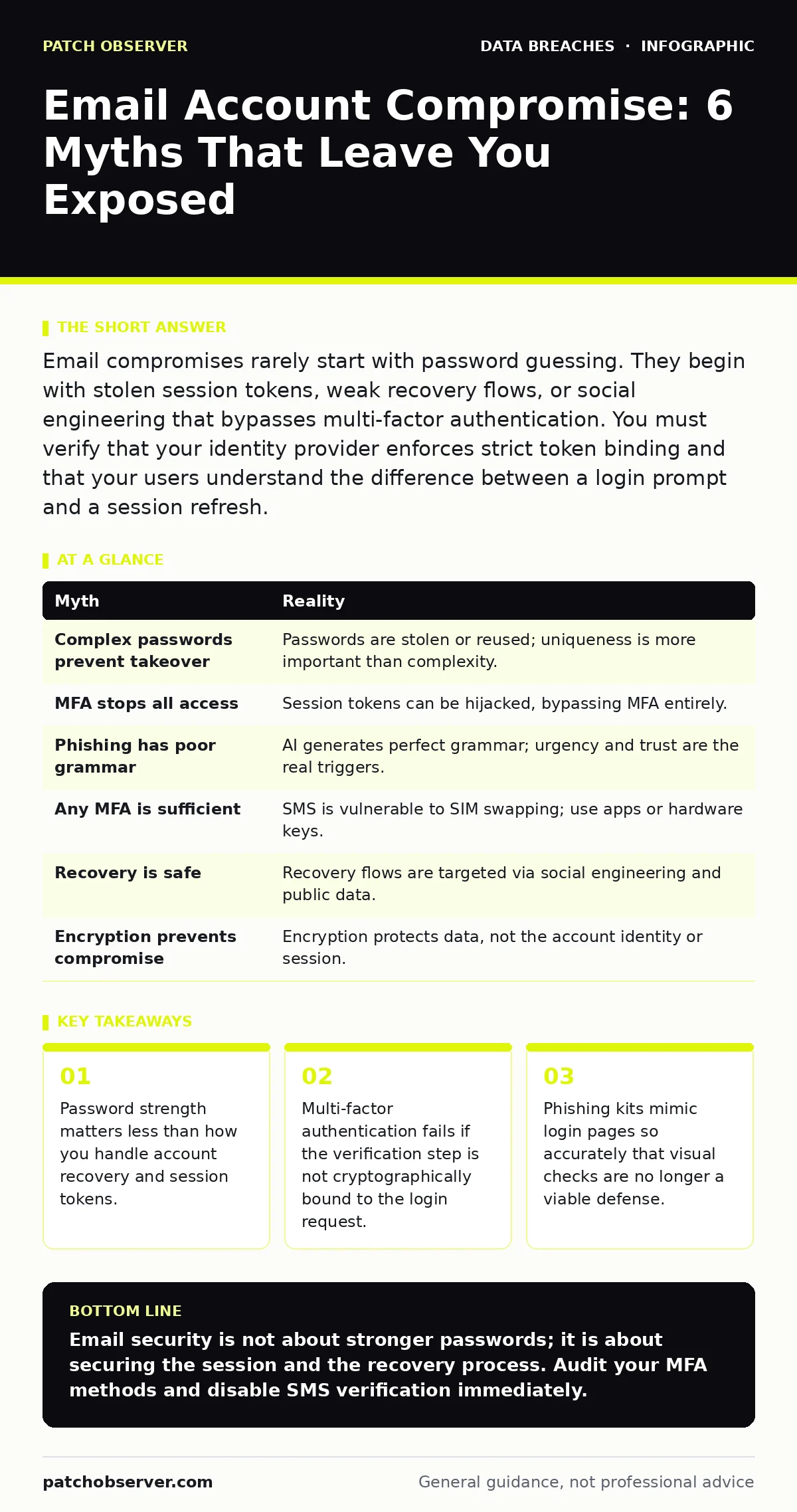
Email compromises rarely start with password guessing. They begin with stolen session tokens, weak recovery flows, or social engineering that bypasses multi-factor authentication. You must verify that your identity provider enforces strict token binding and that your users understand the difference between a login prompt and a session refresh.
Myth: A complex password prevents account takeover
Reality: Attackers rarely guess passwords anymore. They steal them from other breaches or intercept them via phishing. If you reuse a password, a breach on an unrelated site gives attackers your email credentials instantly.
Complexity rules force you to use predictable patterns. Users append numbers or symbols to common words. This makes the password harder for you to remember but easy for automated tools to guess if the base word is known.
The real vulnerability is credential stuffing. Attackers take lists of leaked username and password pairs from public databases. They test these pairs against your email provider at high speed. If you have reused a password, they gain access without cracking anything.
You must use a password manager to generate unique, random strings for every account. This ensures that a leak on one platform does not expose your email. The password itself is just the first key. The session token it generates is the real target.
Myth: Multi-factor authentication stops all unauthorized access
Reality: MFA adds a layer of defense, but it is not a wall. Attackers use several methods to bypass it. The most common is session hijacking.
When you log in, the server issues a session token. This token proves you are authenticated. If an attacker steals this token, they do not need your password or your MFA code. They simply present the token to the server, and the server grants access.
Phishing kits can capture this token in real time. These kits mirror the login page of your email provider. When you enter your credentials and MFA code, the kit forwards them to the real server. It then captures the resulting session token and uses it to log in as you.
This bypass works because the token is valid until it expires. MFA protects the login event, not the session itself. You need a system that binds the session token to the specific device or IP address used during login. This is called device binding.
Myth: Phishing emails are obvious due to poor grammar
Reality: Modern phishing attacks use artificial intelligence to generate perfect grammar and spelling. They also mimic the tone and style of your colleagues or executives.
The goal is not to trick your eyes. It is to trick your urgency. The email creates a sense of immediate need. It asks you to approve a payment, reset a password, or view a confidential document.
These emails often come from compromised accounts of people you trust. If your boss’s account is hijacked, an email from them looks legitimate. The header shows their name and address. The content matches their usual style.
You cannot rely on visual inspection. You must verify the request through a secondary channel. Call the person using a known number. Do not call the number in the email. Do not reply to the email.
Myth: Enabling two-factor authentication is enough protection
Reality: The type of MFA matters. SMS-based verification is vulnerable to SIM swapping. This is when an attacker convinces your mobile carrier to move your phone number to a new SIM card they control.
Once they control the number, they receive your verification codes. They can then reset your password and access your account. SMS codes are not secret; they travel over signaling networks that are not encrypted.
Use an authenticator app or a hardware security key instead. These methods generate codes locally or require physical presence. They do not rely on the telecommunications network.
Hardware keys, such as those using the FIDO2 standard, are the most secure. They cannot be phished because the cryptographic signature is tied to the specific domain. If you are on a fake site, the key will not sign the request.
Myth: Account recovery is a safe fallback
Reality: Account recovery is often the weakest link in your security chain. Attackers target the recovery email and phone number directly.
If your primary email is compromised, the attacker will try to change the recovery information. They use the password reset flow to gain control. Many providers allow recovery via security questions.
These questions are often answerable from public data. Where were you born? What was your first pet? This information is on social media. Attackers scrape this data to answer your security questions.
You must treat recovery options as sensitive credentials. Use a dedicated recovery email that has its own strong MFA. Do not use personal information for security questions. Use your password manager to generate random answers and store them securely.
See also: How Phishing Simulations Contribute to Enterprise Security · Secure Email Gateway Best Practices for Deep Inspection
Myth: Email encryption protects against account compromise
Reality: Encryption protects the data in transit or at rest. It does not protect the account itself. If an attacker has access to your inbox, they can read your emails before they are encrypted or after they are decrypted.
End-to-end encryption requires both parties to use compatible tools. Most standard email systems do not support this by default. They rely on TLS to encrypt the connection between servers.
TLS prevents interception during transmission. It does not prevent the recipient’s server from storing the email in plain text. If the recipient’s account is compromised, the attacker reads the stored emails.
You must separate identity security from data security. See our guide on data encryption for how to protect sensitive content. But first, you must secure the identity that accesses that content.
Summary of Myths and Realities
| Myth | Reality |
|---|---|
| Complex passwords prevent takeover | Passwords are stolen or reused; uniqueness is more important than complexity. |
| MFA stops all access | Session tokens can be hijacked, bypassing MFA entirely. |
| Phishing has poor grammar | AI generates perfect grammar; urgency and trust are the real triggers. |
| Any MFA is sufficient | SMS is vulnerable to SIM swapping; use apps or hardware keys. |
| Recovery is safe | Recovery flows are targeted via social engineering and public data. |
| Encryption prevents compromise | Encryption protects data, not the account identity or session. |
Key takeaways
- Password strength matters less than how you handle account recovery and session tokens.
- Multi-factor authentication fails if the verification step is not cryptographically bound to the login request.
- Phishing kits mimic login pages so accurately that visual checks are no longer a viable defense.
Email security is not about stronger passwords; it is about securing the session and the recovery process. Audit your MFA methods and disable SMS verification immediately.
Frequently asked questions
How do I know if my email account has been compromised?
Check for unfamiliar sent items, changed recovery information, or login alerts from unknown devices. Look for emails you did not send in your outbox.
Is two-factor authentication enough for business email?
No. You must use phishing-resistant MFA like hardware keys. SMS and standard authenticator apps can be bypassed by sophisticated phishing kits.
What should I do if I think my account is hacked?
Change your password immediately, revoke all active sessions, and update your recovery information. Notify your IT security team if you are part of an organization.
Can I use the same password for work and personal email?
No. Reusing passwords allows a breach on one service to compromise the other. Use a password manager to keep them unique.
How this guide was produced: written by the Patch Observer editorial team with AI assistance, checked against the public references listed below, and reviewed when the facts change. See our editorial policy or report an error.