Secure Email Gateway Best Practices for Deep Inspection
Most secure email gateways fail because they treat email as a static file rather than a dynamic execution environment that changes over time.

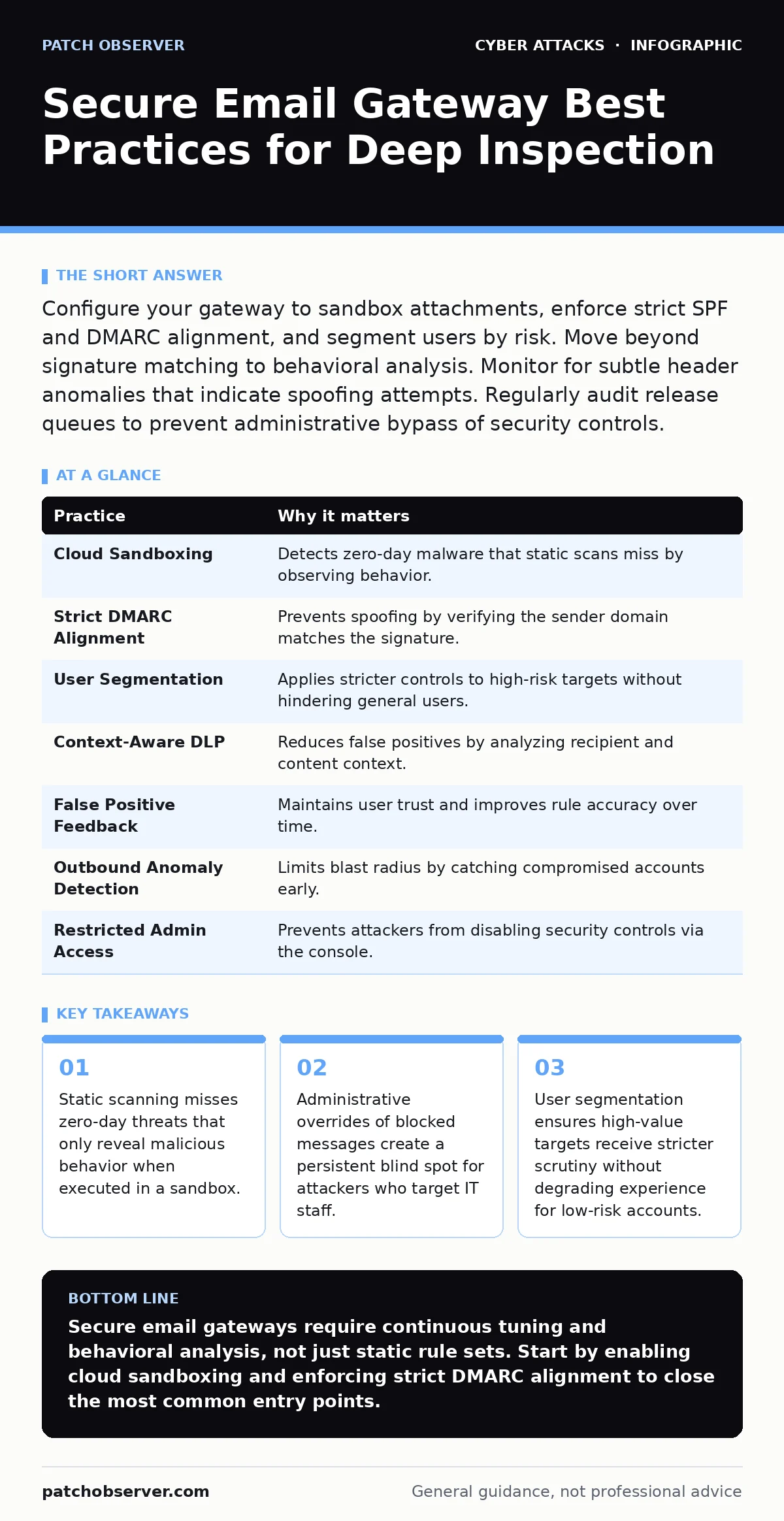
Configure your gateway to sandbox attachments, enforce strict SPF and DMARC alignment, and segment users by risk. Move beyond signature matching to behavioral analysis. Monitor for subtle header anomalies that indicate spoofing attempts. Regularly audit release queues to prevent administrative bypass of security controls.
The Illusion of Static Scanning
Email security has evolved from simple virus scanning to complex threat detection, yet many deployments still rely on outdated methods. A secure email gateway sits at the boundary of your network, filtering inbound and outbound messages. It checks headers, inspects content, and blocks known threats. However, relying solely on signature-based detection leaves you exposed to new malware variants.
Signatures are patterns of known malicious code. When an attacker creates a new virus, it lacks a signature. Your gateway sees it as clean text or a benign document. The threat slips through until it executes on an endpoint. This gap allows initial access before your internal defenses react.
1. Enable Cloud Sandboxing for All Attachments
You must isolate suspicious files in a controlled virtual environment before they reach user inboxes. Sandboxing executes the attachment in a safe space, observing its behavior rather than just its code structure. This reveals actions like registry modifications or network connections that static scans miss.
Practical Tip: Configure your gateway to automatically sandbox any file type that is not on a strict allowlist, such as PDF or plain text. Force execution of Office documents with macros disabled initially to observe if they attempt to re-enable them.
Header Validation and Authentication
Email protocols were designed for open communication, not security. Attackers exploit this by forging sender addresses to mimic trusted partners. Your gateway must verify the authenticity of the sender using established standards. These protocols add cryptographic proof to the email header.
SPF (Sender Policy Framework) defines which servers can send email for a domain. DKIM (DomainKeys Identified Mail) adds a digital signature to prove the message was not altered in transit. DMARC (Domain-based Message Authentication, Reporting, and Conformance) tells receivers what to do if SPF or DKIM fails.
2. Enforce Strict DMARC Alignment
Do not accept emails where the sender address in the header does not match the domain in the DKIM signature. This is known as alignment. Misaligned headers often indicate a spoofing attempt, even if the technical checks pass.
Practical Tip: Set your DMARC policy to "reject" for your own domain to prevent impersonation. For inbound mail, configure the gateway to flag or quarantine messages that fail strict alignment checks, rather than deleting them immediately to avoid false positives.
The Human Factor in Security
Technology cannot solve every problem. Users often bypass security controls when they face friction. A gateway that blocks too many legitimate messages will see users asking IT to release them. This creates a manual override loop that attackers exploit.
Attackers know that security teams are busy. They send low-volume, highly targeted attacks that look legitimate. When the gateway blocks them, the attacker waits for the user to request a release. The IT staff member, trusting the user, releases the malicious email.
3. Segment Users by Risk Level
Not all users need the same level of scrutiny. Executives and finance staff are high-value targets. They should sit behind stricter filters with more aggressive blocking policies. General staff can have slightly relaxed settings to reduce friction.
Practical Tip: Create separate security policies for different user groups. Apply stricter sandboxing and header checks to executive accounts. Ensure that release requests for high-risk users require multi-person approval.
Preventing Data Exfiltration
Secure email gateways are not just for inbound protection. They must also monitor outbound traffic for sensitive data. Employees often send confidential information via email without realizing it. This data loss can damage your reputation and violate regulations.
Data Loss Prevention (DLP) rules scan outbound emails for patterns like credit card numbers or social security numbers. However, these rules can generate false positives if not tuned correctly. Overly broad rules block legitimate business communications.
4. Implement Context-Aware DLP Rules
Context matters more than pattern matching. A credit card number in an invoice to a vendor is likely legitimate. The same number in an email to a personal address is suspicious. Your gateway should analyze the recipient and the content context.
Practical Tip: Configure DLP rules to block or quarantine outbound emails containing sensitive data patterns when sent to external domains not on a trusted vendor list. Allow internal sharing with minimal friction.
The Cost of False Positives
Every legitimate email your gateway blocks is a failure. Users lose trust in the system. They begin to ignore warnings or bypass filters entirely. This degradation of security culture is a hidden cost of aggressive filtering.
Balancing security and usability is difficult. Too much security stops business. Too little security allows breaches. You must continuously tune your rules based on feedback.
5. Establish a Feedback Loop for False Positives
Users must have an easy way to report blocked legitimate emails. This feedback helps you refine your rules. Without it, your gateway becomes less effective over time as it blocks more legitimate mail to catch fewer threats.
Practical Tip: Integrate a simple "False Positive" button in the quarantine portal. Automatically trigger a review process for reported items. Use this data to whitelist trusted senders or adjust content filters.
See also: How Phishing Simulations Contribute to Enterprise Security · Email Account Compromise: 6 Myths That Leave You Exposed
Monitoring the Blast Radius
When an attack succeeds, the goal is to limit the damage. Your gateway can help contain the spread by identifying compromised accounts. If an account starts sending spam, the gateway can detect the anomaly.
This relates to the concept of blast radius, which defines the extent of damage from a single failure. A compromised email account can be used to phish other employees or customers.
6. Detect Outbound Anomalies in Real-Time
Monitor for sudden changes in sending behavior. A user who normally sends five emails a day suddenly sending fifty is suspicious. Your gateway should flag this deviation.
Practical Tip: Set alerts for users who exceed their typical sending volume or send to a large number of new external recipients. Automatically suspend the account pending verification.
The Administrative Blind Spot
The most dangerous vulnerability in your email security is often the administrator. Attackers target IT staff to gain access to the gateway console. Once inside, they can disable protections or whitelist their own malicious domains.
This is a form of business email compromise where the attacker controls the infrastructure. They can see all traffic and remove evidence of their presence.
7. Restrict Administrative Access with MFA
Never allow gateway administration from standard user accounts. Use dedicated admin accounts with strong multi-factor authentication. Limit who can change critical settings.
Practical Tip: Enable logging for all administrative actions. Review these logs regularly for unauthorized changes. Use role-based access control to ensure only necessary staff can modify security policies.
Summary of Practices
| Practice | Why it matters |
|---|---|
| Cloud Sandboxing | Detects zero-day malware that static scans miss by observing behavior. |
| Strict DMARC Alignment | Prevents spoofing by verifying the sender domain matches the signature. |
| User Segmentation | Applies stricter controls to high-risk targets without hindering general users. |
| Context-Aware DLP | Reduces false positives by analyzing recipient and content context. |
| False Positive Feedback | Maintains user trust and improves rule accuracy over time. |
| Outbound Anomaly Detection | Limits blast radius by catching compromised accounts early. |
| Restricted Admin Access | Prevents attackers from disabling security controls via the console. |
Integrating with Broader Defense
Email security does not exist in a vacuum. It must work with your cyber incident response team to handle breaches effectively. When the gateway detects a threat, it should trigger alerts that integrate with your broader monitoring tools.
Attackers often use typosquatting to create domains that look similar to yours. Your gateway should monitor for these lookalike domains in inbound messages. This helps prevent users from clicking links to fake sites.
Furthermore, consider password spraying attacks where attackers try common passwords across many accounts. If your gateway detects multiple failed login attempts from various IPs, it should lock out the source.
Key takeaways
- Static scanning misses zero-day threats that only reveal malicious behavior when executed in a sandbox.
- Administrative overrides of blocked messages create a persistent blind spot for attackers who target IT staff.
- User segmentation ensures high-value targets receive stricter scrutiny without degrading experience for low-risk accounts.
Secure email gateways require continuous tuning and behavioral analysis, not just static rule sets. Start by enabling cloud sandboxing and enforcing strict DMARC alignment to close the most common entry points.
Frequently asked questions
Does a secure email gateway replace antivirus software?
No. The gateway filters threats at the perimeter, but antivirus protects endpoints from files that bypass the gateway or from local infections.
How often should I update my gateway rules?
You should review and update rules weekly at minimum, and immediately after any significant security incident or change in business processes.
Can a gateway protect against phishing links?
Yes, if it rewrites URLs and checks them in real-time. However, it cannot protect users who click links on mobile devices outside the gateway's inspection scope.
What is the biggest risk in gateway configuration?
The biggest risk is overly permissive settings that allow malicious traffic through, or overly strict settings that cause users to bypass security controls entirely.
How this guide was produced: written by the Patch Observer editorial team with AI assistance, checked against the public references listed below, and reviewed when the facts change. See our editorial policy or report an error.