Data Loss Prevention Explained: Stop Sensitive Info From Leaving
Data loss prevention works by inspecting content patterns, not just blocking file types, to stop sensitive data from leaving your network undetected.

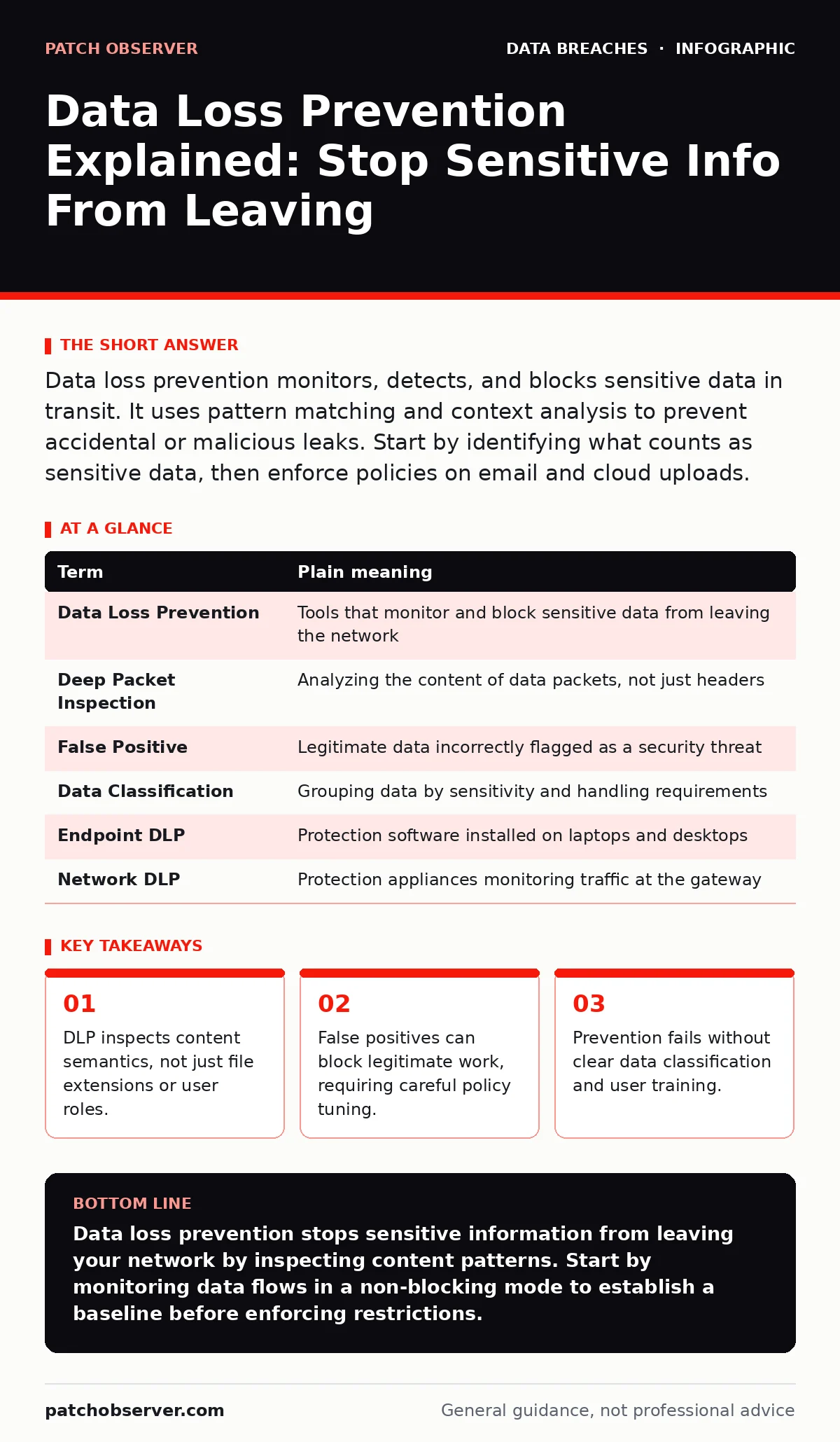
Data loss prevention monitors, detects, and blocks sensitive data in transit. It uses pattern matching and context analysis to prevent accidental or malicious leaks. Start by identifying what counts as sensitive data, then enforce policies on email and cloud uploads.
The Library Analogy
Imagine your organization is a public library. Books represent data, and patrons are users. Most books are public domain, free for anyone to take home. However, some volumes contain private donor records or unreleased manuscripts. You cannot simply lock every book in a vault, as that stops the library from functioning. Instead, you need a system that lets general circulation flow while catching anyone trying to smuggle out restricted materials. Data loss prevention acts as that librarian, watching the exit doors.
Defining the Boundaries
To protect what matters, you must first define it. Not all data holds the same value. Public marketing flyers leave the building freely. Customer credit card numbers or employee social security numbers do not. This distinction is called data classification. Without it, your security tools treat a press release the same as a payroll file. This leads to either total paralysis or total exposure. You must tag data types clearly so the system knows what to look for.
How Detection Works
The system does not just watch who is sending data. It reads the content itself. This process is called deep packet inspection. The tool scans emails, file transfers, and web uploads for specific patterns. It looks for sequences of digits that match credit card formats. It searches for keywords like "confidential" or "patient record." It can even recognize faces in images if configured for biometric data. This allows it to catch a leak even if the user renames the file to "vacation photos.jpg."
| Term | Plain meaning |
|---|---|
| Data Loss Prevention | Tools that monitor and block sensitive data from leaving the network |
| Deep Packet Inspection | Analyzing the content of data packets, not just headers |
| False Positive | Legitimate data incorrectly flagged as a security threat |
| Data Classification | Grouping data by sensitivity and handling requirements |
| Endpoint DLP | Protection software installed on laptops and desktops |
| Network DLP | Protection appliances monitoring traffic at the gateway |
The Hidden Cost of Strictness
A common mistake is setting rules too tightly. If the system blocks every document containing the word "secret," it will also block a novel or a movie script. This is a false positive. Users will find ways around it, such as using personal email or taking photos of screens. This creates shadow IT, where data moves through unmonitored channels. You lose visibility entirely. The goal is not to stop all movement, but to stop the wrong movement. Balance security with operational flow.
Controlling the Exit Points
Data rarely leaves through a single door. It exits via email, cloud storage, USB drives, and instant messaging. Each channel requires specific controls. Email gateways can scan outgoing messages for attachments containing sensitive data. Cloud storage policies can prevent uploading files tagged as confidential. Endpoint agents can block printing or copying to removable drives. You must close the gaps where users expect friction but find none. If one path is open, data will flow through it.
See also: AES Encryption Modes: How to Choose the Right One for Data Safety · Mobile Device Management Checklist: Prevent Silent Data Leaks
First Practical Steps
You cannot fix everything at once. Start with visibility. Deploy your tools in monitor-only mode. This allows you to see where sensitive data is moving without interrupting work. Review the logs for a few weeks. Identify the most common leaks and the most critical data types. Then, enable blocking for the highest-risk scenarios. Train users on why certain actions are blocked. This builds trust and reduces workarounds.
- Identify your crown jewel data assets.
- Enable monitoring mode on email and cloud uploads.
- Review logs and block only the clearest violations.
Integration With Other Controls
Data loss prevention does not work in isolation. It relies on other security layers to function effectively. If a user’s account is stolen, DLP may still allow data transfer if the credentials are valid. You must address email account compromise separately to prevent unauthorized access. Similarly, if cloud storage buckets are left open due to misconfigured cloud storage leaks, DLP at the endpoint may not catch the exposure. These issues require distinct remediation paths.
Data encryption ensures that even if data leaves the network, it remains unreadable to unauthorized parties. This adds a layer of protection when prevention fails. You should also consider mobile device management for remote workers who access data on personal devices. These tools complement DLP by securing the device itself. For broader context, understanding how data breaches occur helps you prioritize your defenses.
Key takeaways
- DLP inspects content semantics, not just file extensions or user roles.
- False positives can block legitimate work, requiring careful policy tuning.
- Prevention fails without clear data classification and user training.
Data loss prevention stops sensitive information from leaving your network by inspecting content patterns. Start by monitoring data flows in a non-blocking mode to establish a baseline before enforcing restrictions.
Frequently asked questions
Does DLP stop insider threats?
DLP can detect and block unauthorized transfers by insiders, but it cannot prevent malicious intent. It relies on pattern matching and policy enforcement to catch suspicious behavior.
Will DLP slow down my network?
Deep packet inspection adds processing overhead. Properly sized appliances and optimized rules minimize impact, but high-volume environments may see latency if not tuned correctly.
Can DLP protect data in the cloud?
Yes, cloud DLP solutions scan data stored in SaaS applications and cloud storage. They enforce policies based on data classification, regardless of where the data resides.
How do I handle false positives?
Review flagged incidents regularly. Adjust rules to exclude legitimate business patterns. Use allowlists for trusted applications or users to reduce noise and improve accuracy.
How this guide was produced: written by the Patch Observer editorial team with AI assistance, checked against the public references listed below, and reviewed when the facts change. See our editorial policy or report an error.