How Shadow IT Works: The Lifecycle of Unapproved Cloud Apps
Unapproved applications persist because they bypass network controls, creating data silos that standard security tools cannot see or manage effectively.
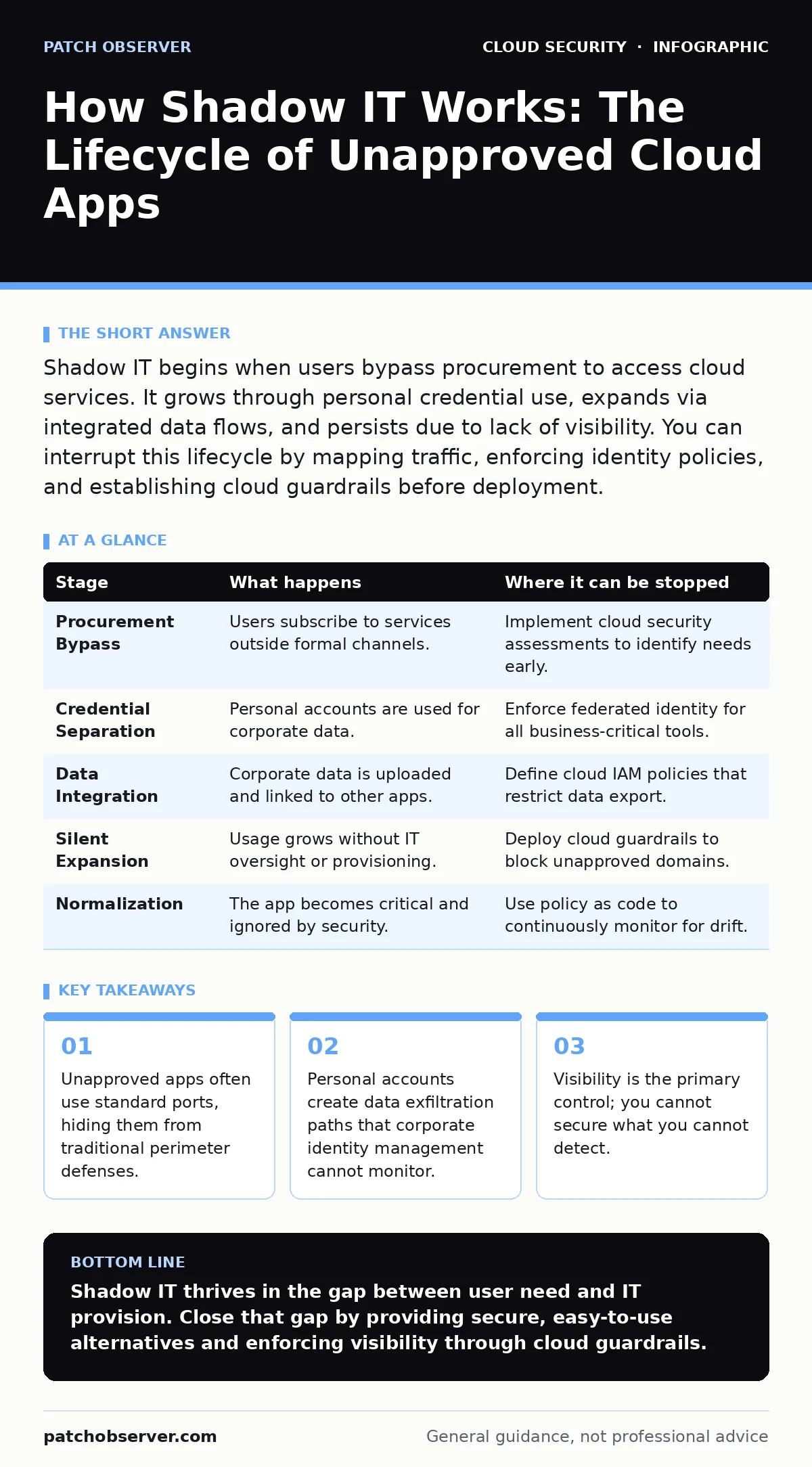
Shadow IT begins when users bypass procurement to access cloud services. It grows through personal credential use, expands via integrated data flows, and persists due to lack of visibility. You can interrupt this lifecycle by mapping traffic, enforcing identity policies, and establishing cloud guardrails before deployment.
The Origin of Unapproved Access
Shadow IT rarely begins with malicious intent. It starts with a business need that formal procurement cannot satisfy quickly enough. A team requires a specific tool for collaboration, storage, or development. Instead of waiting for approval, they subscribe to a service using a corporate credit card or personal funds. This initial bypass is the first fracture in your security perimeter.
The attacker or flaw relies on speed and convenience. Traditional procurement processes are slow. Cloud services are instant. This speed differential allows unauthorized applications to establish a foothold before your security team is aware of their existence. The application now has a presence within your organization, often linked to corporate data from day one.
Stage 1: Credential Separation
The most significant risk emerges during account creation. Users typically register for these services using personal email addresses or social media accounts. This separates the application from your corporate identity provider. Your security team cannot enforce password policies, monitor login attempts, or revoke access centrally. The application exists in a vacuum, invisible to your identity governance processes.
This separation creates a blind spot. If an employee leaves the organization, you cannot disable their access to the shadow IT application through standard offboarding procedures. The account remains active, potentially exposing sensitive data to former employees. You lose the ability to apply MFA for cloud accounts to these specific services, leaving them vulnerable to credential stuffing attacks.
Data Infiltration and Integration
Once the application is established, users begin integrating it into their workflows. They upload spreadsheets, customer lists, or intellectual property to the service. They may also connect the application to other tools via APIs or integrations. This creates a web of data dependencies that are entirely outside your control. The data is now stored in a location you do not manage and cannot backup.
The risk here is not just storage. It is movement. Data flows from your secure environment into the unapproved application. It may then flow from that application into another unapproved service. This lateral movement happens over standard internet traffic. Your firewall sees encrypted HTTPS connections to legitimate cloud providers, not malicious data exfiltration. You are watching a river of data flow out, but you cannot see what is in the water.
Stage 2: Silent Expansion
The application grows as more users adopt it. Word spreads within the department. New members join the workspace, often invited by the original user rather than through IT provisioning. The application becomes a de facto standard for that team. It holds critical business logic and historical data. Removing it now would disrupt operations. You are now locked into a dependency you never approved.
This stage relies on organizational inertia. Breaking the habit is difficult. The cost of disruption outweighs the perceived security risk in the short term. The application becomes entrenched. Your security team may detect the traffic, but without a clear alternative, they cannot simply block it. You are forced to manage the risk rather than eliminate it.
Visibility and Detection Challenges
Detecting shadow IT requires looking beyond traditional network boundaries. Firewalls and intrusion detection systems are designed to stop known threats. They are not designed to identify legitimate business applications that lack authorization. The traffic looks normal. The destination IP addresses belong to major cloud providers. Blocking the traffic would break legitimate business activities.
You need deep packet inspection or proxy logging to see the specific domains and subdomains being accessed. Even then, many cloud services use generic CDN domains. It is difficult to distinguish between a legitimate SaaS tool and a malicious file-sharing service if they both use the same infrastructure. This ambiguity allows shadow IT to persist undetected for months or years.
Stage 3: The Blind Spot
The final stage is normalization. The shadow IT application becomes part of the organization’s operational fabric. It is no longer seen as risky. It is seen as necessary. Your security tools may flag it occasionally, but alerts fatigue sets in. The noise drowns out the signal. The application continues to operate without oversight, compliance checks, or security reviews.
This stage is dangerous because it masks the risk. You assume the application is safe because it is not causing immediate problems. It is not. It is accumulating data, expanding access, and creating liability. A breach here will not be contained by your standard incident response plans. The application is outside your incident response scope.
| Stage | What happens | Where it can be stopped |
|---|---|---|
| Procurement Bypass | Users subscribe to services outside formal channels. | Implement cloud security assessments to identify needs early. |
| Credential Separation | Personal accounts are used for corporate data. | Enforce federated identity for all business-critical tools. |
| Data Integration | Corporate data is uploaded and linked to other apps. | Define cloud IAM policies that restrict data export. |
| Silent Expansion | Usage grows without IT oversight or provisioning. | Deploy cloud guardrails to block unapproved domains. |
| Normalization | The app becomes critical and ignored by security. | Use policy as code to continuously monitor for drift. |
Interrupting the Lifecycle
You can interrupt shadow IT at several points. The most effective intervention happens before data leaves your environment. This requires visibility into outbound traffic. You must know where your data is going. Without this knowledge, you are reacting to breaches rather than preventing them.
Implementing a secure web gateway can help. These tools inspect outbound traffic and can block access to unapproved cloud categories. However, they require careful tuning. Blocking too much breaks productivity. Blocking too little leaves gaps. You need a balance between security and usability.
Implementing Cloud Guardrails
Cloud guardrails provide a framework for acceptable usage. They define which services are allowed and how they can be used. This is not just a list of blocked domains. It is a set of rules that govern how data can move. For example, you might allow file storage but only if encryption is enabled at rest. You might allow collaboration tools but only if they support single sign-on.
These guardrails must be enforced automatically. Manual checks are insufficient. The speed of cloud adoption outpaces manual review. You need automated tools that scan for unapproved resources and alert or block them in real time. This reduces the window of exposure.
Managing the Risk
Even with guardrails, some shadow IT will persist. You must have a plan for managing these risks. This includes monitoring the applications for suspicious activity. You should treat them as high-risk assets. Assume they are compromised. Plan for data loss.
Regular cloud security assessments can help identify these hidden applications. Look for unusual traffic patterns. Look for accounts that do not conform to your identity standards. Engage with the business units using these tools. Understand their needs. Offer approved alternatives that meet those needs without the security risk.
See also: CIS Benchmarks for Small Business: Secure Cloud Configs
The Cost of Convenience
The cost of shadow IT is not just a potential breach. It is the loss of control over your data. You do not know where your data is. You do not know who has access. You cannot guarantee compliance with regulations. This lack of control creates legal and financial liability.
Convenience is a powerful driver. You cannot eliminate the desire for speed and ease of use. You must channel it into secure paths. Make the approved path easier than the unapproved path. If your official tools are cumbersome, users will find a way around them. Security must enable productivity, not hinder it.
Key takeaways
- Unapproved apps often use standard ports, hiding them from traditional perimeter defenses.
- Personal accounts create data exfiltration paths that corporate identity management cannot monitor.
- Visibility is the primary control; you cannot secure what you cannot detect.
Shadow IT thrives in the gap between user need and IT provision. Close that gap by providing secure, easy-to-use alternatives and enforcing visibility through cloud guardrails.
Frequently asked questions
How do I find shadow IT applications in my network?
Analyze outbound DNS logs and proxy records for cloud service domains. Look for traffic that does not match your approved application list.
Can I just block all unapproved cloud services?
Blocking without visibility breaks business operations. You must first identify what is being used and why, then offer secure alternatives.
What is the difference between shadow IT and rogue devices?
Shadow IT refers to unauthorized software services. Rogue devices are unauthorized hardware connected to your network. Both require visibility controls.
Does SSO eliminate shadow IT?
SSO helps manage approved applications. It does not stop users from creating personal accounts for unapproved services. You need traffic monitoring to detect those accounts.
How this guide was produced: written by the Patch Observer editorial team with AI assistance, checked against the public references listed below, and reviewed when the facts change. See our editorial policy or report an error.