Implement Cloud Security Assessments: A Step-by-Step Process
Most organizations fail because they scan for misconfigurations before mapping the attack surface, wasting cycles on noise instead of real risk exposure.
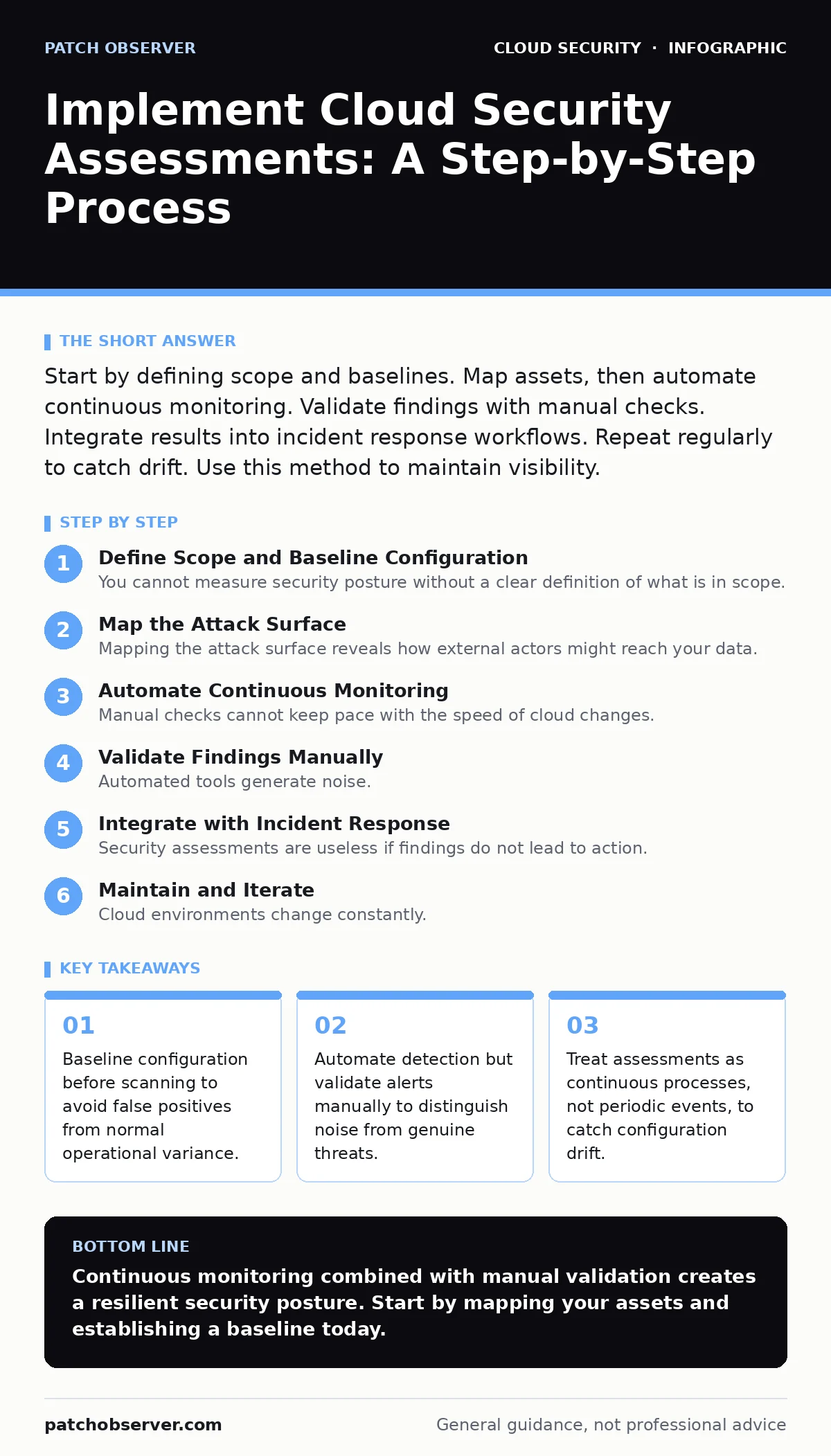
Start by defining scope and baselines. Map assets, then automate continuous monitoring. Validate findings with manual checks. Integrate results into incident response workflows. Repeat regularly to catch drift. Use this method to maintain visibility.
Define Scope and Baseline Configuration
You cannot measure security posture without a clear definition of what is in scope. Begin by inventorying every cloud asset, including virtual machines, containers, storage buckets, and serverless functions. This inventory serves as the ground truth for all subsequent checks. Without it, your tools will report on stale or irrelevant resources.
Establish a baseline configuration for each asset type. This baseline represents the secure, operational state of your infrastructure. Document acceptable deviations, such as temporary ports opened for maintenance. If you skip this step, your assessment tools will flag every change as a potential threat, creating alert fatigue.
Map the Attack Surface
Mapping the attack surface reveals how external actors might reach your data. Identify all public-facing endpoints, including APIs, websites, and management consoles. Determine which assets are accessible from the internet and which are isolated within virtual private clouds. Isolated assets require different controls than public ones.
Analyze network paths between these assets. Look for overly permissive security groups or network access control lists that allow broad traffic flows. These paths often bypass perimeter defenses, allowing attackers to move laterally once they breach an entry point. Understanding these paths helps you prioritize which misconfigurations pose the greatest immediate risk.
Automate Continuous Monitoring
Manual checks cannot keep pace with the speed of cloud changes. Implement automated tools that continuously scan for misconfigurations against your established baseline. These tools should check for common issues, such as unencrypted storage or excessive permissions. Automation ensures that new vulnerabilities are detected shortly after they are introduced.
Integrate these tools into your deployment pipeline. This allows you to catch security issues before code reaches production. This approach, often called infrastructure-as-code scanning, shifts security left in the development lifecycle. It reduces the cost of fixing errors compared to patching them in live systems.
Validate Findings Manually
Automated tools generate noise. They often flag benign configurations as risky because they lack context. You must validate high-severity findings manually to confirm they are true positives. Investigate why a configuration deviates from the baseline. Is it a necessary business requirement, or is it an oversight?
Prioritize findings based on exploitability and impact. A misconfigured logging bucket is less urgent than an exposed database with no authentication. Focus your remediation efforts on the highest risks first. This triage process ensures you address the most dangerous issues before they are exploited.
Integrate with Incident Response
Security assessments are useless if findings do not lead to action. Integrate your assessment results with your incident response workflow. When a critical misconfiguration is detected, it should trigger an alert to the appropriate team. Define clear roles for who responds to these alerts.
Ensure your incident response plan includes procedures for cloud-specific threats. Traditional plans often focus on on-premises hardware and miss cloud-native attack vectors. Update your runbooks to include steps for isolating compromised cloud resources. This integration turns passive data into active defense.
See also: CIS Benchmarks for Small Business: Secure Cloud Configs
Maintain and Iterate
Cloud environments change constantly. New services are added, configurations drift, and permissions expand. You must maintain your assessment process to keep it effective. Schedule regular reviews of your baseline and scope. Update your automation rules to reflect new threats and business requirements.
Review your assessment results quarterly to identify trends. Are certain types of misconfigurations recurring? This indicates a gap in your development process or training. Address the root cause, not just the symptom. Continuous improvement ensures your security posture evolves with your infrastructure.
Verification Checklist
Use this checklist to ensure your assessment process is robust and effective.
- Asset inventory is up-to-date and includes all cloud resources.
- Baseline configurations are documented and approved by stakeholders.
- Automated scanning tools are integrated into the deployment pipeline.
- High-severity findings are validated manually within 24 hours.
- Incident response procedures include cloud-specific scenarios.
- Assessment results are reviewed quarterly for trends and improvements.
- Access permissions are audited regularly to prevent privilege creep.
- Logs are centralized and monitored for suspicious activity.
Common Pitfalls to Avoid
Many organizations struggle with cloud supply chain risks by trusting third-party code without verification. Ensure your assessments include dependencies and libraries. Another common error is neglecting identity management. Weak credentials can bypass even the strongest network controls. Consider implementing MFA for cloud accounts to add a layer of defense.
Also, be wary of OAuth token abuse. Misconfigured tokens can grant attackers broad access to your data. Regularly audit token permissions and lifetimes. Finally, do not ignore secure access service edge principles if you have remote users. Ensuring secure access from anywhere is critical for modern workforces.
Key takeaways
- Baseline configuration before scanning to avoid false positives from normal operational variance.
- Automate detection but validate alerts manually to distinguish noise from genuine threats.
- Treat assessments as continuous processes, not periodic events, to catch configuration drift.
Continuous monitoring combined with manual validation creates a resilient security posture. Start by mapping your assets and establishing a baseline today.
Frequently asked questions
How often should I run cloud security assessments?
Run automated scans continuously. Perform manual reviews and baseline updates quarterly to account for changes and new threats.
What is the difference between a security assessment and a penetration test?
Assessments identify misconfigurations and vulnerabilities. Penetration tests attempt to exploit those vulnerabilities to prove impact.
Can I rely entirely on automated tools for cloud security?
No. Automated tools miss context and generate false positives. Manual validation is necessary to prioritize and confirm real risks.
How do I handle third-party cloud services in my assessment?
Include them in your scope and verify their security posture. Use contracts and audits to ensure they meet your security requirements.
How this guide was produced: written by the Patch Observer editorial team with AI assistance, checked against the public references listed below, and reviewed when the facts change. See our editorial policy or report an error.