Virtual Private Clouds: Definition, Architecture, and Security Boundaries
A VPC isolates your infrastructure within a shared cloud provider, giving you a private network slice that prevents neighbors from accessing your data.
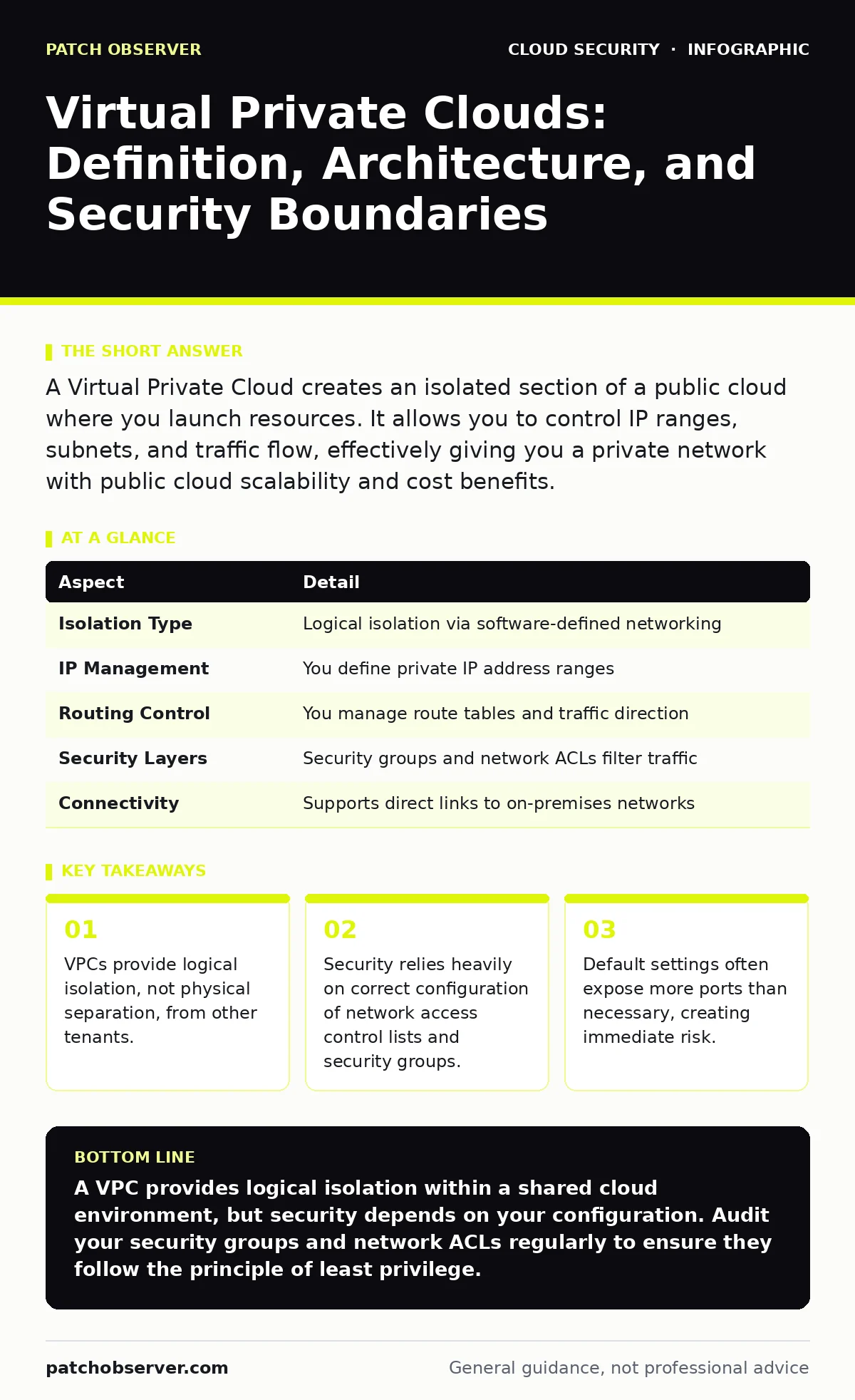
A Virtual Private Cloud creates an isolated section of a public cloud where you launch resources. It allows you to control IP ranges, subnets, and traffic flow, effectively giving you a private network with public cloud scalability and cost benefits.
The Shared Bus Analogy
Imagine a massive highway where thousands of cars travel simultaneously. A Virtual Private Cloud acts like a dedicated, fenced-off lane on that highway. You share the pavement and the road signs with everyone else, but your lane has its own entry gates, exit ramps, and speed limits. Other drivers cannot enter your lane, and your vehicles cannot stray into theirs without explicit permission. This model allows you to enjoy the scale of a public road while maintaining the privacy of a private driveway.
The cloud provider owns the physical servers, the cabling, and the power. You own the configuration of the virtual network. This separation is the foundation of modern cloud architecture. It allows you to deploy servers, databases, and applications without worrying about physical hardware failures or maintenance windows.
Defining the Virtual Boundary
A Virtual Private Cloud is a logically isolated section of a cloud provider’s infrastructure. You define the boundary using a range of IP addresses, which is typically a Classless Inter-Domain Routing block. Within this boundary, you create subnets. Subnets are smaller, manageable chunks of the IP range that host specific resources. You can place public-facing web servers in one subnet and sensitive databases in another.
The isolation is logical, not physical. Your virtual machines run on the same physical hardware as other customers. The provider uses hypervisors and network virtualization to ensure your traffic never mixes with theirs. This means your security depends entirely on the strength of those virtual fences, not on distance or physical locks.
| Aspect | Detail |
|---|---|
| Isolation Type | Logical isolation via software-defined networking |
| IP Management | You define private IP address ranges |
| Routing Control | You manage route tables and traffic direction |
| Security Layers | Security groups and network ACLs filter traffic |
| Connectivity | Supports direct links to on-premises networks |
The Components of Control
You control traffic flow using two primary mechanisms: security groups and network access control lists. Security groups act as virtual firewalls attached to individual instances. They are stateful, meaning if you allow an inbound request, the return traffic is automatically allowed. Network ACLs act as firewalls for entire subnets. They are stateless, requiring you to explicitly allow both inbound and outbound traffic.
Route tables determine where network traffic goes. You can send traffic to the internet, to a virtual private gateway for on-premises connections, or to other subnets. Internet gateways allow resources to communicate with the public internet. You must attach an internet gateway to your VPC and configure routes to direct traffic through it. Without these components, your resources remain isolated and inaccessible from the outside world.
Where Default Settings Fail
Many administrators accept default configurations to speed up deployment. This is a dangerous shortcut. Default VPCs often come with a public subnet and a default security group that allows all outbound traffic. They may also allow inbound traffic from any source on common ports. This exposes your resources to the entire internet by default.
You must treat every new VPC as hostile until you have hardened it. Start with a deny-all policy for inbound traffic. Add rules only for the specific ports and IP ranges required by your application. This principle of least privilege reduces the attack surface significantly. It forces you to document why each rule exists.
Integrating with Broader Defence
A VPC does not exist in a vacuum. It must connect to identity providers, encryption services, and monitoring tools. Integrating with federated identity ensures that only authorized users can access the management console. This prevents credential stuffing attacks from compromising your administrative accounts.
You should also integrate cloud key management services to encrypt data at rest. Even if an attacker breaches the network, they cannot read the data without the keys. Furthermore, use policy as code to enforce standards across all VPCs. This ensures that no one can create a VPC without the required security controls. Infrastructure-as-code scanning can catch misconfigurations before they reach production.
See also: CIS Benchmarks for Small Business: Secure Cloud Configs
Common Misconceptions About Isolation
Many assume that a VPC provides complete protection from other tenants. This is incorrect. Logical isolation can be bypassed if the hypervisor is compromised or if there is a side-channel attack. While rare, these risks exist. You must assume that physical isolation is not guaranteed.
Another common mistake is confusing public subnets with public exposure. Placing a resource in a public subnet does not automatically expose it to the internet. You must also assign a public IP address and configure security groups to allow inbound traffic. Conversely, placing a resource in a private subnet does not guarantee safety if you have misconfigured route tables or security groups.
Shadow IT often occurs when employees create VPCs outside of standard processes. These rogue environments lack proper monitoring and security controls. They become blind spots where data leaks can occur unnoticed. Regular auditing and automated compliance checks are necessary to detect and remediate these environments.
Managing Complexity and Cost
As your VPC architecture grows, complexity increases. Managing multiple subnets, route tables, and security groups manually becomes error-prone. A single typo in a security group rule can lock you out of your servers or expose them to the internet. This is where automation becomes necessary.
Cloud guardrails help enforce best practices across your organization. They prevent users from creating resources that violate security policies. For example, a guardrail can block the creation of security groups that allow inbound traffic on port 22 from any IP address. This reduces the risk of human error and ensures consistency.
Monitoring is also critical. You need to log all network traffic and security group changes. This allows you to detect anomalous behavior and respond quickly. Without proper logging, you may not realize a breach has occurred until significant damage is done.
The Path Forward for Secure Clouds
Securing a Virtual Private Cloud is an ongoing process. It requires constant vigilance and regular updates to your security policies. As your application evolves, your network requirements will change. You must adapt your security controls to match these changes.
Regularly review your security groups and network ACLs. Remove rules that are no longer needed. Test your configurations with automated tools to ensure they meet compliance standards. By treating your VPC as a dynamic security boundary, you can maintain a strong defence posture.
Key takeaways
- VPCs provide logical isolation, not physical separation, from other tenants.
- Security relies heavily on correct configuration of network access control lists and security groups.
- Default settings often expose more ports than necessary, creating immediate risk.
A VPC provides logical isolation within a shared cloud environment, but security depends on your configuration. Audit your security groups and network ACLs regularly to ensure they follow the principle of least privilege.
Frequently asked questions
Is a VPC physically isolated from other customers?
No, a VPC is logically isolated. Resources share physical hardware with other tenants, but software-defined networking ensures traffic separation.
Can a VPC communicate with the internet?
Yes, but only if you attach an internet gateway and configure route tables and security groups to allow traffic.
What is the difference between a security group and a network ACL?
Security groups are stateful and attached to instances, while network ACLs are stateless and applied to entire subnets.
How do I prevent unauthorized access to my VPC?
Use strict security group rules, enable federated identity for management access, and implement regular auditing of network configurations.
How this guide was produced: written by the Patch Observer editorial team with AI assistance, checked against the public references listed below, and reviewed when the facts change. See our editorial policy or report an error.