Cloud Key Management Services: Secure Data Without the Heavy Lift
Small teams often lose data not because hackers break in, but because they mismanage the encryption keys that lock it away.

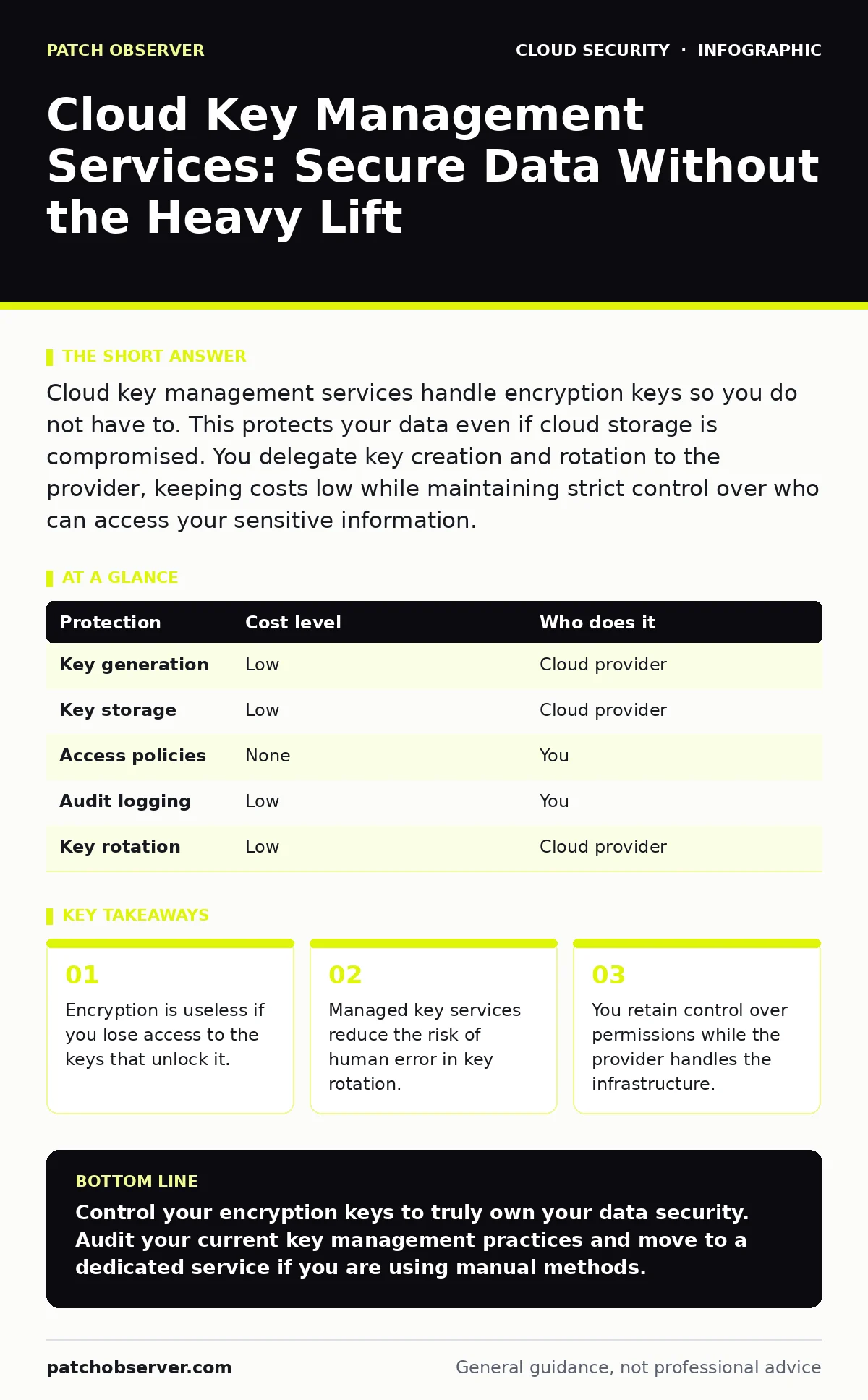
Cloud key management services handle encryption keys so you do not have to. This protects your data even if cloud storage is compromised. You delegate key creation and rotation to the provider, keeping costs low while maintaining strict control over who can access your sensitive information.
The Hidden Complexity of Small-Scale Encryption
Encryption is the process of scrambling data so that only authorized parties can read it. For small organizations, the temptation is to rely on the cloud provider’s default settings. This approach fails when you need to prove compliance or when an employee leaves the company. You must control the keys that decrypt the data. If you do not manage these keys, you do not truly own your data security.
The mechanism at work is symmetric encryption. This uses a single key to both lock and unlock information. The challenge is not the math, but the lifecycle of that key. Keys must be created, stored, rotated, and destroyed securely. Doing this manually is prone to error. A misplaced key file can lock you out of your own business operations.
Why Manual Key Management Fails
You might think storing keys in a password manager or a shared drive is sufficient. It is not. These methods lack audit trails. You cannot prove who accessed a key or when. Regulatory frameworks require detailed logs of every cryptographic operation. Manual processes also suffer from key sprawl. As your services grow, so does the number of keys. Tracking them becomes impossible without automation.
Another hidden cost is the time spent on rotation. Best practices dictate changing keys regularly to limit exposure if one is compromised. Doing this by hand is tedious and often skipped. When rotation is skipped, a single breach can expose years of data. Automation ensures that keys change on a schedule you define, without requiring manual intervention.
Understanding Cloud Key Management Services
Cloud key management services, or KMS, are managed platforms that create and control encryption keys. They separate the key from the data. The data sits in object storage, while the key sits in the KMS. To read the data, your application must request permission from the KMS. This adds a layer of security. Even if attackers steal the storage bucket, they cannot decrypt the contents without the key.
These services operate on a bring-your-own-key or manage-your-own-key model. In the latter, the provider generates and stores the key. You control who can use it through identity policies. This means you delegate the heavy lifting of infrastructure maintenance while retaining authority over access. The provider ensures the key material never leaves their secure hardware in plaintext.
Affordable Protection for Limited Budgets
Security tools often scale with price. Key management is an exception. Most major cloud providers offer a base tier of KMS at a very low cost. This tier includes unlimited key creation and a generous number of requests. For a small business, this is often enough. You pay for the storage of the keys and the API calls to use them. The cost is negligible compared to the risk of data loss.
You do not need to buy separate hardware security modules. These are physical devices that store keys, often used by large enterprises. Cloud KMS uses similar underlying technology but virtualizes it. This removes the capital expense and the maintenance burden. You get enterprise-grade security without the enterprise price tag. The trade-off is that you trust the cloud provider’s isolation mechanisms.
What to Delegate and What to Keep
You should delegate the generation, storage, and rotation of key material. These tasks require specialized hardware and constant monitoring. The cloud provider excels at this. They use hardware security modules to protect the key material. They also handle the cryptographic operations, ensuring that keys are never exposed in memory longer than necessary.
You must keep control of access policies. This is the most critical decision. You define which users, applications, or services can use a specific key. If you delegate this, you lose the ability to restrict access. For example, you might want to allow the finance application to decrypt data but block the marketing team. This control stays with you. It is the difference between locking a door and giving everyone a copy of the key.
| Protection | Cost level | Who does it |
|---|---|---|
| Key generation | Low | Cloud provider |
| Key storage | Low | Cloud provider |
| Access policies | None | You |
| Audit logging | Low | You |
| Key rotation | Low | Cloud provider |
See also: CIS Benchmarks for Small Business: Secure Cloud Configs
Integrating with Your Existing Security Stack
Key management does not exist in isolation. It works best when combined with other security controls. You should align your key usage with your cloud IAM policies. These policies define who can do what in your cloud environment. By restricting KMS access to specific IAM roles, you ensure that only authorized services can decrypt data. This creates a chain of trust.
Consider how this fits with federated identity. If your users log in through an external identity provider, their session tokens should determine their access to keys. This centralizes identity management. It also simplifies offboarding. When an employee leaves, you revoke their identity. They instantly lose access to all keys and data. This is more effective than hunting for individual key permissions.
Questions for Your IT Provider
If you outsource your cloud management, you must verify their key management practices. Do not assume they have this covered. Ask specific questions to ensure they are not cutting corners.
- How do you generate and store encryption keys?
- Do you use a dedicated key management service or custom scripts?
- How often do you rotate keys, and is this automated?
- Can we audit who accessed our keys and when?
- What happens to our keys if we terminate your contract?
The Long-Term View on Data Security
Securing keys is a continuous process. It is not a one-time setup. As your business grows, your data volume increases. So does the attack surface. You must regularly review your access policies. Permissions tend to creep over time. Users accumulate more access than they need. This increases the risk of insider threats.
By using a managed key management service, you build a foundation that scales. You start with low costs and simple controls. As your needs grow, you can add more features like automatic rotation and detailed auditing. The key is to start now. Do not wait until you have a breach. Establishing good habits early prevents costly mistakes later.
Key takeaways
- Encryption is useless if you lose access to the keys that unlock it.
- Managed key services reduce the risk of human error in key rotation.
- You retain control over permissions while the provider handles the infrastructure.
Control your encryption keys to truly own your data security. Audit your current key management practices and move to a dedicated service if you are using manual methods.
Frequently asked questions
Can I use my own keys with cloud storage?
Yes, most cloud providers allow you to import your own keys. This gives you full control but increases your management burden.
Is cloud key management secure?
Yes, providers use hardware security modules to protect keys. The risk lies in how you configure access policies, not the storage itself.
What happens if I lose my access to the KMS?
If you lose administrative access to the KMS, you cannot decrypt your data. Ensure you have multiple administrators and a clear recovery plan.
Do I need key management for all data?
No, focus on sensitive data like financial records or personal information. Public-facing content does not require this level of protection.
How this guide was produced: written by the Patch Observer editorial team with AI assistance, checked against the public references listed below, and reviewed when the facts change. See our editorial policy or report an error.