Credential Stuffing Explained: Why Reused Passwords Fail
Attackers automate login attempts using leaked data from other sites, turning a single old breach into immediate access to your current accounts without guessing.
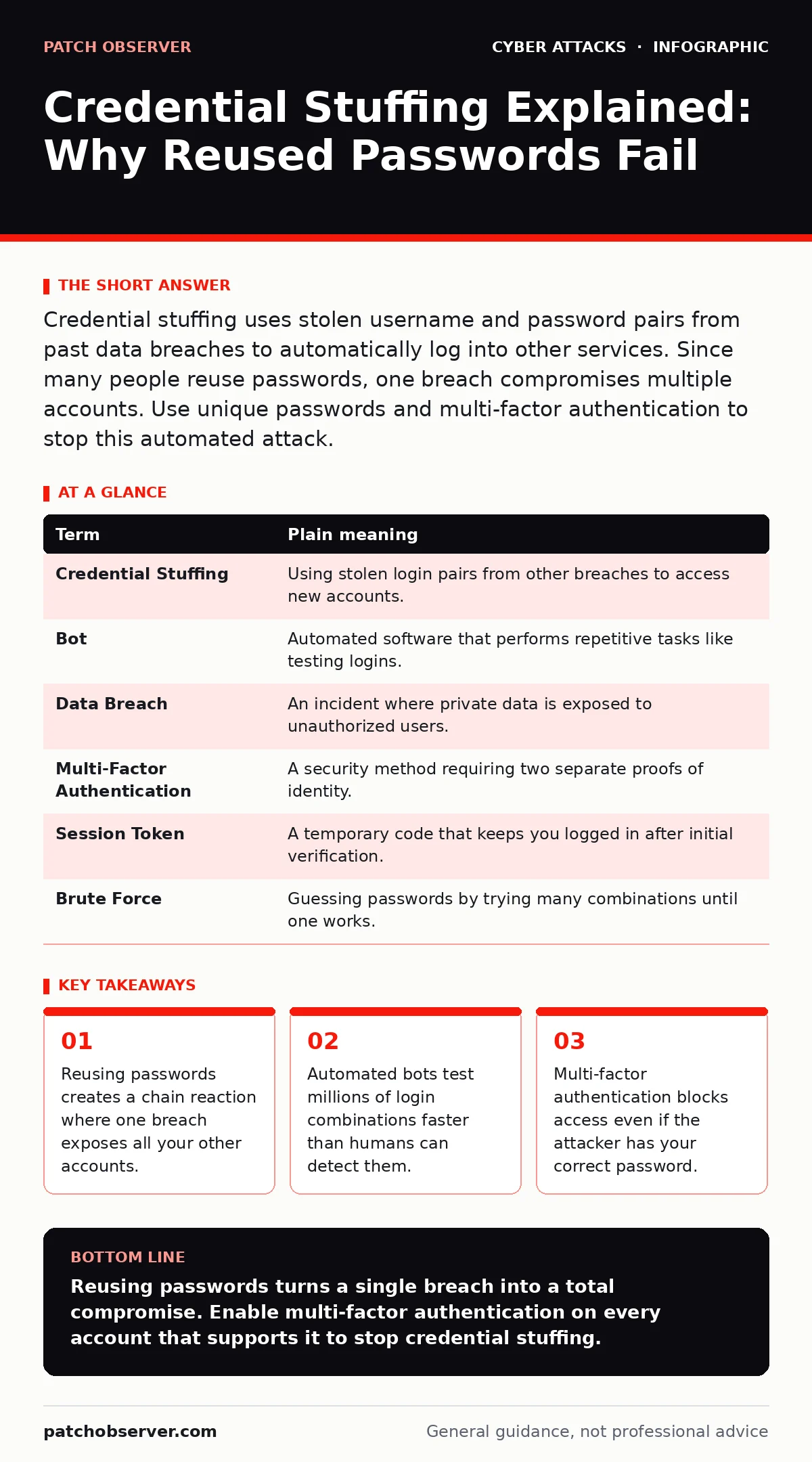
Credential stuffing uses stolen username and password pairs from past data breaches to automatically log into other services. Since many people reuse passwords, one breach compromises multiple accounts. Use unique passwords and multi-factor authentication to stop this automated attack.
The Master Key Analogy
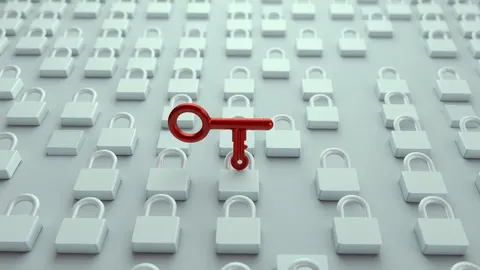
Imagine you use the same physical key for your front door, your office filing cabinet, and your car. This is convenient, but it carries a hidden risk. If a thief steals that single key, they do not need to pick locks or force entries. They simply walk through every door that key opens.
In the digital world, your password is that key. When you reuse the same password across different websites, you are giving every service a copy of the same master key. If one service loses that key, the thief now holds access to your entire digital life.
This specific attack method is called credential stuffing. It is not about cracking a complex lock. It is about using a key that already works. The attacker does not try to break in; they simply try the keys they already have in their pocket.
How the Attack Works
Attackers collect lists of usernames and passwords from previous data breaches. These lists are often sold on dark web markets or shared in hacking forums. The data contains real credentials that worked at some point in the past.
Automated software, known as bots, takes these lists and tests them against other popular services. The bots send thousands of login attempts per minute. They are not guessing passwords; they are checking if the password you used for a forum in years past still works for your banking app today.
This process happens too fast for human review. The system sees a valid username and a valid password and grants access. It does not know the password was stolen. It only knows the combination matches its records.
The Hidden Cost of Convenience
Most users believe that a long, complex password is enough protection. This belief fails when the password is reused. A password like "SuperSecret123!" is strong if it is unique. It is weak if you use it on five different sites.
The real danger is the delay. You might not notice the attack immediately. The attacker may sit in your account for weeks, moving funds or harvesting data, before you see an alert. By then, the damage is done.
This is why credential stuffing is so effective. It relies on human habit, not technical weakness. It exploits the natural tendency to minimize memory load by repeating simple patterns.
Signs of a Compromise
You may not see a direct alert that your password was tried and failed. Many services only notify you of successful logins from new devices. Look for emails about password resets you did not request.
Check for unfamiliar transactions or changes to your account settings. If you see a new recovery email address added, an attacker has likely gained access. They change recovery details to lock you out permanently.
Monitor your inbox for verification codes you did not ask for. This indicates someone is trying to bypass security measures using your credentials. Treat these codes as a red flag, even if the login attempt fails.
| Term | Plain meaning |
|---|---|
| Credential Stuffing | Using stolen login pairs from other breaches to access new accounts. |
| Bot | Automated software that performs repetitive tasks like testing logins. |
| Data Breach | An incident where private data is exposed to unauthorized users. |
| Multi-Factor Authentication | A security method requiring two separate proofs of identity. |
| Session Token | A temporary code that keeps you logged in after initial verification. |
| Brute Force | Guessing passwords by trying many combinations until one works. |
Why Passwords Alone Fail
A password is a secret you know. It is the only factor in traditional login systems. If that secret is leaked, your defense collapses. This is the fundamental flaw of single-factor authentication.
Attackers know this. They focus on services that do not require a second step. They ignore accounts with strong secondary verification because they cannot bypass it easily.
This is why business email compromise often starts with a stuffed credential. Once inside an email account, attackers can impersonate executives or clients. They do not need to hack the server; they just need the login.
See also: MFA for Cloud Accounts: Secure Small Business Access Without Complexity
Building a Better Defense
You cannot control how other companies store your data. You can only control how you use your credentials. The goal is to break the chain of reuse. If one key is stolen, it should not open your other doors.
Use a password manager. This tool generates and stores unique, complex passwords for every site. You only need to remember one master password. The manager handles the rest.
Enable multi-factor authentication everywhere possible. This adds a second layer, like a code sent to your phone. Even if the attacker has your password, they cannot enter without the second factor.
Try This Now
- Check one high-value account, like your email or bank, for multi-factor authentication settings. Turn it on if it is off. Use an app, not text messages.
- Change the password for your email account. Make it unique. Do not use this password anywhere else.
- Review recent login activity on your social media accounts. Log out of unfamiliar devices and change the password if you see suspicious access.
The Long Game
Security is not a one-time fix. It is a habit. You must regularly review your accounts and update your defenses. New threats emerge constantly, and old habits become liabilities.
Consider how typosquatting sites mimic legitimate services to steal credentials. They rely on your haste. Slow down when entering passwords. Check the URL carefully.
While secure email gateways filter malicious messages, they cannot stop you from logging into a fake site. Your vigilance at the keyboard is the final barrier.
Key takeaways
- Reusing passwords creates a chain reaction where one breach exposes all your other accounts.
- Automated bots test millions of login combinations faster than humans can detect them.
- Multi-factor authentication blocks access even if the attacker has your correct password.
Reusing passwords turns a single breach into a total compromise. Enable multi-factor authentication on every account that supports it to stop credential stuffing.
Frequently asked questions
Is credential stuffing the same as brute force?
No. Brute force guesses passwords randomly. Credential stuffing uses known, stolen passwords from previous breaches to test access.
Can I stop credential stuffing with just a strong password?
No. If you reuse a strong password, it is still vulnerable. You must use unique passwords and multi-factor authentication to stop it.
How do I know if my password was leaked?
You can check public breach databases online. If your email appears, change that password immediately and everywhere else you used it.
Does multi-factor authentication stop all attacks?
It stops credential stuffing effectively. It does not stop phishing attacks where you voluntarily give away the code to a scammer.
How this guide was produced: written by the Patch Observer editorial team with AI assistance, checked against the public references listed below, and reviewed when the facts change. See our editorial policy or report an error.