Data Breaches Explained: Causes, Impacts, and Real Risk Reduction
Most data breaches stem from configuration errors and credential theft rather than sophisticated external hacking attacks.

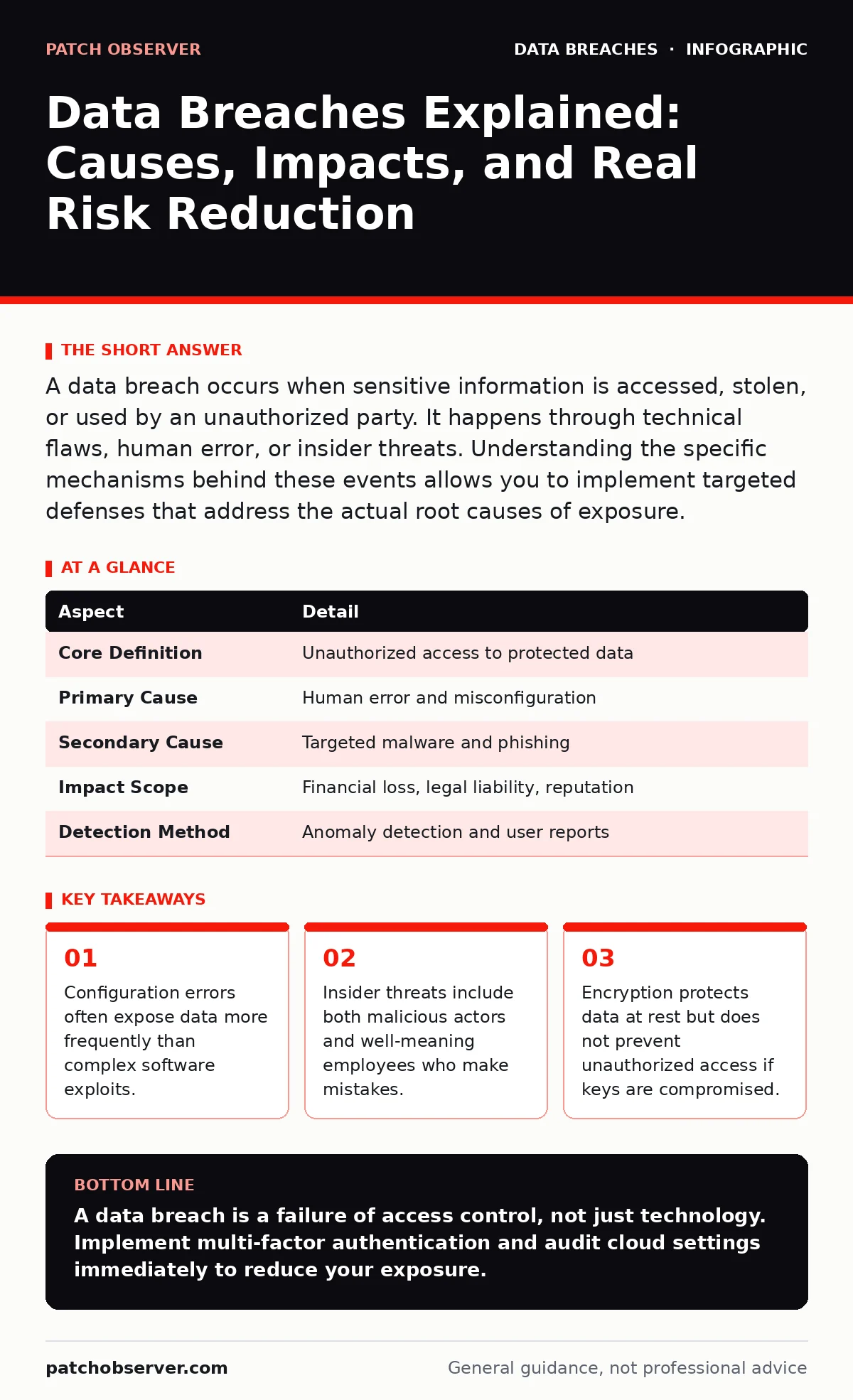
A data breach occurs when sensitive information is accessed, stolen, or used by an unauthorized party. It happens through technical flaws, human error, or insider threats. Understanding the specific mechanisms behind these events allows you to implement targeted defenses that address the actual root causes of exposure.
The Breach Analogy
Imagine leaving your house keys under a mat that anyone can see. This is not a failure of the lock mechanism itself. It is a failure of how you manage access. Most organizations focus on building stronger locks while ignoring the fact that the keys are easily found. A data breach is the digital equivalent of a stranger walking in because you handed them the key, rather than because they picked the lock.
Defining the Event
A data breach is an incident where protected data is accessed, disclosed, or stolen without authorization. The data can include personal information, financial records, or intellectual property. The breach occurs the moment an unauthorized entity gains access. It does not matter if the data is copied, viewed, or merely confirmed to exist. The loss of confidentiality is the defining characteristic.
| Aspect | Detail |
|---|---|
| Core Definition | Unauthorized access to protected data |
| Primary Cause | Human error and misconfiguration |
| Secondary Cause | Targeted malware and phishing |
| Impact Scope | Financial loss, legal liability, reputation |
| Detection Method | Anomaly detection and user reports |
How Access Happens
Attacks rarely involve dramatic code injection. They usually exploit trust or negligence. The most common vector is credential theft. An attacker obtains a valid username and password, often through phishing or by reusing credentials from other sites. Once inside, they move laterally to find valuable data. This is why email account compromise is such a frequent entry point. The attacker does not break in; they walk in through the front door using a key you gave them.
Another major cause is misconfigured cloud storage leaks. Organizations store vast amounts of data in cloud services. If the access controls are set to "public" by mistake, the data is instantly available to anyone on the internet. This requires no hacking skills. It only requires a search engine and a bit of luck. You must verify that storage buckets are private by default.
Who Is Affected
Every organization that holds data is a target. Small businesses are often preferred targets because they have less security budget and fewer staff to monitor for anomalies. Large enterprises are targeted for the volume of data they hold. Mobile device management is critical for both. If an employee loses a phone, the data on it is at risk. Without proper management, that device becomes a direct path into your network.
Individuals are affected directly through identity theft. Their social security numbers, credit card details, or health records can be sold on dark web markets. This leads to financial fraud and long-term privacy violations. The damage is not just immediate; it is persistent. Victims often spend years repairing their credit and identity.
Common Forms of Exposure
Not all breaches look the same. Some are quiet and slow. Others are loud and fast. Data loss prevention tools help identify when data is moving out of the organization in unusual ways. These tools monitor for large file transfers or uploads to unauthorized cloud services. They act as a net, catching data before it leaves the secure perimeter.
Another form is website defacement. While this looks like vandalism, it often indicates that the underlying server is compromised. Attackers may change the homepage to send a message, but they are also installing backdoors to steal data. You should treat any unauthorized change to a website as a confirmed breach. Assume the database is also compromised.
See also: Credit Monitoring vs Identity Theft Protection: Key Differences · Medical Identity Theft Mistakes That Expose Patient Records
What People Get Wrong
Many believe that if they have antivirus software, they are safe. This is a dangerous misconception. Antivirus protects against known malware signatures. It does not stop a user from typing their password into a fake login page. It does not stop a misconfigured server. Security is about process and configuration, not just software installation.
Another common error is assuming that data encryption solves everything. Encryption protects data if it is stolen from a hard drive. However, if an attacker logs in as a legitimate user, the data is decrypted for them automatically. Encryption does not stop unauthorized access. It only protects data at rest. You must combine encryption with strong identity management.
People also ignore the GDPR breach notification rule implications. This regulation requires organizations to report certain breaches within a strict timeframe. Failure to report can result in significant fines. Even if no data was stolen, the attempt itself may need to be reported. You must have a process to determine if an incident meets the reporting threshold.
Reducing the Risk
Start by removing the human element from access decisions. Implement multi-factor authentication everywhere. This ensures that a stolen password is not enough to gain entry. The attacker would also need the second factor, which is usually a physical device or a biometric trait. This single change stops the majority of credential-based attacks.
Next, audit your cloud configurations regularly. Use automated tools to scan for public-facing storage buckets. Ensure that the principle of least privilege is enforced. Users should only have access to the data they need to do their jobs. Nothing more. This limits the damage if an account is compromised.
Finally, test your detection capabilities. You cannot protect what you cannot see. Simulate attacks to see if your monitoring tools catch them. Use services like Have I Been Pwned to check if your organization’s email addresses have appeared in known breaches. This helps you identify compromised accounts before attackers do.
Key takeaways
- Configuration errors often expose data more frequently than complex software exploits.
- Insider threats include both malicious actors and well-meaning employees who make mistakes.
- Encryption protects data at rest but does not prevent unauthorized access if keys are compromised.
A data breach is a failure of access control, not just technology. Implement multi-factor authentication and audit cloud settings immediately to reduce your exposure.
Frequently asked questions
How do I know if my data has been breached?
You may receive direct notification from a service provider. You can also check public databases of known breaches. Unusual account activity or login alerts are also strong indicators.
Is encryption enough to prevent a breach?
No. Encryption protects data if it is stolen physically. It does not prevent unauthorized access if an attacker has valid credentials. You need access controls and monitoring as well.
What should I do immediately after suspecting a breach?
Isolate the affected systems to prevent further damage. Reset credentials for all potentially compromised accounts. Begin an investigation to determine the scope of the exposure.
Do small businesses really need formal incident response plans?
Yes. Small businesses are frequent targets due to weaker defenses. A plan ensures you react quickly and consistently. This reduces damage and helps meet legal notification requirements.
How this guide was produced: written by the Patch Observer editorial team with AI assistance, checked against the public references listed below, and reviewed when the facts change. See our editorial policy or report an error.