IPv4 vs IPv6: Which Protocol Your Network Actually Needs
IPv6 eliminates address exhaustion but introduces new visibility gaps that standard firewall rules often miss during migration.

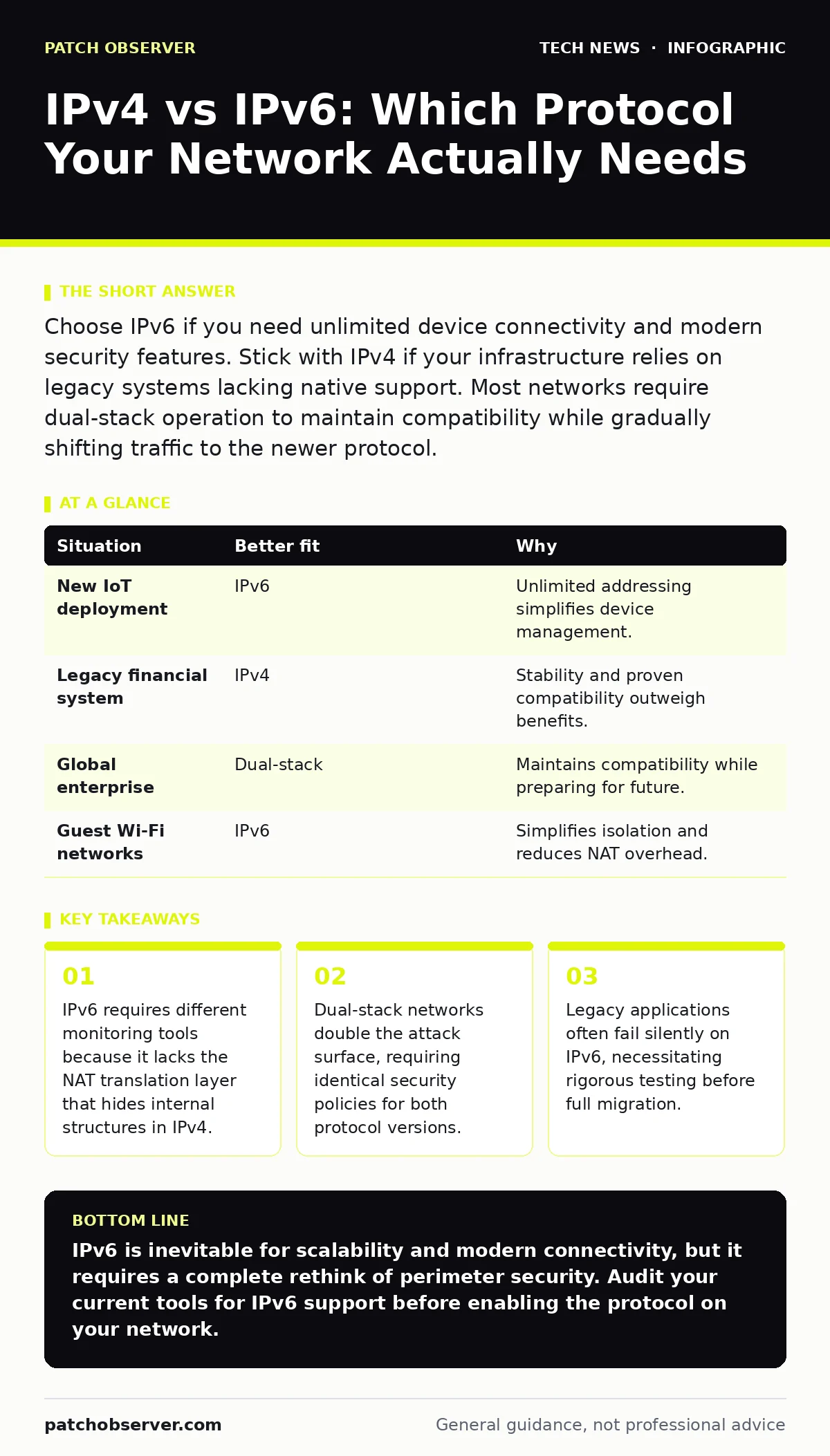
Choose IPv6 if you need unlimited device connectivity and modern security features. Stick with IPv4 if your infrastructure relies on legacy systems lacking native support. Most networks require dual-stack operation to maintain compatibility while gradually shifting traffic to the newer protocol.
Does Your Address Space Still Grow?
IPv4 uses 32-bit addresses, creating roughly four billion unique identifiers. This pool is exhausted. You likely rely on Network Address Translation (NAT) to share a single public address among many devices. NAT hides your internal topology, which provides a layer of obscurity. It also breaks end-to-end connectivity, complicating peer-to-peer applications and direct device communication.
IPv6 uses 128-bit addresses. The address space is effectively infinite for any practical purpose. You no longer need NAT for address conservation. This restores true end-to-end connectivity. However, without NAT, every device has a globally routable address. Your internal network is directly visible to the outside world. You must rely on host-based firewalls and strict access controls instead of hiding behind a shared IP.
Can Your Security Stack Inspect IPv6 Traffic?
Many legacy security tools were built exclusively for IPv4. They may drop, ignore, or misclassify IPv6 packets. If your intrusion detection system cannot parse IPv6 headers, an attacker can use that protocol to bypass your defenses. This is a common blind spot in mixed environments.
IPv6 includes IPsec support natively. While not always enabled by default, the protocol structure supports encryption and authentication at the network layer. This differs from IPv4, where IPsec is an optional add-on. You gain better integrity checks, but you lose the simplicity of stateless inspection. You must update your firewall rules to handle IPv6 extension headers, which can carry data in unexpected segments.
How Do Legacy Applications Handle New Protocols?
Some older applications hardcode IPv4 logic. They may fail to bind to IPv6 sockets or ignore DNS records that point to IPv6 addresses. This causes intermittent connectivity issues that are difficult to trace. You might see users reporting that a service works on Wi-Fi but fails on mobile data, or vice versa.
Testing requires more than ping tests. You must validate application behavior under IPv6. Check for hardcoded IP addresses in configuration files. Ensure that your reverse proxies can terminate IPv6 connections and forward them to backend servers that may only speak IPv4. This translation layer must be secure and performant.
Is Dual-Stack Management Worth the Complexity?
Running both IPv4 and IPv6 simultaneously is called dual-stack. It allows gradual migration. Devices that support IPv6 use it. Others fall back to IPv4. This is the standard approach for most organizations today. However, it doubles your configuration management. You must apply security policies to both stacks.
If you secure IPv4 but neglect IPv6, you create a backdoor. Attackers will probe the less-monitored protocol. You need consistent policies across both. This includes updates to your network ports and protocols documentation. Ensure that your edge computing security controls apply to IPv6 endpoints as well.
| Situation | Better fit | Why |
|---|---|---|
| New IoT deployment | IPv6 | Unlimited addressing simplifies device management. |
| Legacy financial system | IPv4 | Stability and proven compatibility outweigh benefits. |
| Global enterprise | Dual-stack | Maintains compatibility while preparing for future. |
| Guest Wi-Fi networks | IPv6 | Simplifies isolation and reduces NAT overhead. |
When Does IPv6 Become Mandatory?
You cannot avoid IPv6 forever. Mobile carriers increasingly shut off IPv4 support. Some cloud providers only offer IPv6 endpoints. If you rely on these services, you must support IPv6. The transition is not optional for long-term viability.
Consider your browser security settings. Modern browsers prefer IPv6 if available. If your server only supports IPv4, users may experience timeouts while the browser attempts an IPv6 connection that fails. This degrades user experience. You must ensure your DNS records accurately reflect your protocol support.
See also: macOS security features explained and how they protect systems · Why is SAML more secure than traditional password login
How Do You Secure the Transition?
Start by auditing your current stack. Identify which devices and applications support IPv6. Enable IPv6 on your perimeter firewalls but restrict inbound traffic. Use strict allow-lists. Monitor for unusual traffic patterns.
Update your hashing algorithms if you use them for network authentication. Ensure that your RSA encryption certificates support IPv6 subjects if required. Test your incident response procedures with IPv6 scenarios. Do not assume that your current playbooks apply. The headers are different. The evasion techniques are different.
What Happens If You Ignore IPv6?
Ignoring IPv6 creates technical debt. Your network becomes incompatible with emerging services. You face performance penalties as devices retry failed IPv6 connections. Security risks increase as you maintain complex NAT configurations that are prone to misconfiguration.
The cost of migration is front-loaded. The cost of ignoring it compounds over time. You will eventually be forced to migrate under pressure. A planned, gradual shift reduces risk. It allows you to refine your security posture for the new protocol.
Key takeaways
- IPv6 requires different monitoring tools because it lacks the NAT translation layer that hides internal structures in IPv4.
- Dual-stack networks double the attack surface, requiring identical security policies for both protocol versions.
- Legacy applications often fail silently on IPv6, necessitating rigorous testing before full migration.
IPv6 is inevitable for scalability and modern connectivity, but it requires a complete rethink of perimeter security. Audit your current tools for IPv6 support before enabling the protocol on your network.
Frequently asked questions
Can I use IPv6 without changing my public IP address?
Yes, you can run both protocols simultaneously. Your IPv4 address remains for legacy traffic while IPv6 handles new connections.
Does IPv6 make my network more secure by default?
No, IPv6 removes the hiding provided by NAT. You must implement stricter firewall rules and host-based security to compensate.
Will my current firewall rules work for IPv6?
Likely not. IPv6 has different header structures. You must rewrite or add new rules specifically for IPv6 traffic.
How do I know if my applications support IPv6?
Test them in an isolated environment. Check for connectivity issues and verify that they bind to IPv6 sockets correctly.
How this guide was produced: written by the Patch Observer editorial team with AI assistance, checked against the public references listed below, and reviewed when the facts change. See our editorial policy or report an error.