How Antivirus False Positives Work and How to Resolve Them
Antivirus engines often flag clean files because statistical models prioritize catching unknown threats over perfect accuracy, creating operational friction.
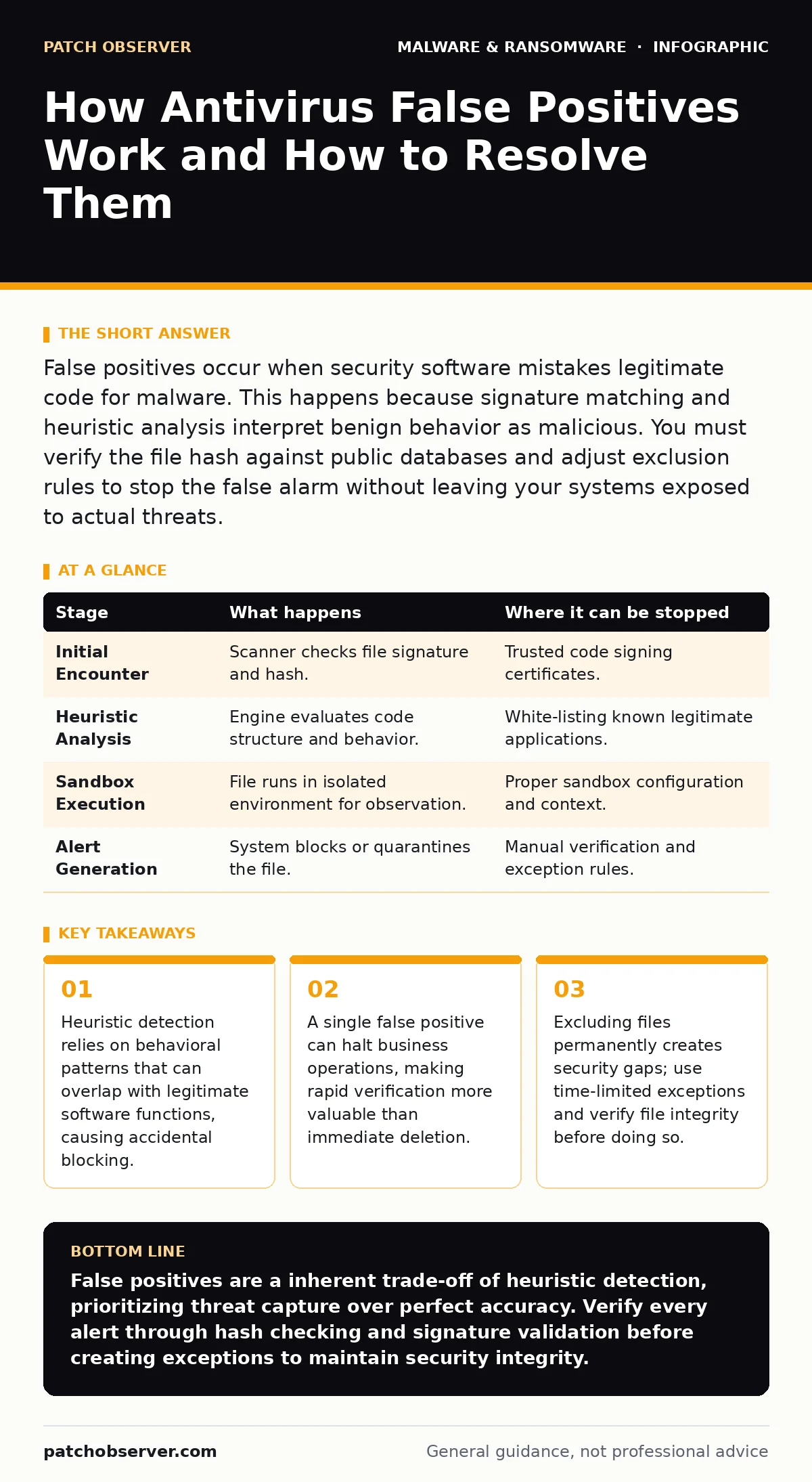
False positives occur when security software mistakes legitimate code for malware. This happens because signature matching and heuristic analysis interpret benign behavior as malicious. You must verify the file hash against public databases and adjust exclusion rules to stop the false alarm without leaving your systems exposed to actual threats.
The Mechanism Behind Misidentification
Antivirus software does not merely check files against a list of known bad actors. It uses multiple layers of detection to identify threats that have never been seen before. These layers include signature matching, heuristic analysis, and sandboxing. When these layers conflict or misinterpret data, a false positive occurs. You need to understand which layer triggered the alert to resolve it effectively.
Signature matching compares file hashes against a database of known malware. Heuristic analysis examines the structure and behavior of code to guess its intent. Sandboxing runs the file in an isolated environment to observe its actions. If the heuristic engine sees a program modifying system files, it may flag it as a trojanized software variant, even if the modification is authorized.
Stage 1: Initial File Encounter
The process begins when the antivirus scanner encounters a new or modified file on your system. This can happen during installation, file transfer, or routine system updates. The scanner reads the file header and checks its digital signature. If the signature is valid and trusted, the file usually passes quickly. If the signature is missing or unknown, the scanner proceeds to deeper inspection.
This stage is critical because many legitimate tools, especially those developed internally or by small vendors, lack trusted certificates. Without a certificate, the antivirus cannot verify the publisher’s identity. It treats the file with higher suspicion, increasing the likelihood of a false positive. This is similar to how adware often disguises itself with valid but misleading signatures.
Stage 2: Heuristic and Behavioral Analysis
If the file passes the initial signature check, the engine analyzes its behavior. Heuristic detection looks for patterns common in malware, such as rapid file creation or registry modification. Legitimate software sometimes exhibits these behaviors during installation or optimization. The antivirus engine flags the file if the behavior matches a threat profile.
This is where most false positives originate. The engine prioritizes catching potential threats over allowing safe software to run. It assumes risk is better than regret. You might see this when installing a new driver or utility that requires deep system access. The software’s legitimate need to modify system components triggers the heuristic alarm.
Stage 3: Sandbox Execution and Decision
For high-risk files, the antivirus may execute the file in a sandbox. This is an isolated environment that mimics the operating system. The engine observes the file’s actions without affecting the real system. If the file performs actions deemed dangerous, such as connecting to unknown servers or encrypting files, the engine blocks it.
Sandboxing provides a deeper look but is not perfect. Some legitimate applications behave aggressively in sandboxes, triggering false alarms. The sandbox may not have all the necessary libraries or network paths, causing the application to fail or behave unexpectedly. This unexpected behavior can be misinterpreted as malicious intent. Understanding this helps you differentiate between a bug and a threat.
Stage 4: Alert Generation and Blocking
Once the engine decides the file is malicious, it generates an alert. It may quarantine the file, delete it, or block its execution. The user sees a notification indicating a threat was found. This is the point of friction for your operations. The system has acted on a guess, not a certainty.
You must now verify the decision. Do not ignore the alert. Do not immediately delete the file. Instead, investigate the source and the nature of the file. If the file is critical to your operations, you must prove it is safe. This requires checking the file against multiple sources and understanding why the antivirus flagged it.
| Stage | What happens | Where it can be stopped |
|---|---|---|
| Initial Encounter | Scanner checks file signature and hash. | Trusted code signing certificates. |
| Heuristic Analysis | Engine evaluates code structure and behavior. | White-listing known legitimate applications. |
| Sandbox Execution | File runs in isolated environment for observation. | Proper sandbox configuration and context. |
| Alert Generation | System blocks or quarantines the file. | Manual verification and exception rules. |
See also: Email Attachment Scanning: 6 Misunderstandings That Leave Gaps · Script Blocking Misunderstandings That Leave Systems Exposed
Verifying the False Positive
Verification is the most important step. You must confirm the file is safe before allowing it to run. Start by checking the file hash against public malware databases. These databases aggregate findings from multiple security vendors. If multiple vendors flag the file, it is likely malicious. If only one vendor flags it, a false positive is probable.
You should also examine the file’s origin. Was it downloaded from a trusted source? Is it part of a known software package? Check the digital signature again. A valid signature from a known publisher reduces risk. However, remember that compromised publishers can sign malicious code. This is why dynamic malware analysis is often necessary for high-risk environments.
Managing Exceptions Safely
Creating exceptions for false positives is risky. It tells the antivirus to ignore specific files or folders. If you exclude a folder that later becomes compromised, the antivirus will not detect the threat. This defeats the purpose of your security software. You must balance operational needs with security.
Use the principle of least privilege. Exclude only the specific files or processes that cause false positives. Avoid excluding entire directories or file types. Set time-limited exceptions when possible. Review exceptions regularly to ensure they are still needed. This practice aligns with device hardening principles, reducing the attack surface while maintaining functionality.
The Cost of Ignoring Alerts
Ignoring alerts is dangerous. Even if an alert seems like a false positive, it could be a real threat. Malware evolves to mimic legitimate behavior. It may use valid signatures or behave like standard applications. If you dismiss all alerts, you lose visibility into your system. This makes it harder to detect actual breaches.
You must have a process for handling alerts. Assign responsibility to specific team members. Document each false positive and the steps taken to resolve it. This documentation helps identify patterns. If the same file triggers alerts repeatedly, investigate the root cause. It may be a configuration issue or a problem with the software itself.
Integrating with Broader Security
False positives are not just an antivirus issue. They impact your entire security posture. They can delay incident response and waste resources. You need to integrate antivirus management with your broader security strategy. This includes monitoring logs, analyzing trends, and updating detection rules.
Consider the recovery point objective when dealing with blocked files. If a critical file is deleted, how long does it take to restore it? Ensure your backups are current and tested. This reduces the impact of accidental deletions. Also, be aware of browser hijackers and USB malware, which can complicate the detection process by introducing additional variables.
Key takeaways
- Heuristic detection relies on behavioral patterns that can overlap with legitimate software functions, causing accidental blocking.
- A single false positive can halt business operations, making rapid verification more valuable than immediate deletion.
- Excluding files permanently creates security gaps; use time-limited exceptions and verify file integrity before doing so.
False positives are a inherent trade-off of heuristic detection, prioritizing threat capture over perfect accuracy. Verify every alert through hash checking and signature validation before creating exceptions to maintain security integrity.
Frequently asked questions
Why does my antivirus block a file I just downloaded from a trusted vendor?
The file may lack a valid digital signature or exhibit behavior that matches known malware patterns, triggering heuristic detection even if the source is trusted.
How do I know if a false positive alert is actually a real threat?
Check the file hash against multiple public databases and verify the digital signature. If multiple vendors flag it or the signature is invalid, treat it as a real threat.
Can I permanently exclude a file that keeps triggering false positives?
You can, but it is risky. Use temporary exceptions and review them regularly. Permanent exclusions create security gaps if the file is later compromised or replaced by malware.
What is the difference between a false positive and a true positive?
A false positive is a legitimate file incorrectly identified as malware, while a true positive is a malicious file correctly identified and blocked by the security software.
How this guide was produced: written by the Patch Observer editorial team with AI assistance, checked against the public references listed below, and reviewed when the facts change. See our editorial policy or report an error.