Adware Definition: How Silent Trackers Compromise Security
Adware operates as a legitimate-looking layer that sells your attention while creating persistent backdoors for more dangerous intrusion methods.

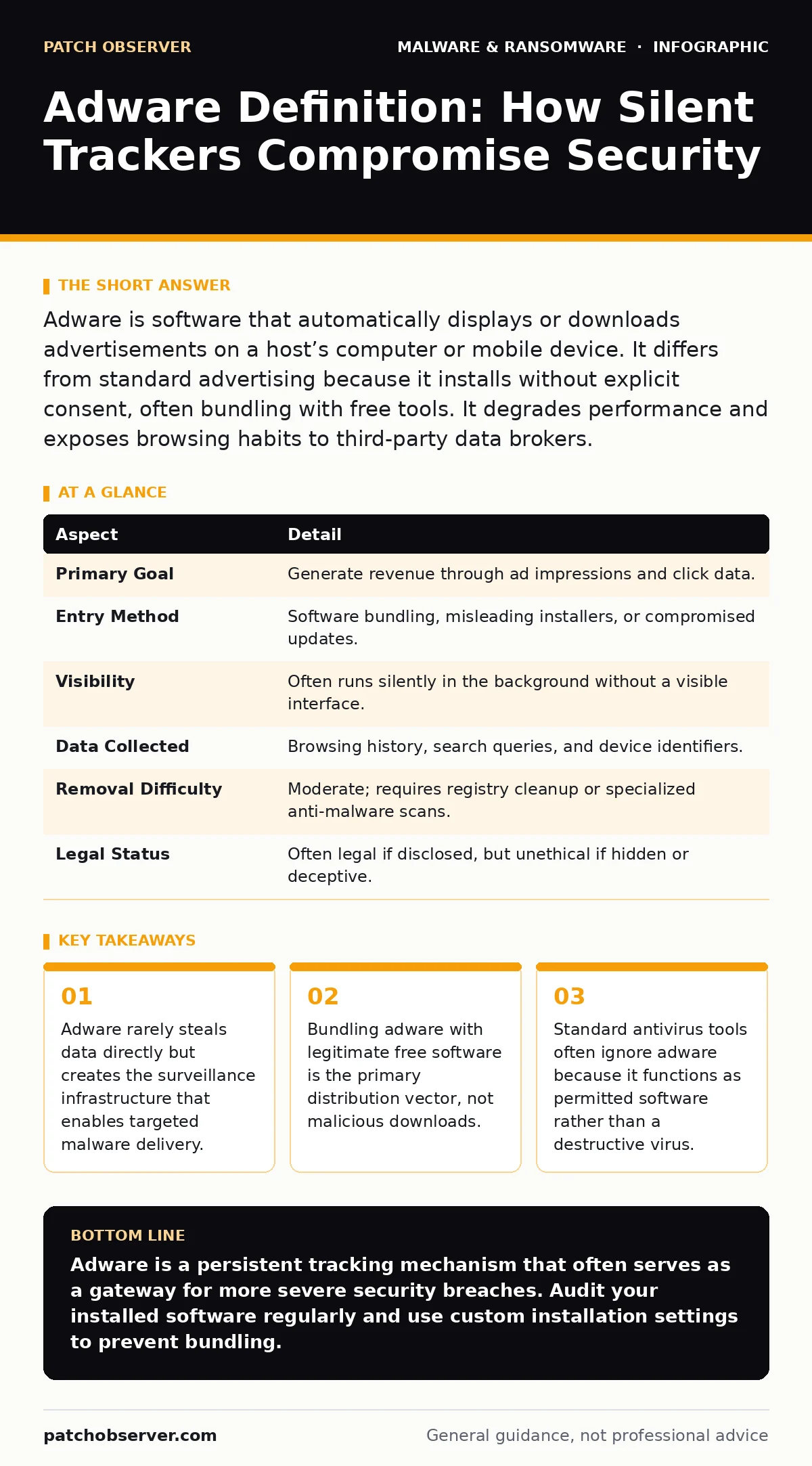
Adware is software that automatically displays or downloads advertisements on a host’s computer or mobile device. It differs from standard advertising because it installs without explicit consent, often bundling with free tools. It degrades performance and exposes browsing habits to third-party data brokers.
The Free Lunch Analogy
Imagine you invite a friend to your home for dinner. While you cook, they rearrange your furniture, read your mail, and install a camera in the living room. When you ask why, they say they are just helping you see better offers for new couches. You did not ask for help, and the camera remains after they leave.
Adware functions similarly. It arrives as part of a free service or tool. You accept the terms, often without reading them. The software then modifies your environment to serve ads and collect usage data. The cost is not financial; it is privacy and system integrity.
At a Glance
| Aspect | Detail |
|---|---|
| Primary Goal | Generate revenue through ad impressions and click data. |
| Entry Method | Software bundling, misleading installers, or compromised updates. |
| Visibility | Often runs silently in the background without a visible interface. |
| Data Collected | Browsing history, search queries, and device identifiers. |
| Removal Difficulty | Moderate; requires registry cleanup or specialized anti-malware scans. |
| Legal Status | Often legal if disclosed, but unethical if hidden or deceptive. |
How Adware Enters Your System
You do not usually click on a malicious link to get adware. Instead, you install a legitimate program. The installer includes a checkbox that says "Decline additional offers" in small gray text. If you click "Next" too quickly, the installer assumes you want the extra software.
This process is called bundling. The primary software provider shares revenue with the adware creator. The user receives the tool they wanted, but the system now hosts an unwanted tenant. This tenant injects code into your browser to display pop-ups or redirects your search queries to sponsored pages.
Common Forms of Adware
Adware is not a single program type. It manifests in several ways, each with different technical implications.
- Browser Hijackers: These change your homepage, new tab page, or default search engine. They do not steal files but control where you go. They are annoying but generally less dangerous than other forms.
- Pop-up Generators: These inject advertising scripts into any website you visit. They disrupt your workflow and can mimic system warnings to trick you into installing more software.
- Data Trackers: These monitor your clicks, time spent on pages, and form entries. They build a profile of your interests to sell to advertisers. This is the most invasive form because it creates a detailed behavioral map.
What People Get Wrong
Many users believe adware is harmless because it does not delete files or encrypt drives. This view ignores the strategic value of the access it grants. Adware establishes trust. Once it is running, it can disable security features or whitelist certain domains.
This persistence makes it a perfect delivery mechanism for more serious threats. If an attacker can control an ad network, they can serve a malicious ad that exploits a browser vulnerability. The adware has already lowered your defenses and established a presence.
You may also assume that clearing your cookies removes adware. It does not. Adware lives in your application folders and registry keys, not just your browser cache. Removing cookies only resets the tracking identifiers, not the software generating them.
See also: Malvertising Warning Signs: What to Look For and How to React · Microsoft Defender Antivirus Mistakes That Leave Systems Exposed
The Hidden Cost of Convenience
The trade-off for free software is your attention and data. Adware monetizes your time by inserting commercial messages into your personal computing experience. This is not just an annoyance; it is a structural change to your device’s purpose.
When you use a device infected with adware, you are essentially renting out your screen space and processing power. The software may consume CPU cycles to track interactions or render ads. This leads to slower performance and higher battery drain on mobile devices.
For organizations, this risk scales. If employees install personal software with adware on work devices, the corporate network becomes exposed to unvetted tracking scripts. These scripts can be used to fingerprint devices, helping attackers identify high-value targets.
Reducing the Risk
Prevention requires discipline during installation and maintenance of system integrity.
- Read Installers Carefully: Always choose "Custom" or "Advanced" installation options. Look for checkboxes that enable additional software. Uncheck every box that is not the primary program you requested.
- Use App Whitelisting: On managed devices, restrict which applications can be installed. This prevents users from downloading bundles that contain adware.
- Regular Scans: Standard antivirus tools may not flag adware as a threat. Use dedicated anti-malware scanners that specifically target potentially unwanted programs (PUPs).
- Browser Extensions: Use reputable ad-blocking extensions. They can stop many tracking scripts from running, even if the adware remains installed.
Cleaning Up After Infection
If you suspect adware, start by checking your browser extensions. Remove any extension you do not recognize or remember installing. Next, check your browser settings for homepage and search engine changes. Reset them to default if necessary.
For deeper infections, you need to look at installed programs. Uninstall any recent software you do not need. Then, run a scan with a tool designed for removing malware from an Android phone if you are on mobile, or a dedicated anti-malware tool on desktop.
Be aware that some adware components may persist. If the problem returns, you may need to perform a full system restore. This is where a defined recovery point objective becomes relevant. Knowing how far back you can safely restore your system without losing critical data allows you to revert to a clean state confidently.
The Connection to Malware
Adware often serves as a gateway. It is easier to distribute adware because it appears less threatening. Users are more likely to ignore adware warnings than ransomware alerts. This lowers the barrier to entry for attackers.
Once adware is present, it can be used to test for vulnerabilities. If a system is already compromised by adware, it is more likely to have other security gaps. Attackers use this as a signal that further exploitation, such as installing trojanized software, will meet less resistance.
Understanding this link changes how you view adware. It is not just a nuisance; it is a reconnaissance tool. Treating it with the same urgency as a virus protects you from the more dangerous payloads that often follow.
Device Hardening Strategies
To protect against adware, you must harden your devices. This means reducing the surface area where unwanted software can operate.
- Disable Auto-Run: Prevent external drives from automatically executing code. This stops USB malware and bundled adware from triggering when you insert a drive.
- Least Privilege: Use standard user accounts for daily tasks. This prevents adware from making system-wide changes that require administrator rights.
- Keep Software Updated: Many adware strains exploit known vulnerabilities in older software. Regular updates patch these holes.
By implementing these measures, you create a hostile environment for adware. It becomes difficult for the software to install, persist, or communicate with its command server.
Key takeaways
- Adware rarely steals data directly but creates the surveillance infrastructure that enables targeted malware delivery.
- Bundling adware with legitimate free software is the primary distribution vector, not malicious downloads.
- Standard antivirus tools often ignore adware because it functions as permitted software rather than a destructive virus.
Adware is a persistent tracking mechanism that often serves as a gateway for more severe security breaches. Audit your installed software regularly and use custom installation settings to prevent bundling.
Frequently asked questions
Is adware considered a virus?
No, adware is not a virus because it does not replicate itself or directly damage system files. It is classified as a potentially unwanted program (PUP) because it performs unwanted actions without explicit user consent.
Can adware steal my passwords?
Standard adware does not typically steal passwords. However, some adware includes keylogging capabilities or can redirect you to phishing sites that mimic legitimate login pages to capture credentials.
Why does my antivirus not detect adware?
Many antivirus engines focus on destructive malware like ransomware or trojans. Since adware often functions as permitted software, it may not trigger traditional signature-based detection. You may need specialized anti-malware tools to catch it.
Does deleting cookies remove adware?
No, deleting cookies only removes temporary tracking data stored by websites. Adware is installed as software on your device. You must uninstall the adware application itself to stop it from generating new cookies and tracking data.
How this guide was produced: written by the Patch Observer editorial team with AI assistance, checked against the public references listed below, and reviewed when the facts change. See our editorial policy or report an error.