Attack Vectors in CVSS: What Small Businesses Need to Know
Misinterpreting CVSS attack vectors leads teams to patch low-risk flaws while ignoring remote exploits that bypass network boundaries entirely.

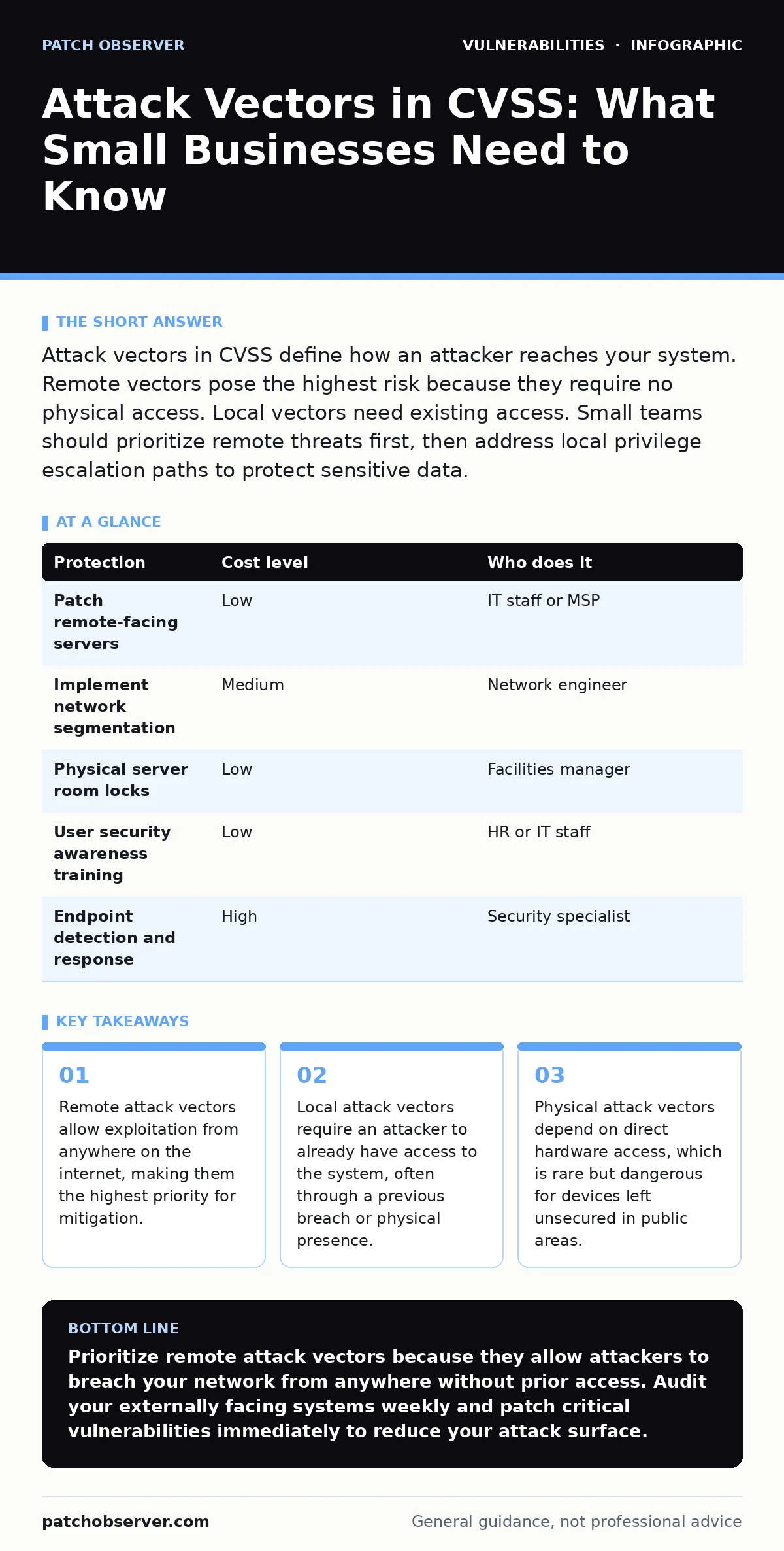
Attack vectors in CVSS define how an attacker reaches your system. Remote vectors pose the highest risk because they require no physical access. Local vectors need existing access. Small teams should prioritize remote threats first, then address local privilege escalation paths to protect sensitive data.
Understanding Attack Vector Metrics
Attack vector metrics in the Common Vulnerability Scoring System (CVSS) describe the path an attacker takes to reach a vulnerable component. This metric determines how easily a threat actor can exploit a flaw. The CVSS framework categorizes these paths into four distinct types. Each type carries different risk levels and requires different defensive strategies. Understanding these categories helps you allocate security resources effectively. You do not need to treat every vulnerability with equal urgency. The path of attack dictates the potential impact and the speed of remediation required.
Remote attack vectors allow an attacker to interact with the vulnerable component from anywhere on the internet. No prior authentication or network access is required. These are the most dangerous because the attack surface is effectively infinite. An attacker can scan the entire internet for open ports and known vulnerabilities. Remote exploits often enable automated attacks that can compromise thousands of systems simultaneously. Defending against remote vectors requires strict network perimeter controls and timely patching of externally facing services.
Local attack vectors require the attacker to have some form of access to the system already. This access might be through a legitimate user account or a previous low-level breach. The attacker must execute code on the target machine to trigger the vulnerability. Local exploits are often used for privilege escalation. An attacker gains a foothold through a remote vector, then uses a local vector to become an administrator. This two-step process is common in exploit chains. You must consider both the initial entry and the subsequent movement within the network.
Physical attack vectors require the attacker to be physically present at the location of the vulnerable component. This could involve accessing a server room, plugging a device into a USB port, or manipulating hardware. While less common than remote attacks, physical attacks are highly effective because they bypass many digital defenses. Physical access often allows an attacker to reset passwords, install keyloggers, or extract data directly from storage media. Securing physical access to servers and workstations is a fundamental layer of defense.
User interaction attack vectors require a victim to perform some action to trigger the vulnerability. This might involve opening a malicious email attachment, visiting a compromised website, or installing a fake software update. These attacks rely on social engineering rather than technical flaws alone. The attacker cannot exploit the system without the user’s cooperation. Training staff to recognize phishing attempts reduces the risk of user interaction exploits. However, training alone is insufficient. Technical controls like email filtering and application whitelisting provide necessary protection.
Why Vector Matters at Small Scale
Small organizations often lack dedicated security teams. They rely on general IT staff to manage vulnerabilities. Without a clear understanding of attack vectors, small teams may waste time patching low-risk issues. They might prioritize a local privilege escalation flaw over a remote code execution vulnerability. This misalignment leaves the organization exposed to the most likely threats. Remote vectors are the primary concern for small businesses because they are the easiest to exploit at scale. Attackers target small organizations with automated scanning tools that look for known remote vulnerabilities.
The cost of defending against remote attacks is higher than defending against local or physical attacks. You must monitor internet-facing services continuously. You must apply patches quickly to close remote entry points. Local attacks require an attacker to already be inside your network. This means you have already failed at perimeter defense. Focusing on remote vectors first prevents the initial breach. Once you secure the perimeter, you can address local vulnerabilities to limit damage if a breach occurs. This layered approach maximizes the value of limited security resources.
Small businesses often underestimate the risk of physical attacks. They may leave servers in unlocked closets or allow visitors to plug devices into network ports. Physical access can lead to complete system compromise. An attacker with physical access can often bypass authentication mechanisms. They can extract data directly from hard drives or install hardware keyloggers. Simple physical security measures, such as locked server rooms and disabled unused ports, significantly reduce this risk. Do not ignore physical security because it seems less sophisticated than digital threats.
Practical Steps for Mitigation
Prioritizing vulnerabilities based on attack vectors requires a systematic approach. Start by identifying all externally facing systems. These include web servers, email gateways, and remote access solutions. Check these systems for known vulnerabilities with remote attack vectors. Apply patches immediately if a remote exploit is possible. Use vulnerability scanning tools to detect misconfigurations and outdated software. Regular scanning helps you stay ahead of automated attacks that target common vulnerabilities.
Next, assess internal systems for local and user interaction vulnerabilities. These vulnerabilities may not pose an immediate threat from the outside. However, they can be used for lateral movement once an attacker breaches the perimeter. Implement strict access controls to limit the damage of local exploits. Use the principle of least privilege to ensure users and services have only the necessary permissions. This limits the impact of privilege escalation attacks. Monitor user behavior to detect anomalies that might indicate a breach.
Physical security measures should complement digital defenses. Lock server rooms and restrict access to authorized personnel only. Disable unused physical ports on workstations and network equipment. Use cable locks for laptops and portable devices. Train staff to report suspicious physical activity, such as unknown devices plugged into network ports. Physical security is often overlooked but provides a critical layer of protection. A breach via physical access can be devastating and difficult to detect.
| Protection | Cost level | Who does it |
|---|---|---|
| Patch remote-facing servers | Low | IT staff or MSP |
| Implement network segmentation | Medium | Network engineer |
| Physical server room locks | Low | Facilities manager |
| User security awareness training | Low | HR or IT staff |
| Endpoint detection and response | High | Security specialist |
What to Ask Your IT Provider
Choosing the right IT provider requires understanding their approach to vulnerability management. Ask specific questions about how they handle attack vectors. Do not accept vague answers about security best practices. You need to know how they prioritize and mitigate risks. The following questions will help you evaluate their capabilities.
- How do you prioritize vulnerabilities based on CVSS attack vectors?
- What is your process for patching remote-facing systems within 24 hours?
- Do you perform regular penetration testing to identify exploit chains?
- How do you monitor for lateral movement after a potential breach?
- What physical security measures do you recommend for our office?
- Can you provide a report showing the reduction in remote attack surface?
- How do you handle firmware updates for network devices and IoT equipment?
- Do you offer incident response services if a remote exploit is successful?
Hidden Costs of Mismanagement
Mismanaging attack vectors leads to hidden costs that can drain resources. Teams may spend hours patching local vulnerabilities while a remote exploit goes unaddressed. This misallocation of effort leaves the organization vulnerable to quick, automated attacks. The cost of a breach far exceeds the cost of proper prioritization. You may face data loss, regulatory fines, and reputational damage. The downtime required to recover from a breach can halt business operations for days or weeks.
Another hidden cost is the complexity of managing multiple security tools. Without a clear strategy based on attack vectors, you may accumulate redundant tools. These tools generate alerts that are difficult to triage. Alert fatigue leads to missed threats and wasted time. A focused approach that prioritizes remote vectors simplifies security management. It allows you to use fewer, more effective tools. This reduces operational complexity and improves response times.
Neglecting physical security can also lead to unexpected costs. A stolen laptop or an unlocked server room can result in data breaches. The cost of replacing hardware and investigating the breach adds up. Physical security measures are often inexpensive but highly effective. Ignoring them creates a weak link in your defense chain. Attackers often target the weakest point, which may be physical access rather than digital defenses.
See also: GitLab Vulnerability Response: Containment and Recovery Steps · Vulnerability Prioritization: How to Rank Risks Without Wasting Time
Integrating Broader Security Concepts
Understanding attack vectors is part of a larger security strategy. You must consider how vulnerabilities interact to form exploit chains. A remote vector may provide initial access, while a local vector enables privilege escalation. Addressing only one part of the chain leaves the other open. You need a holistic view of your attack surface. This includes understanding how IoT device vulnerabilities can serve as entry points for remote attacks.
Responsible disclosure practices also play a role in vulnerability management. When vendors discover flaws, they often follow responsible disclosure guidelines. This gives you time to patch before attackers exploit the vulnerability. However, you must stay informed about these disclosures. Subscribing to security advisories helps you stay ahead of emerging threats. You should also consider server-side template injection risks in web applications, as these can be exploited remotely.
Finally, remember that no single measure provides complete protection. Defense in depth requires multiple layers of security. Combine network segmentation, access controls, and regular patching. Monitor for anomalies that indicate a breach. By understanding attack vectors, you can prioritize your efforts effectively. This leads to a more secure and resilient organization.
Key takeaways
- Remote attack vectors allow exploitation from anywhere on the internet, making them the highest priority for mitigation.
- Local attack vectors require an attacker to already have access to the system, often through a previous breach or physical presence.
- Physical attack vectors depend on direct hardware access, which is rare but dangerous for devices left unsecured in public areas.
Prioritize remote attack vectors because they allow attackers to breach your network from anywhere without prior access. Audit your externally facing systems weekly and patch critical vulnerabilities immediately to reduce your attack surface.
Frequently asked questions
How do I know if a vulnerability has a remote attack vector?
Check the CVSS vector string for the "Network" indicator. This means the vulnerability can be exploited over a network without physical access.
Should I patch local vulnerabilities if I have no remote exposure?
Yes, local vulnerabilities can be exploited if an attacker gains initial access through other means. They are also relevant for insider threats.
What is the difference between CVSS v3 and v4 attack vectors?
CVSS v4 adds more granular metrics for user interaction and scope. However, the basic categories of remote, local, and physical remain consistent.
Can a firewall protect against all remote attack vectors?
No, firewalls block unauthorized network traffic but cannot stop attacks on allowed services. You must also patch applications and configure them securely.
How this guide was produced: written by the Patch Observer editorial team with AI assistance, checked against the public references listed below, and reviewed when the facts change. See our editorial policy or report an error.