Remote Work Security: Why Your Home Network Is the Weak Link
Your home router lacks the enterprise-grade inspection that stops malware before it reaches your computer, making local configuration your primary defense.
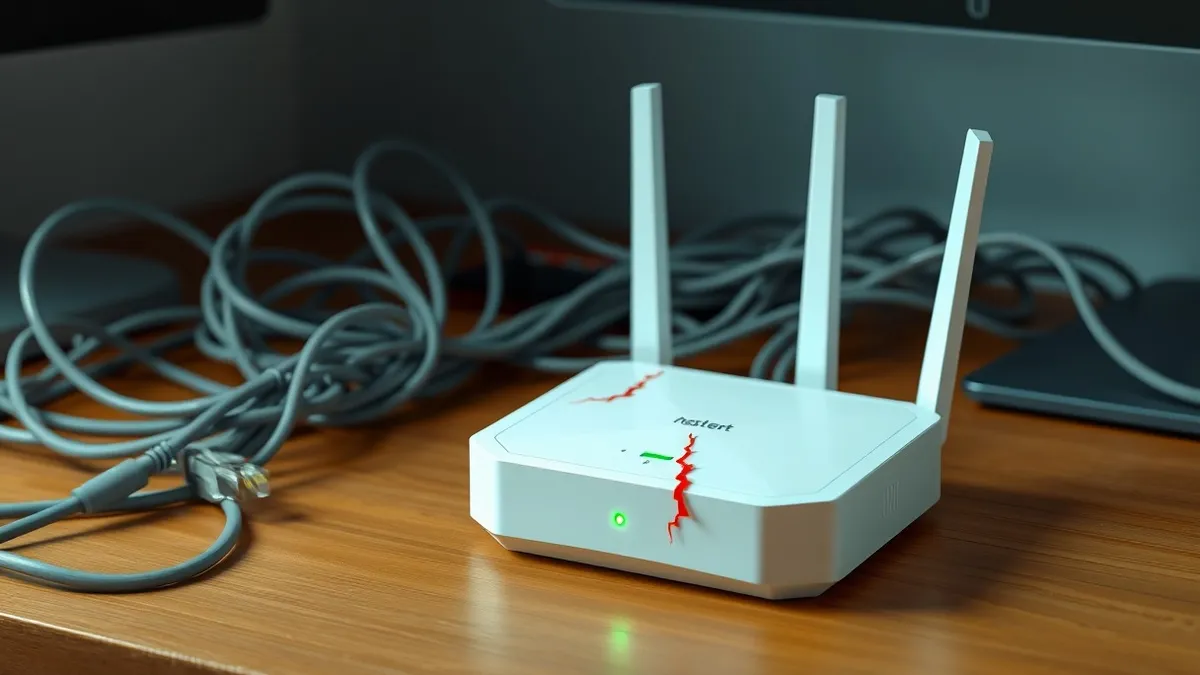
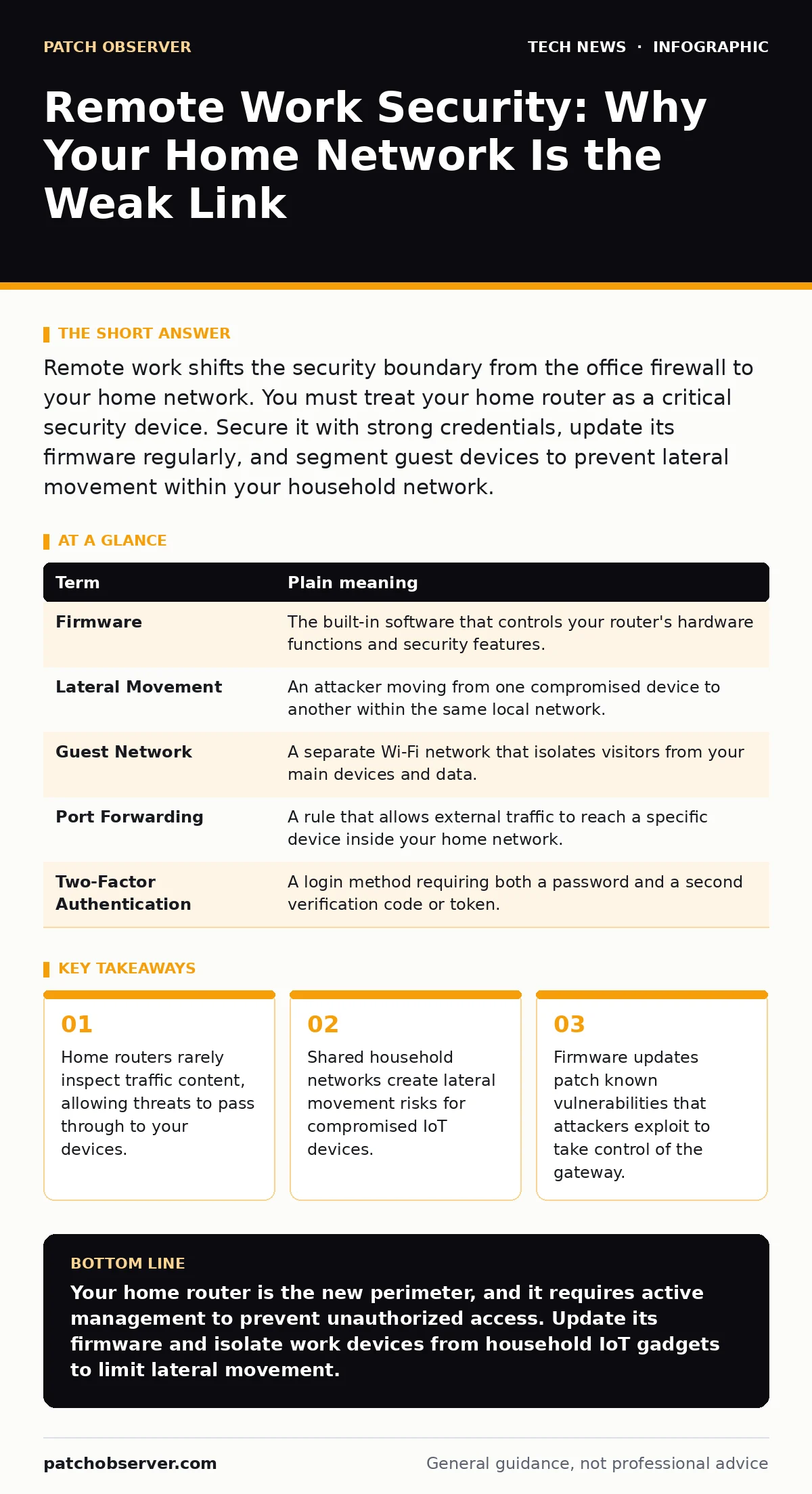
Remote work shifts the security boundary from the office firewall to your home network. You must treat your home router as a critical security device. Secure it with strong credentials, update its firmware regularly, and segment guest devices to prevent lateral movement within your household network.
The Office Gate Versus The Front Door
Imagine your company’s data is a high-value package. In an office, you hand it to a uniformed guard at the main gate. The guard checks IDs, inspects bags, and ensures only authorized personnel enter. This is the corporate firewall and intrusion detection system. It is staffed, monitored, and configured by security professionals.
When you work from home, that gate disappears. You are now standing in your own driveway. The package arrives at your front door, but you have no guard. You have a lock on the door, which is good, but it does not check who is walking up to it. If a suspicious person walks in, they are already inside your perimeter.
This shift changes the burden of defense. The organization provides the tools, but you provide the environment. The security gap is not the laptop; it is the network connecting the laptop to the internet.
The Hidden Risk of Home Routers
Most home routers are designed for convenience, not security. They route traffic efficiently but rarely inspect what is inside that traffic. Enterprise firewalls perform deep packet inspection, analyzing the content of data streams for malicious patterns. Home routers typically only look at the address labels.
This means malware can travel inside legitimate-looking traffic and reach your computer unchallenged. The router sees a web request and allows it. It does not know if that request is for a news site or a command-and-control server for a botnet.
You must assume your home network is hostile. It is connected to millions of other networks, many of which are actively scanning for vulnerabilities. Your router is the first line of defense, yet it is often the weakest link.
Key Terms for Network Defense
Understanding the mechanics of your connection helps you identify where controls are missing. These terms define the boundaries of your remote work environment.
| Term | Plain meaning |
|---|---|
| Firmware | The built-in software that controls your router's hardware functions and security features. |
| Lateral Movement | An attacker moving from one compromised device to another within the same local network. |
| Guest Network | A separate Wi-Fi network that isolates visitors from your main devices and data. |
| Port Forwarding | A rule that allows external traffic to reach a specific device inside your home network. |
| Two-Factor Authentication | A login method requiring both a password and a second verification code or token. |
The Cost of Shared Connections
Your home network is not just for work. It connects smart TVs, voice assistants, and family smartphones. These devices often have weaker security than your primary workstation. A compromised smart bulb can become a foothold for an attacker to pivot toward your work laptop.
This is lateral movement. If your router treats all devices equally, a hacker who breaches a vulnerable IoT device can scan your local network for other targets. Your work laptop is a high-value target because it holds corporate credentials and data.
Segmentation solves this. By placing non-essential devices on a guest network, you create a barrier. Even if a guest device is compromised, it cannot see or communicate with your work machine. This isolation reduces the attack surface significantly.
For more on securing these peripheral devices, see our guide on smartphone security updates. Keeping these endpoints patched prevents them from becoming entry points.
Securing the Gateway
The first step is to secure the router itself. Attackers often target routers to gain a persistent foothold in a network. They exploit outdated firmware to change settings, intercept traffic, or install backdoors.
Check your router’s manufacturer website for firmware updates. Install them promptly. Old firmware contains known vulnerabilities that automated bots scan for continuously. An unpatched router is an open door.
Change the default administrator password. Default credentials are public knowledge. If an attacker can log into your router, they can disable security features, view your traffic, or redirect your DNS requests to malicious sites.
See also: Getting a Reddit API Key: Account Types and Rate Limits Explained · macOS security features explained and how they protect systems
Isolating Work From Play
Enable the guest network feature on your router. This creates a separate broadcast domain. Devices on the guest network can access the internet but cannot access devices on the main network.
Connect your work laptop to the main network. Connect family devices, guests, and IoT gadgets to the guest network. This ensures that if a smart fridge is hacked, it cannot scan your laptop for open ports or vulnerabilities.
This segmentation is a simple control with a high return. It requires no additional hardware, just a configuration change. It respects the principle of least privilege, ensuring devices only have access to what they need.
For broader context on isolating traffic, refer to network ports and protocols. Understanding how services communicate helps you design better segmentation rules.
Try This Now
- Log into your router’s admin panel and check for firmware updates. Install any available patches immediately.
- Enable the guest network and connect all non-work devices to it. Keep your work laptop on the primary network.
- Change the default router administrator password to a strong, unique passphrase. Disable remote management features if you do not need them.
Beyond the Router
Securing the network is only part of the equation. Your devices must also be hardened. Ensure your operating system and applications are updated. Use full-disk encryption on your laptop to protect data if the device is lost or stolen.
Review your application permissions. Do not grant unnecessary access to microphones, cameras, or location services. For video calls, ensure you are using platforms with end-to-end encryption. See our guide on video conferencing security for specific settings to verify.
Also, ensure your browser is configured to block third-party trackers and scripts. See browser security settings for details on hardening this common attack vector. Finally, verify that your organization uses modern encryption standards like RSA encryption or post-quantum algorithms for data in transit.
Key takeaways
- Home routers rarely inspect traffic content, allowing threats to pass through to your devices.
- Shared household networks create lateral movement risks for compromised IoT devices.
- Firmware updates patch known vulnerabilities that attackers exploit to take control of the gateway.
Your home router is the new perimeter, and it requires active management to prevent unauthorized access. Update its firmware and isolate work devices from household IoT gadgets to limit lateral movement.
Frequently asked questions
Does a VPN replace the need to secure my home router?
No. A VPN encrypts traffic between your device and the corporate network, but it does not protect your router from being compromised or your local network from lateral movement.
Is a mesh Wi-Fi system more secure than a single router?
Not inherently. Mesh systems distribute the network signal but often share the same security limitations. You must still update firmware and segment networks on each node.
Can I use my phone as a hotspot for work?
Yes, but treat it as a separate network. Ensure your phone’s operating system is updated and that the hotspot password is strong to prevent unauthorized access.
How often should I update my router firmware?
Check for updates every month. Manufacturers release patches for critical vulnerabilities as they are discovered, so regular checks are necessary.
How this guide was produced: written by the Patch Observer editorial team with AI assistance, checked against the public references listed below, and reviewed when the facts change. See our editorial policy or report an error.