USB Malware Response: Stop the Spread and Recover Systems
Most USB malware spreads before detection because auto-run features execute payloads faster than human reaction times allow for intervention.
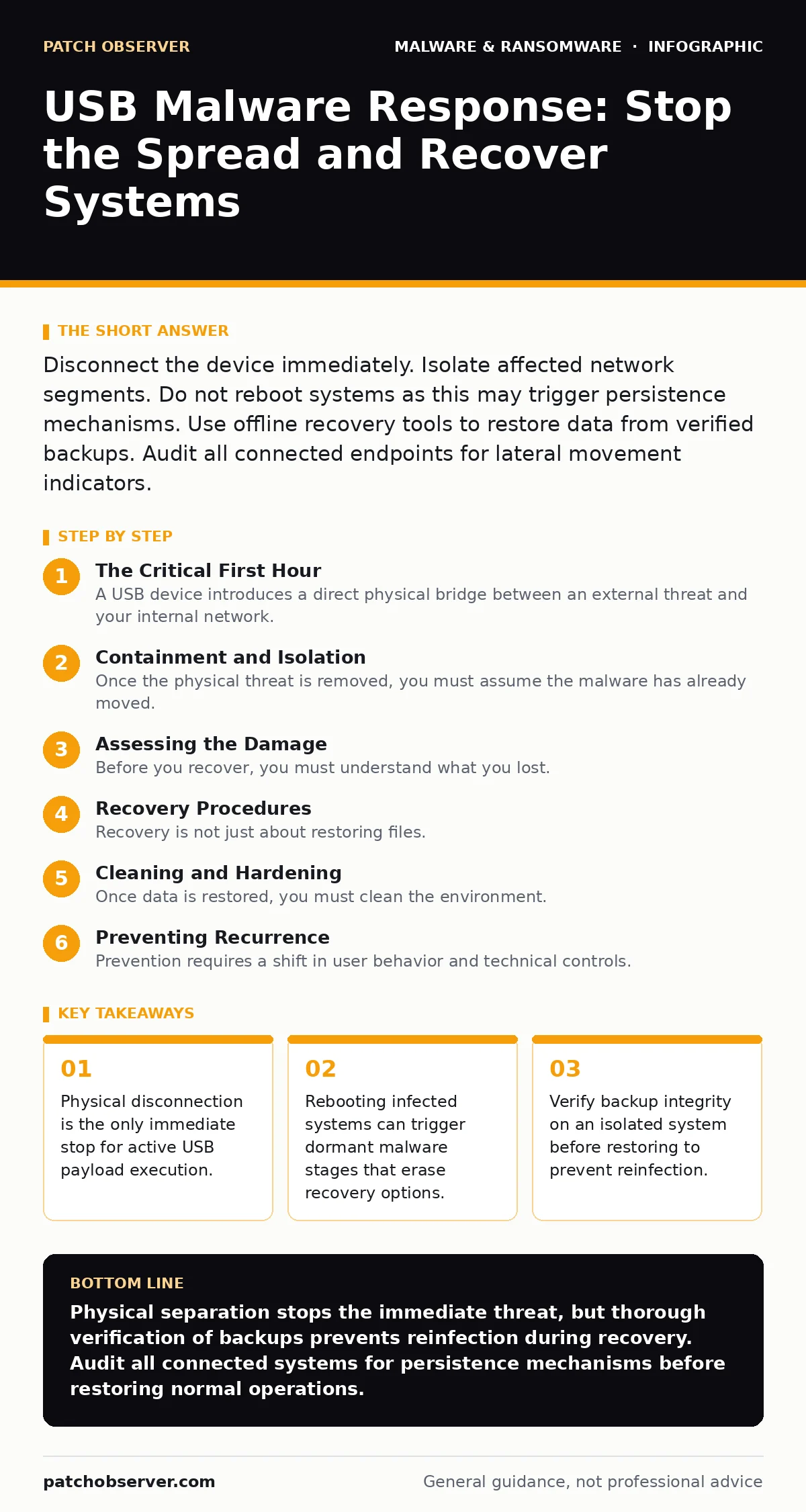
Disconnect the device immediately. Isolate affected network segments. Do not reboot systems as this may trigger persistence mechanisms. Use offline recovery tools to restore data from verified backups. Audit all connected endpoints for lateral movement indicators.
The Critical First Hour
A USB device introduces a direct physical bridge between an external threat and your internal network. When malware executes from this medium, it often bypasses traditional perimeter defenses. Your immediate goal is to halt execution and prevent lateral movement. Speed matters more than precision during this phase.
- Physically unplug the USB device from the compromised endpoint.
- Disconnect the affected machine from the network via Ethernet or Wi-Fi.
- Identify other systems that connected to the same USB device recently.
- Disable auto-run features on all known endpoints if possible.
- Document the exact time of detection and the device serial number.
The first action must be physical separation. Software controls can be bypassed or disabled by sophisticated malware. By removing the physical link, you cut the supply line for additional payloads. Do not attempt to scan the USB drive on the infected machine. The malware may have already modified the scanner or hidden its files.
Containment and Isolation
Once the physical threat is removed, you must assume the malware has already moved. USB malware often uses shared drives, network shares, or remote execution protocols to spread. You need to contain the blast radius.
Isolate the affected subnet if you cannot identify the specific entry point. This prevents the malware from reaching critical servers. Check for signs of lateral movement. Look for new administrative accounts, unusual scheduled tasks, or outbound connections to unknown IP addresses.
Imagine a scenario where the malware copies itself to a shared folder. Any user accessing that folder becomes a new vector. You must treat all systems that accessed shared resources during the infection window as potentially compromised. Do not trust local security logs on the infected machine. The attacker may have tampered with them.
Assessing the Damage
Before you recover, you must understand what you lost. Malware often encrypts files, exfiltrates data, or installs backdoors. You need to distinguish between damaged files and stolen credentials.
Check for ransom notes or encrypted file extensions. This indicates ransomware behavior. Look for missing system files or altered boot sectors. These signs point to rootkit or bootkit infections. Review application logs for unexpected errors. These anomalies can reveal which processes the malware targeted.
If the malware is a trojanized software variant, it may have replaced legitimate binaries. You must verify the integrity of critical system files. Use known good hashes to compare against current files. This helps you determine if you need a full OS reinstall or just file replacement.
Recovery Procedures
Recovery is not just about restoring files. It is about restoring trust in the system. Do not restore data to the same environment without verification. The malware may still be present in the backup if the backup was taken after infection.
Verify your recovery point objective against the infection timeline. You need a backup from before the malware arrived. Restore data to a clean, isolated environment first. Scan this environment thoroughly. Use dynamic malware analysis techniques if you suspect the backup contains hidden threats.
If you use cloud backups, ensure the restore point is immutable. Some malware can delete or overwrite cloud backups if they have administrative credentials. Verify the backup chain of custody. Do not assume cloud storage is safe from internal compromise.
Cleaning and Hardening
Once data is restored, you must clean the environment. This involves more than just running antivirus. You need to remove persistence mechanisms. These are the methods malware uses to survive reboots and reinstallation.
Check startup folders, registry run keys, and scheduled tasks. Remove any entries you do not recognize. Disable unnecessary services. Reduce the attack surface by removing unused software. Apply device hardening principles to prevent future exploitation.
Update all firmware and operating systems. Many USB exploits target outdated drivers or firmware. Patching closes these entry points. Review group policies to ensure auto-run is disabled globally. This prevents accidental execution of future threats.
See also: Microsoft Defender Antivirus Mistakes That Leave Systems Exposed · Email Attachment Scanning: 6 Misunderstandings That Leave Gaps
Preventing Recurrence
Prevention requires a shift in user behavior and technical controls. Users must understand that physical media is not inherently safe. Technical controls must enforce this understanding.
Implement application whitelisting. This allows only approved programs to run. Block unauthorized USB devices at the hardware level if possible. Use write-blocking readers for forensic analysis of suspicious drives.
Monitor for unusual USB activity. Alerts should trigger when large data transfers occur or when unknown device IDs appear. Train users to report lost or stolen devices immediately. This reduces the window of opportunity for attackers to use compromised hardware.
Notification and Reporting
You must notify affected parties. This includes internal stakeholders and potentially external partners or customers. Transparency builds trust. Delaying notification can worsen legal and reputational damage.
Document every step of the response. This record is vital for post-incident review. It helps you identify gaps in your defense. Share lessons learned with your team. This improves future response capabilities.
If data was exfiltrated, you may need to notify regulatory bodies. Check local laws for requirements. Failure to report can result in significant penalties. Be honest about what was lost and what was protected.
Long-Term Vigilance
The threat does not end with recovery. Attackers often return. They may have left backdoors or stolen credentials. You must assume the environment is still at risk.
Continuously monitor for anomalies. Use behavioral analysis to detect unusual activity. Regularly test your recovery processes. Ensure backups are working and accessible. Update your incident response plan based on this experience.
Security is a continuous process. Each incident provides an opportunity to improve. Learn from the mistakes. Strengthen your defenses. Stay alert for new threats.
Key takeaways
- Physical disconnection is the only immediate stop for active USB payload execution.
- Rebooting infected systems can trigger dormant malware stages that erase recovery options.
- Verify backup integrity on an isolated system before restoring to prevent reinfection.
Physical separation stops the immediate threat, but thorough verification of backups prevents reinfection during recovery. Audit all connected systems for persistence mechanisms before restoring normal operations.
Frequently asked questions
Can USB malware spread over Wi-Fi?
No, USB malware requires a physical connection to the device to execute initially, but it can then use network connections to spread to other systems.
Should I format the infected USB drive?
Yes, after preserving forensic evidence, formatting the drive with a full format (not quick) removes the file system and most malware traces.
How do I know if my backup is clean?
Restore the backup to an isolated, air-gapped system and scan it with multiple detection engines before trusting it for production use.
Is disabling auto-run enough to prevent USB malware?
Disabling auto-run reduces risk but does not eliminate it, as users can manually execute files or malware can exploit other vulnerabilities to run.
How this guide was produced: written by the Patch Observer editorial team with AI assistance, checked against the public references listed below, and reviewed when the facts change. See our editorial policy or report an error.