Kubernetes Misconfiguration Mistakes That Expose Your Cluster
Default Kubernetes settings prioritize developer convenience over security, leaving your cluster open to lateral movement and privilege escalation attacks.

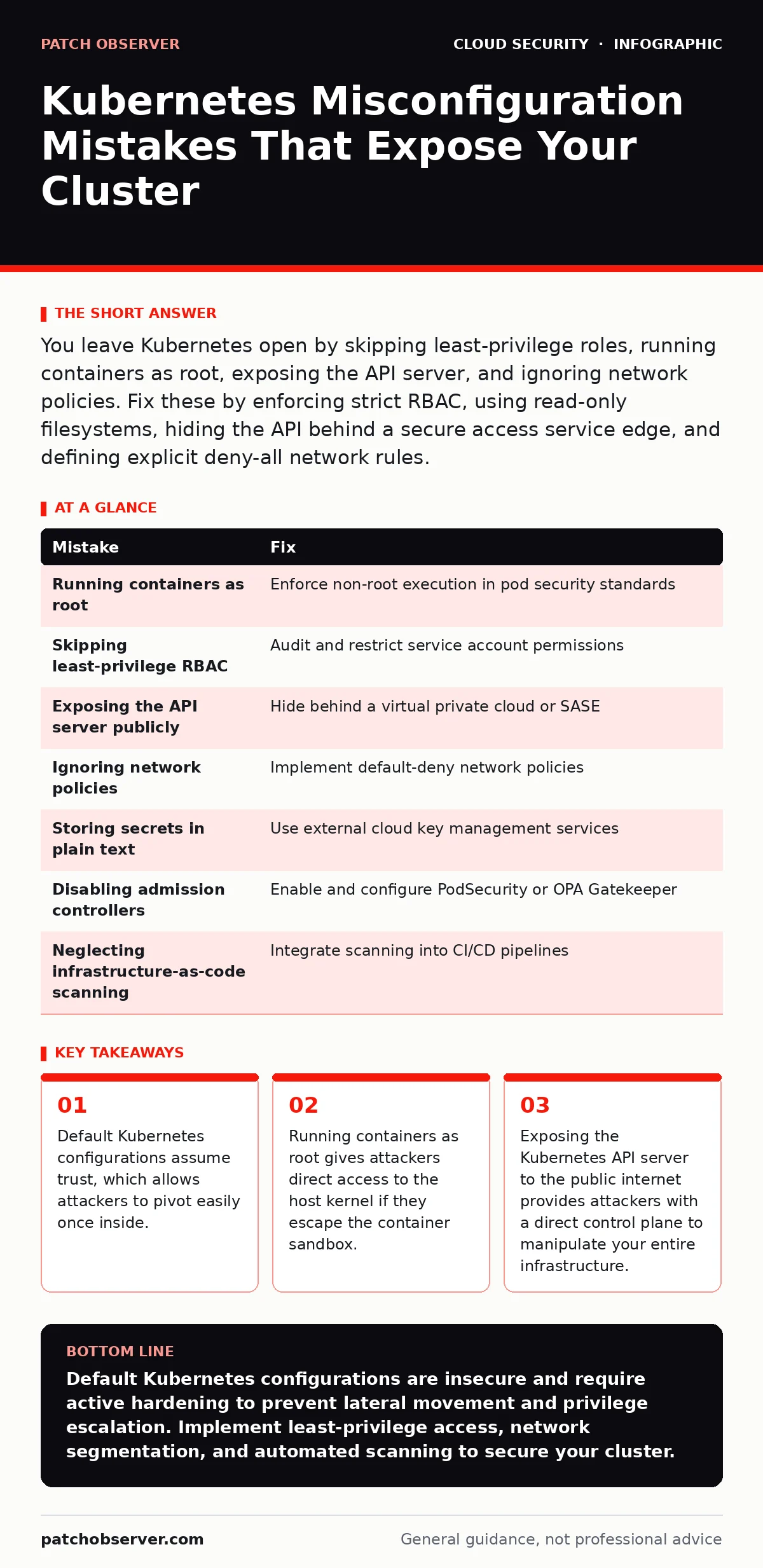
You leave Kubernetes open by skipping least-privilege roles, running containers as root, exposing the API server, and ignoring network policies. Fix these by enforcing strict RBAC, using read-only filesystems, hiding the API behind a secure access service edge, and defining explicit deny-all network rules.
Mistake 1: Running Containers as Root
Running containers as the root user is the most dangerous default in Kubernetes. When a container runs as root, it inherits the highest privileges on the host system. If an attacker exploits a vulnerability in the container runtime, they gain immediate control over the underlying node. This breaks the isolation boundary that containers are supposed to provide.
Why it hurts:
Root access allows privilege escalation. An attacker can modify system files, install persistent backdoors, or access secrets stored on the host. This turns a single compromised container into a full node compromise. You lose the security benefit of containerization entirely.
The fix:
Enforce non-root execution in your pod security standards. Set the runAsNonRoot field to true in your pod specifications. Use the securityContext to specify a specific user ID that has only the permissions required for the application. This ensures that even if the container is breached, the attacker operates with limited rights.
Mistake 2: Skipping Least-Privilege RBAC
Role-Based Access Control (RBAC) manages who can do what in your cluster. Many administrators grant broad permissions to service accounts or users to avoid debugging permission errors. This violates the principle of least privilege. Every service account should have only the permissions it needs to function, nothing more.
Why it hurts:
Over-permissive RBAC allows lateral movement. If an attacker compromises a service account with broad access, they can read secrets, deploy malicious workloads, or escalate privileges to cluster-admin. This turns a small breach into a total cluster takeover. You give attackers the keys to the kingdom without realizing it.
The fix:
Audit your RBAC policies regularly. Remove cluster-admin bindings from service accounts. Create custom roles that grant only specific verbs like get or list on required resources. Bind these roles to service accounts rather than users. This limits the blast radius of any compromised credential.
Mistake 3: Exposing the API Server Publicly
The Kubernetes API server is the control plane of your cluster. It handles all requests for creating, updating, and deleting resources. Exposing this endpoint directly to the public internet is a critical error. Attackers scan for open API servers constantly. They look for weak authentication or misconfigured network policies.
Why it hurts:
A public API server provides direct control. Attackers can enumerate nodes, deploy crypto-miners, or delete critical workloads. They do not need to exploit an application vulnerability if they can talk directly to the API. This bypasses all application-layer security controls you have implemented.
The fix:
Hide the API server behind a virtual private cloud or a secure access service edge. Never assign a public IP address to the API server endpoint. Use internal load balancers for cluster communication. Require multi-factor authentication for any administrative access. This removes the attack surface from the public internet entirely.
Mistake 4: Ignoring Network Policies
Kubernetes allows all pod-to-pod traffic by default. This means any container can communicate with any other container in the cluster. Without network policies, your cluster operates like a flat network. An attacker who compromises one pod can scan and attack all other pods without restriction.
Why it hurts:
Unrestricted traffic enables lateral movement. Attackers use compromised pods to scan for vulnerable services. They can exfiltrate data from database pods or inject malicious code into application pods. This lack of segmentation makes containment nearly impossible during an incident.
The fix:
Implement a default-deny network policy. This blocks all incoming and outgoing traffic between pods unless explicitly allowed. Create specific policies that permit only necessary communication paths. For example, allow web servers to talk to backend services but block direct database access from the web tier. This creates security zones within your cluster.
Mistake 5: Storing Secrets in Plain Text
Many teams store API keys, passwords, and certificates in environment variables or configuration files. These are often committed to version control systems or stored in plain text within Kubernetes secrets objects. Kubernetes secrets are base64 encoded, not encrypted. This provides zero real protection.
Why it hurts:
Plain text secrets are easily stolen. An attacker with read access to the cluster can extract these secrets. They can then access external systems, databases, or cloud accounts. This expands the breach beyond your cluster. You hand attackers the credentials they need to pivot to other systems.
The fix:
Use external cloud key management services to store sensitive data. Integrate your applications with these services using secure injection methods. Rotate secrets frequently and audit access logs. Never store secrets in code repositories. This ensures that secrets remain encrypted and are only decrypted at runtime by authorized applications.
See also: CIS Benchmarks for Small Business: Secure Cloud Configs
Mistake 6: Disabling Admission Controllers
Admission controllers are plugins that intercept requests to the API server. They can validate, mutate, or reject requests before resources are created. Disabling or misconfiguring these controllers removes a critical layer of defense. You lose the ability to enforce security policies automatically at the point of creation.
Why it hurts:
Without admission controllers, malicious workloads can be deployed. Attackers can run privileged containers or mount host volumes. These actions bypass standard security checks. You rely entirely on manual oversight, which is error-prone and slow. This allows persistent threats to establish themselves quickly.
The fix:
Enable and configure admission controllers like PodSecurity or OPA Gatekeeper. Define policies that reject non-compliant workloads. For example, block pods that request host network access or run as root. Automate these checks so that security is enforced consistently. This prevents misconfigurations before they reach the cluster.
Mistake 7: Neglecting Infrastructure-as-Code Scanning
Kubernetes configurations are often defined in infrastructure-as-code files. These files are version-controlled and deployed automatically. Failing to scan these files for security issues allows misconfigurations to reach production. Manual review is insufficient for complex deployments. You need automated checks at every stage of the pipeline.
Why it hurts:
Unscanned code introduces known vulnerabilities. Misconfigurations in code become misconfigurations in production. This creates a cycle of debt and risk. You waste time fixing issues after deployment instead of preventing them. This slows down your response to security threats.
The fix:
Integrate infrastructure-as-code scanning into your CI/CD pipeline. Use tools that check for common misconfigurations like exposed ports or missing resource limits. Block deployments that fail these checks. This shifts security left, catching issues before they impact the running cluster.
| Mistake | Fix |
|---|---|
| Running containers as root | Enforce non-root execution in pod security standards |
| Skipping least-privilege RBAC | Audit and restrict service account permissions |
| Exposing the API server publicly | Hide behind a virtual private cloud or SASE |
| Ignoring network policies | Implement default-deny network policies |
| Storing secrets in plain text | Use external cloud key management services |
| Disabling admission controllers | Enable and configure PodSecurity or OPA Gatekeeper |
| Neglecting infrastructure-as-code scanning | Integrate scanning into CI/CD pipelines |
Key takeaways
- Default Kubernetes configurations assume trust, which allows attackers to pivot easily once inside.
- Running containers as root gives attackers direct access to the host kernel if they escape the container sandbox.
- Exposing the Kubernetes API server to the public internet provides attackers with a direct control plane to manipulate your entire infrastructure.
Default Kubernetes configurations are insecure and require active hardening to prevent lateral movement and privilege escalation. Implement least-privilege access, network segmentation, and automated scanning to secure your cluster.
Frequently asked questions
How do I check if my pods are running as root?
Use the `kubectl get pods` command with the `-o yaml` flag to inspect the security context. Look for the `runAsNonRoot` field and ensure it is set to true.
What is the difference between a secret and a config map?
Config maps store non-sensitive configuration data in plain text. Secrets store sensitive data but are still base64 encoded. Neither provides encryption at rest by default.
Can I use federated identity with Kubernetes?
Yes, Kubernetes supports federated authentication via OIDC. This allows users to authenticate using external identity providers, reducing the need for local credentials.
How do I prevent shadow IT in Kubernetes?
Enforce strict RBAC and admission controllers. Monitor for unauthorized deployments and restrict the ability to create new namespaces or service accounts.
How this guide was produced: written by the Patch Observer editorial team with AI assistance, checked against the public references listed below, and reviewed when the facts change. See our editorial policy or report an error.