How a Wi-Fi Security System Works and What It Protects
A proper system isolates devices into separate network zones, preventing a compromised smart bulb from accessing your financial data or administrative tools.

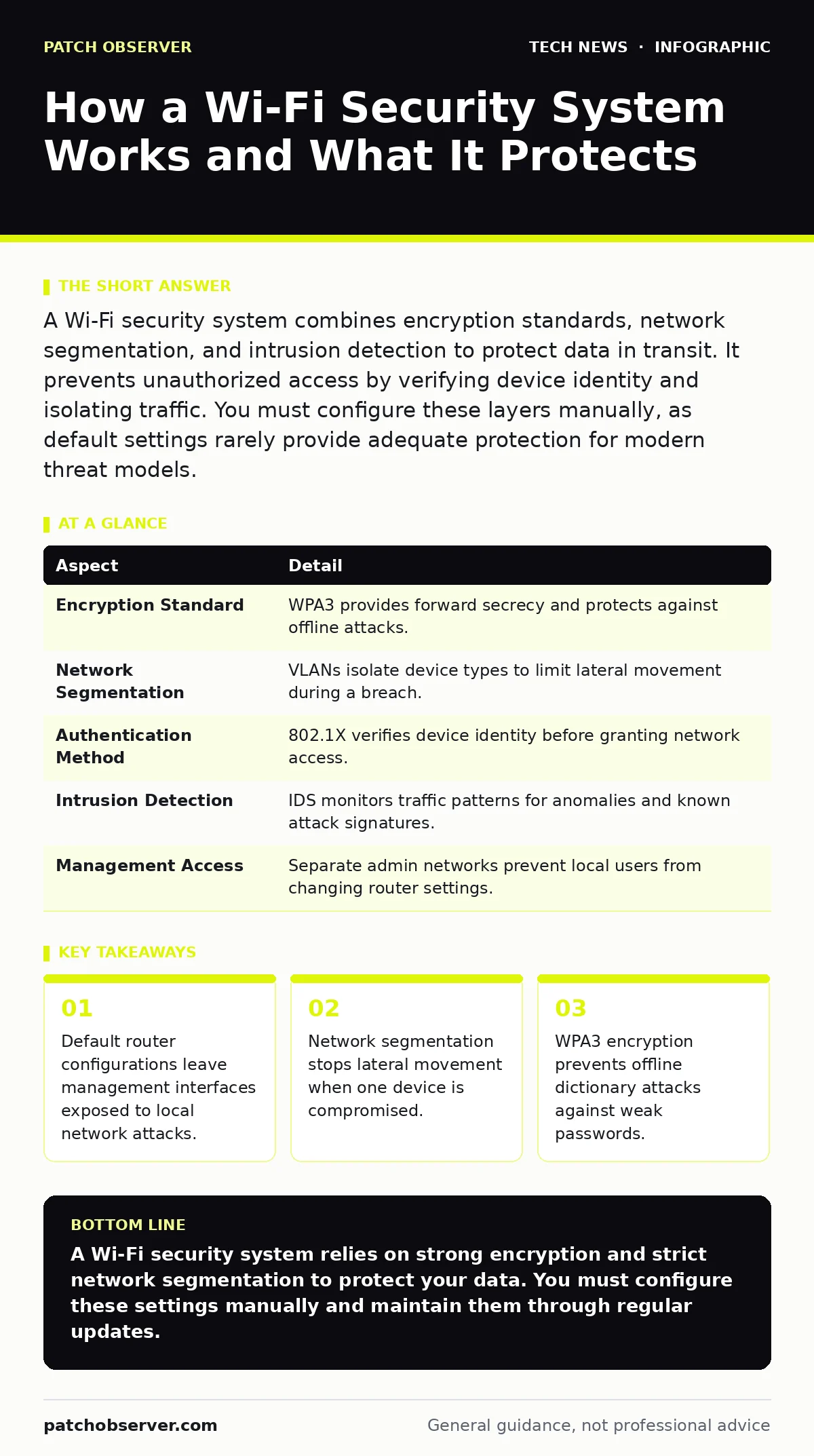
A Wi-Fi security system combines encryption standards, network segmentation, and intrusion detection to protect data in transit. It prevents unauthorized access by verifying device identity and isolating traffic. You must configure these layers manually, as default settings rarely provide adequate protection for modern threat models.
The Analogy of the Secure Building
Imagine a large office building with a single front door. Anyone who shows a valid ID badge can enter. Once inside, they can walk to any floor, open any door, and access any office. A Wi-Fi security system changes this model. It acts like a building with separate wings, locked stairwells, and security checkpoints. Each wing serves a different purpose. Guests stay in the lobby. Employees work in the main hall. Sensitive records remain in a vault with biometric locks. This physical separation mirrors how digital networks should operate.
| Aspect | Detail |
|---|---|
| Encryption Standard | WPA3 provides forward secrecy and protects against offline attacks. |
| Network Segmentation | VLANs isolate device types to limit lateral movement during a breach. |
| Authentication Method | 802.1X verifies device identity before granting network access. |
| Intrusion Detection | IDS monitors traffic patterns for anomalies and known attack signatures. |
| Management Access | Separate admin networks prevent local users from changing router settings. |
What Is a Wi-Fi Security System
A Wi-Fi security system is not a single product but a collection of protocols and configurations that protect wireless communications. It ensures that data traveling between your device and the access point remains unreadable to eavesdroppers. It also verifies that only authorized devices can join the network. The core mechanism relies on cryptographic handshakes. When you connect, your device and the router negotiate a session key. This key encrypts all subsequent traffic. If an attacker captures this traffic, they cannot decrypt it without the key.
The system also manages identity. Basic systems use a shared password. Advanced systems use certificates or user credentials. This distinction matters because a shared password cannot be revoked for a single user without changing it for everyone. Certificate-based authentication allows you to remove access for one device without disrupting others. This granularity is necessary for environments with many transient users.
How the Encryption Layer Works
Encryption transforms readable data into ciphertext. The Wi-Fi security system uses symmetric encryption for speed and asymmetric encryption for key exchange. WPA3 introduces Simultaneous Authentication of Equals. This protocol ensures that both the client and the router prove their identity before sharing keys. It prevents offline dictionary attacks. Attackers can no longer capture the handshake and try billions of passwords on their own hardware. They must interact with the live network, which triggers alerts and rate limiting.
Older standards like WPA2 are vulnerable to KRACK attacks. These attacks exploit flaws in the four-way handshake. WPA3 mitigates these risks by design. However, backward compatibility creates a weakness. If your router allows WPA2 devices, it may downgrade the security for all connections. You must disable legacy modes to enforce WPA3. This decision reduces compatibility with older hardware but significantly increases security. The trade-off is clear: convenience versus protection.
Network Segmentation and Isolation
Encryption protects data in transit. Segmentation protects data at rest and limits damage. A Wi-Fi security system should divide the network into Virtual Local Area Networks. Each VLAN acts as a separate broadcast domain. Devices in one VLAN cannot communicate with devices in another unless explicitly allowed by a firewall rule. This is critical for Internet of Things devices. These devices often have poor security and cannot receive updates.
Suppose a smart thermostat is compromised by malware. Without segmentation, the malware can scan your local network. It might find an unpatched laptop or a server with financial data. With segmentation, the thermostat is trapped in a guest VLAN. It can send data to the cloud but cannot touch your personal devices. This containment strategy reduces the attack surface. You must configure firewall rules carefully. Overly permissive rules defeat the purpose of segmentation.
What People Usually Get Wrong
Many users believe that hiding the SSID improves security. This is a misconception. The network name is still broadcast in probe requests. Advanced attackers can easily discover hidden networks. This practice only adds friction for legitimate users. It does not stop determined adversaries. Another common error is using the default administrator interface. Many routers ship with default IP addresses and ports for management. Attackers scan for these defaults. Changing the management IP and disabling remote access is necessary.
Users also ignore firmware updates. Router manufacturers release patches for vulnerabilities. These patches fix flaws in the web interface and the wireless stack. Running outdated firmware leaves known exploits open. You must enable automatic updates if available. If not, you must check for updates manually. This maintenance is often overlooked because routers are seen as passive devices. They are active network gateways. Their security status affects every connected device.
See also: Defense in Depth Layers: How to Stop Attacks When One Control Fails · IoT Device Vulnerabilities: How to Secure Connected Hardware
Who Is Affected by Weak Configurations
Weak Wi-Fi security affects everyone who relies on wireless connectivity. Home users face data theft and privacy violations. Attackers can intercept banking sessions or steal personal files. Businesses face regulatory fines and reputational damage. A breach can expose customer data or intellectual property. Managed service providers bear the responsibility of configuring these systems correctly. They must ensure that segmentation and encryption are properly implemented.
The impact extends beyond direct victims. A compromised device can become part of a botnet. These botnets launch distributed denial-of-service attacks against other targets. Your device can be used to attack unrelated parties. This collateral damage makes Wi-Fi security a public good. Neglecting it increases the overall threat level for the entire internet. You are not just protecting your own data. You are protecting the network ecosystem.
Steps to Harden Your Setup
- Enforce WPA3: Disable WPA2 and WEP modes. Ensure all devices support WPA3. Replace legacy hardware that cannot connect.
- Segment Networks: Create separate VLANs for staff, guests, and IoT devices. Apply strict firewall rules between them.
- Update Firmware: Check for and install the latest router firmware. Enable automatic updates if supported.
- Secure Management: Change the default admin IP address. Disable remote management access. Use a strong, unique password for the admin interface.
- Disable WPS: Turn off Wi-Fi Protected Setup. This feature has known vulnerabilities that allow brute-force attacks.
- Monitor Logs: Review router logs for failed connection attempts. Look for patterns that indicate scanning or attacks.
Integrating with Broader Security
A Wi-Fi security system does not exist in isolation. It interacts with other security controls. For instance, public key cryptography underpins the certificate-based authentication used in enterprise networks. Understanding how keys are managed helps you troubleshoot connectivity issues. Similarly, browser security settings affect how your device handles connections. Even with secure Wi-Fi, a misconfigured browser can leak data.
Remote work security depends on reliable Wi-Fi. Employees connecting from home need the same protections as those in the office. Consistent policies ensure that data remains protected regardless of location. API security is also relevant. Many smart home devices use APIs to communicate with cloud services. If these APIs are insecure, your Wi-Fi network is not the only entry point. You must secure the endpoints as well.
Key takeaways
- Default router configurations leave management interfaces exposed to local network attacks.
- Network segmentation stops lateral movement when one device is compromised.
- WPA3 encryption prevents offline dictionary attacks against weak passwords.
A Wi-Fi security system relies on strong encryption and strict network segmentation to protect your data. You must configure these settings manually and maintain them through regular updates.
Frequently asked questions
Does a Wi-Fi security system protect against viruses?
No. It protects data in transit and prevents unauthorized access. It does not scan devices for malware. You need separate endpoint protection software for that.
Is WPA2 still safe to use?
WPA2 is acceptable if WPA3 is unavailable, but it is vulnerable to offline attacks. You should enable WPA3 whenever possible. Disable WPS to mitigate additional risks.
How often should I change my Wi-Fi password?
You should change it immediately if you suspect a breach. Otherwise, change it when employees leave or devices are lost. Regular rotation is less important than using a strong, unique password.
Can I use the same password for my guest network?
No. Use a separate password for the guest network. This allows you to revoke guest access without disrupting your primary network. It also isolates guest traffic.
How this guide was produced: written by the Patch Observer editorial team with AI assistance, checked against the public references listed below, and reviewed when the facts change. See our editorial policy or report an error.