Cloud Migration Security Mistakes and How to Fix Them
Most cloud security failures stem from treating migration as a lift-and-shift exercise rather than a fundamental redesign of trust boundaries and data flows.

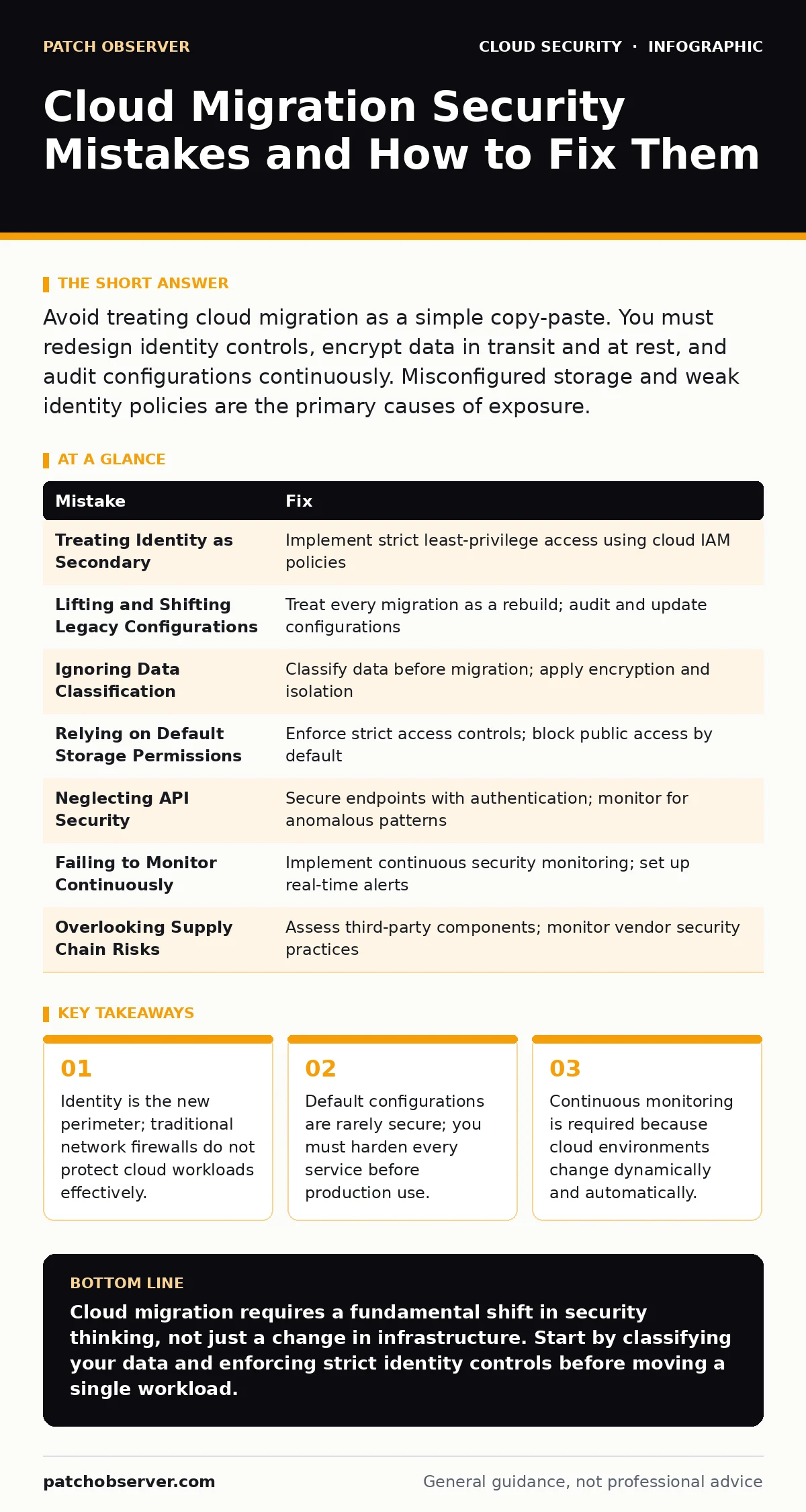
Avoid treating cloud migration as a simple copy-paste. You must redesign identity controls, encrypt data in transit and at rest, and audit configurations continuously. Misconfigured storage and weak identity policies are the primary causes of exposure.
Mistake 1: Treating Identity as Secondary
Many organizations focus heavily on network security while neglecting identity management. In the cloud, identity is the primary control point. If you rely on static passwords or weak multi-factor authentication, attackers can bypass network defenses entirely. This approach ignores the reality that cloud services are accessed via APIs, not just browsers.
Why it hurts:
Weak identity controls allow attackers to assume legitimate user roles. Once an attacker compromises a single account with excessive privileges, they can move laterally across your entire environment. This leads to widespread data exfiltration and service disruption. You lose the ability to trace actions back to specific individuals.
The fix:
Implement strict least-privilege access using cloud IAM policies. Every user and service account should have only the permissions necessary for their specific task. Use federated identity to centralize authentication and enable single sign-on. This reduces the attack surface by removing local credentials from multiple systems. For deeper implementation details, review our guide on federated identity.
Mistake 2: Lifting and Shifting Legacy Configurations
Organizations often migrate on-premises servers to the cloud without changing their security configurations. This includes keeping open ports, default credentials, and outdated software. The cloud environment is different from your data center. It does not provide the same physical or network isolation by default.
Why it hurts:
Legacy configurations assume a trusted internal network. In the cloud, every workload is potentially exposed to the internet. Open ports and default settings become easy entry points for automated scanning tools. Attackers exploit these known vulnerabilities to gain initial access. Your security posture remains as weak as it was before migration.
The fix:
Treat every migration as a rebuild. Audit each workload for unnecessary ports and services before moving it. Update all software to the latest stable versions. Apply security patches immediately. Use infrastructure as code to define secure baseline configurations. This ensures consistency and prevents configuration drift over time.
Mistake 3: Ignoring Data Classification
Not all data has the same risk profile. Many teams migrate databases and storage buckets without classifying the data inside. They treat customer records, financial data, and public marketing materials with the same security controls. This lack of distinction leads to either over-protection or under-protection.
Why it hurts:
Unclassified data often ends up in publicly accessible storage buckets. Without encryption or access controls, this data is vulnerable to theft. Conversely, over-protecting low-risk data wastes resources and slows down operations. You cannot protect what you do not understand. Regulatory compliance becomes impossible to verify.
The fix:
Classify data before migration. Label records based on sensitivity and regulatory requirements. Apply encryption at rest and in transit for sensitive data. Use virtual private clouds to isolate high-risk workloads from general traffic. This layered approach ensures that critical assets receive higher levels of protection. See our guide on virtual private clouds for architectural best practices.
Mistake 4: Relying on Default Storage Permissions
Cloud storage services often default to private access, but many users change this to public for convenience. They forget to revert these settings after testing. Storage buckets become accessible to anyone on the internet. This is one of the most common causes of data leaks in cloud environments.
Why it hurts:
Publicly accessible storage exposes sensitive files to anyone who guesses the URL. Attackers use automated tools to scan for misconfigured buckets. Once found, they can download, modify, or delete your data. This results in immediate data breaches and significant reputational damage. You lose control over your intellectual property.
The fix:
Enforce strict access controls on all storage resources. Use policies that block public access by default. Regularly scan for misconfigured buckets and alert your team immediately. Implement logging to track who accesses what data. This provides visibility and accountability. Regular cloud security assessments can help identify these gaps.
Mistake 5: Neglecting API Security
Cloud platforms rely heavily on APIs for management and data exchange. Many organizations fail to secure these endpoints. They assume that the cloud provider’s security is sufficient. However, misconfigured APIs can expose internal services and data. Third-party integrations often introduce additional risks.
Why it hurts:
Insecure APIs allow attackers to manipulate data or execute commands. They can bypass traditional security controls that focus on network traffic. API abuse can lead to data manipulation, denial of service, or unauthorized access. You lose integrity and availability of your services. This risk is amplified when using third-party tools.
The fix:
Secure every API endpoint with authentication and authorization. Use OAuth for token-based access control. Monitor API usage for anomalous patterns. Implement rate limiting to prevent abuse. Review our guide on OAuth token abuse to understand common pitfalls. Regularly audit third-party integrations for security weaknesses.
See also: CIS Benchmarks for Small Business: Secure Cloud Configs
Mistake 6: Failing to Monitor Continuously
Cloud environments are dynamic. Resources are created, modified, and deleted automatically. Static security checks are insufficient. Many teams set up monitoring and then forget to review it. They rely on periodic audits rather than continuous visibility. This creates blind spots in your security posture.
Why it hurts:
Without continuous monitoring, you cannot detect changes in real time. Misconfigurations go unnoticed until they are exploited. Threat actors operate quickly, and delayed detection leads to greater damage. You lack the context to respond effectively to incidents. Your security team is always reacting, never proactive.
The fix:
Implement continuous security monitoring. Use automated tools to scan for misconfigurations and vulnerabilities. Set up alerts for critical events. Integrate monitoring with your incident response plan. This ensures that you detect and respond to threats quickly. Consider adopting a secure access service edge (SASE) architecture for unified policy enforcement.
Mistake 7: Overlooking Supply Chain Risks
Cloud migrations often involve third-party software and services. Many organizations fail to assess the security of these components. They assume that the cloud provider secures everything. However, vulnerabilities in third-party code or services can compromise your entire environment. This is known as supply chain risk.
Why it hurts:
A vulnerability in a single third-party library can expose your entire application. Attackers target these weak links to gain access. You inherit the security posture of your vendors. If they are compromised, you are too. This creates a complex web of dependencies that is hard to manage.
The fix:
Assess all third-party components before integration. Use software composition analysis to identify known vulnerabilities. Monitor vendor security practices. Implement strict access controls for third-party services. Review our guide on cloud supply chain risks for detailed mitigation strategies. This proactive approach reduces the likelihood of indirect compromise.
| Mistake | Fix |
|---|---|
| Treating Identity as Secondary | Implement strict least-privilege access using cloud IAM policies |
| Lifting and Shifting Legacy Configurations | Treat every migration as a rebuild; audit and update configurations |
| Ignoring Data Classification | Classify data before migration; apply encryption and isolation |
| Relying on Default Storage Permissions | Enforce strict access controls; block public access by default |
| Neglecting API Security | Secure endpoints with authentication; monitor for anomalous patterns |
| Failing to Monitor Continuously | Implement continuous security monitoring; set up real-time alerts |
| Overlooking Supply Chain Risks | Assess third-party components; monitor vendor security practices |
Key takeaways
- Identity is the new perimeter; traditional network firewalls do not protect cloud workloads effectively.
- Default configurations are rarely secure; you must harden every service before production use.
- Continuous monitoring is required because cloud environments change dynamically and automatically.
Cloud migration requires a fundamental shift in security thinking, not just a change in infrastructure. Start by classifying your data and enforcing strict identity controls before moving a single workload.
Frequently asked questions
How do I secure legacy applications during cloud migration?
Treat legacy applications as high-risk. Isolate them in virtual private clouds and apply strict network segmentation. Use application virtual patching to mitigate known vulnerabilities.
What is the biggest risk in cloud identity management?
Over-privileged accounts are the biggest risk. Ensure every user and service has only the permissions necessary for their specific tasks. Regularly audit and revoke unnecessary access.
How often should I review my cloud security posture?
Review your security posture continuously. Use automated tools to scan for misconfigurations and vulnerabilities daily. Conduct formal assessments quarterly to ensure compliance.
Can I use the same security tools for cloud and on-premises?
Many tools can manage both, but cloud-specific features are often required. Ensure your tools support cloud-native APIs and integrate with cloud identity providers.
How this guide was produced: written by the Patch Observer editorial team with AI assistance, checked against the public references listed below, and reviewed when the facts change. See our editorial policy or report an error.