Why is wpa3 not widely implemented and how to deploy it safely
Legacy hardware incompatibility and silent fallback mechanisms keep modern wireless security standards from dominating enterprise networks.
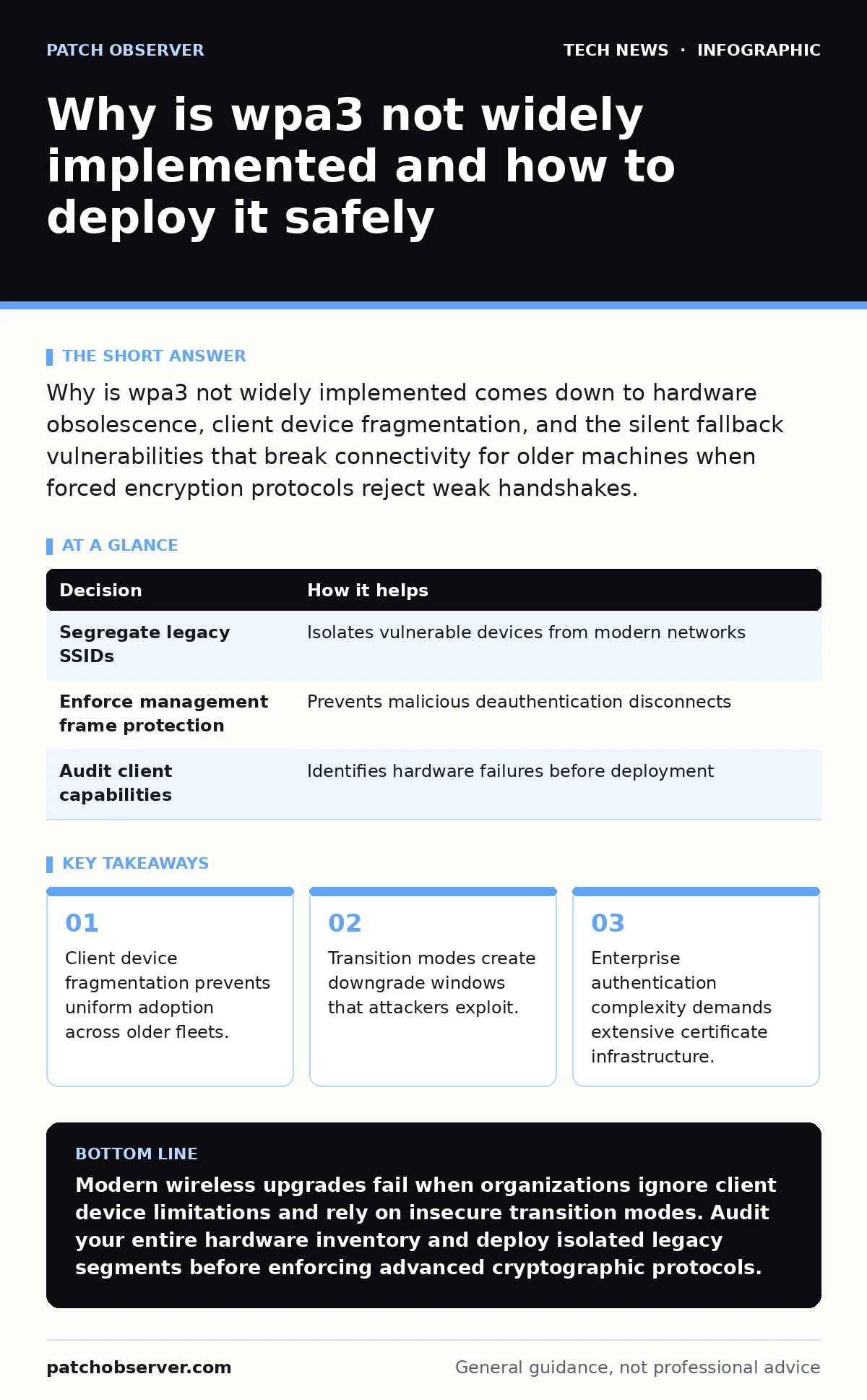
Why is wpa3 not widely implemented comes down to hardware obsolescence, client device fragmentation, and the silent fallback vulnerabilities that break connectivity for older machines when forced encryption protocols reject weak handshakes.
Why is wpa3 not widely implemented?
Wireless networks protect data using protocols that dictate how devices negotiate encryption keys. Simultaneous Authentication of Equals, a secure key exchange mechanism designed to prevent offline password guessing, serves as the foundation for modern wireless security. Adoption lags because upgrading requires replacing every single client network interface card and access point simultaneously across an entire organization.
Upgrading wireless infrastructure introduces staggering costs that extend far beyond hardware purchases. Administrative overhead balloons when legacy Internet of Things appliances lose connectivity because they lack firmware updates to support modern cryptographic math. Network administrators often postpone upgrades to avoid endless helpdesk tickets from frustrated users whose older laptops refuse to connect to upgraded radios.
Legacy Hardware and Client Fragmentation
Older client devices simply lack the processing capabilities required for advanced cryptographic operations. Manufacturers built millions of deployed barcode scanners, medical sensors, and operational technology assets with microchips that only understand older encryption standards. Forcing an upgrade breaks these mission-critical tools instantly, halting operations in environments where downtime carries massive financial penalties.
Network administrators face a brutal dilemma when balancing security enhancements against operational continuity. Modern encryption relies on complex mathematical operations known as hashing, which transforms input data into fixed-size strings. Older processors spend too much time calculating these functions, causing connection timeouts that make wireless access unusable for legacy workstations.
Transition Mode Vulnerabilities
Transition modes allow newer access points to accept both legacy connections and modern cryptographic handshakes simultaneously. This flexibility prevents the catastrophic breakage of older hardware by permitting mixed traffic on a single wireless network. Operational convenience arrives with a severe security penalty because the dual-mode environment opens windows for downgrade attacks.
Attackers exploit transition modes by forcing client devices to drop their security level down to weaker legacy protocols. Wireless sniffers capture the initial handshake packets during this forced downgrade, allowing offline brute-force attacks against the human-readable network password. Implementing transition modes effectively negates the primary security benefits you bought the new hardware to achieve in the first place.
| Decision | How it helps |
|---|---|
| Segregate legacy SSIDs | Isolates vulnerable devices from modern networks |
| Enforce management frame protection | Prevents malicious deauthentication disconnects |
| Audit client capabilities | Identifies hardware failures before deployment |
Enterprise Authentication Hurdles
Enterprise environments require 802.1X authentication, which relies on a centralized server to verify user identities through digital certificates. Deploying this architecture demands meticulous management of public key infrastructure, a discipline where minor configuration errors break global connectivity. Many organizations lack the specialized staff needed to maintain certificate authorities without triggering frequent outages.
Remote work security initiatives often suffer when employees attempt to connect corporate laptops from remote sites with misconfigured wireless profiles. Users frequently bypass organizational controls by creating unmonitored home networks that lack adequate protection. Bridging this gap requires strict endpoint policies that enforce certificate validation before allowing machines to touch corporate resources.
Operational Friction and Hidden Costs
Deploying advanced wireless standards generates friction that ripples through support desks and engineering teams alike. Helpdesk technicians spend countless hours updating drivers, troubleshooting certificate trust errors, and explaining why specific printers stopped responding after the radio upgrade. This hidden labor cost often exceeds the market value of the hardware replacements required for the transition.
Wireless networks do not exist in isolation, and changes to authentication protocols frequently break downstream services like printer discovery and local file sharing. Network teams must also review related firewall rules to ensure authentication traffic passes freely between wireless controllers and internal directory servers without interruption. Overlooking these dependencies leads to baffling connectivity losses that defy simple troubleshooting steps.
| Decision | How it helps |
|---|---|
| Implement strict roaming policies | Reduces dropped connections during client movement |
| Update RADIUS server configurations | Ensures compatibility with modern cryptographic suites |
| Phase hardware upgrades regionally | Limits the blast radius of unexpected compatibility bugs |
See also: Getting a Reddit API Key: Account Types and Rate Limits Explained · macOS security features explained and how they protect systems
Bridging the Gap Safely
Pragmatic administrators approach wireless upgrades through phased migrations rather than abrupt enterprise-wide switches. Creating dedicated guest networks and isolated segments for legacy machinery allows you to adopt modern protocols without breaking production workflows. This compartmentalized strategy contains potential security regressions while allowing gradual hardware retirement over multi-year replacement cycles.
Organizations must also account for physical security when managing wireless access points in public spaces. Modern protocols protect against passive eavesdropping, but physical tampering with access point hardware remains a viable vector for local network intrusion. Pairing modern wireless standards with robust physical enclosures and port security measures ensures a resilient defense posture across every operational layer.
Future-Proofing Your Wireless Architecture
Network architecture decisions made today dictate organizational vulnerability profiles for the next decade of operations. Ignoring modern standards invites passive data harvesting by attackers who collect encrypted traffic today for decryption when computational power increases. Balancing this threat requires continuous inventory management to track every connected device and its cryptographic capabilities.
Successful deployments demand patience, rigorous pre-deployment testing, and a willingness to accept temporary operational constraints for long-term security gains. Treating wireless security as an ongoing process rather than a one-time hardware purchase transforms your network from an easy target into a resilient asset. Your organization ultimately benefits when you align hardware refresh cycles with cryptographic evolution.
Key takeaways
- Client device fragmentation prevents uniform adoption across older fleets.
- Transition modes create downgrade windows that attackers exploit.
- Enterprise authentication complexity demands extensive certificate infrastructure.
Modern wireless upgrades fail when organizations ignore client device limitations and rely on insecure transition modes. Audit your entire hardware inventory and deploy isolated legacy segments before enforcing advanced cryptographic protocols.
Frequently asked questions
Can older laptops connect to modern wireless networks without hardware upgrades?
Older machines require updated network interface card drivers to support modern cryptographic handshakes, and severely outdated hardware will fail to connect entirely without external adapters.
Why do transition modes create security risks in enterprise environments?
Transition modes allow attackers to force connected devices into downgrade states, exposing weak handshake packets that facilitate offline password cracking.
What happens to Internet of Things devices during a protocol upgrade?
Legacy smart devices often lack the firmware updates necessary to process modern encryption math, resulting in immediate connectivity loss and broken automation workflows.
How do digital certificates affect wireless authentication?
Digital certificates verify the identity of both the user and the network, but expired or untrusted certificates will immediately block authentication attempts across the entire organization.
How this guide was produced: written by the Patch Observer editorial team with AI assistance, checked against the public references listed below, and reviewed when the facts change. See our editorial policy or report an error.