SAML vs OpenID Connect: How to Choose the Right Authentication Protocol
SAML manages access permissions while OpenID Connect verifies identity, creating a structural divide that dictates which protocol fits your application architecture.

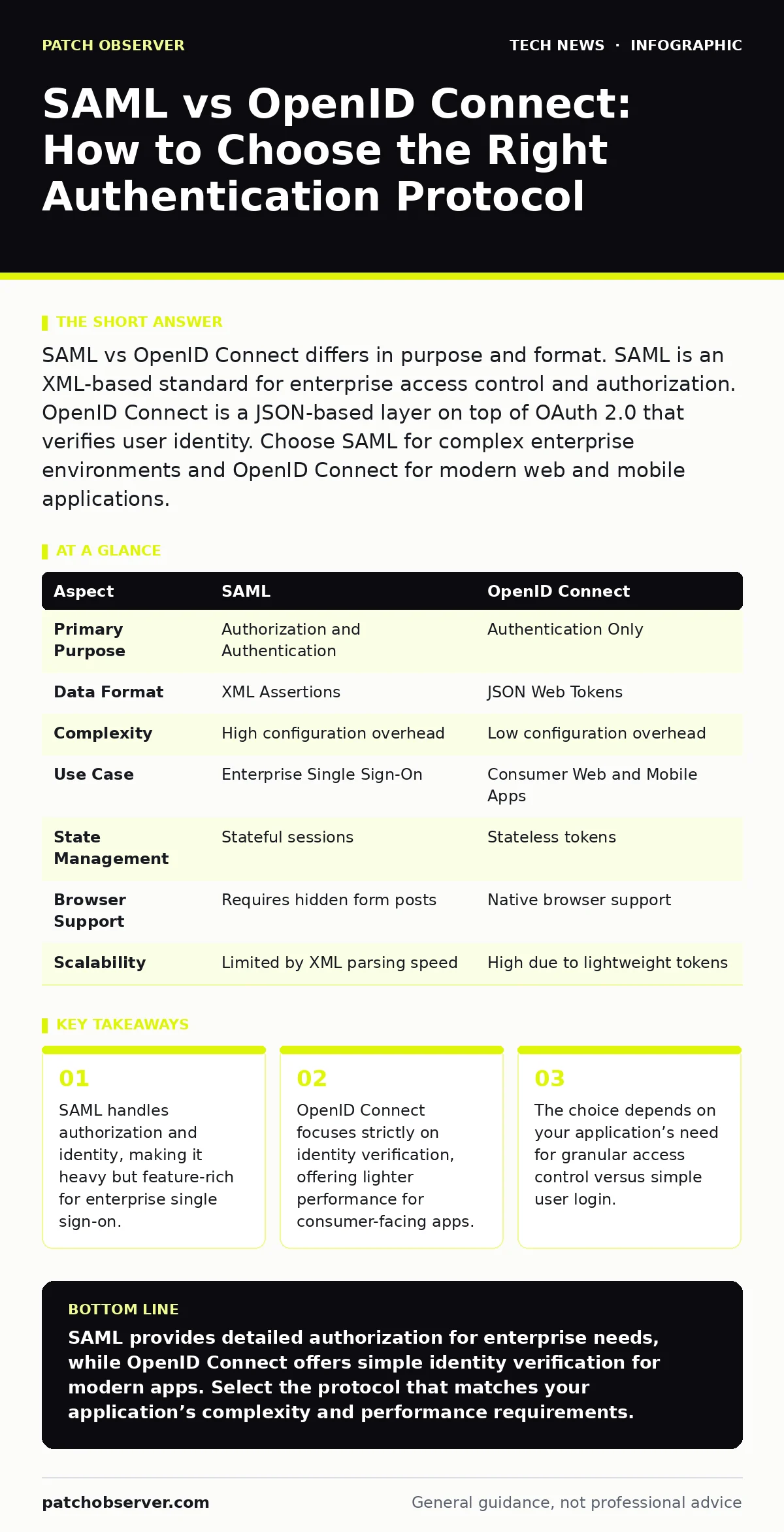
SAML vs OpenID Connect differs in purpose and format. SAML is an XML-based standard for enterprise access control and authorization. OpenID Connect is a JSON-based layer on top of OAuth 2.0 that verifies user identity. Choose SAML for complex enterprise environments and OpenID Connect for modern web and mobile applications.
The Core Difference Between SAML and OpenID Connect
SAML vs OpenID Connect represents a choice between authorization-heavy enterprise standards and identity-focused modern protocols. Security Assertion Markup Language (SAML) is an XML-based framework that allows identity providers to pass authorization credentials to service providers. It tells the application not just who the user is, but what they are allowed to do. OpenID Connect (OIDC) is an authentication layer built on top of OAuth 2.0. It uses JSON Web Tokens (JWT) to verify that the user is who they claim to be. It does not inherently convey permission levels. This distinction determines how your systems handle user sessions and security boundaries.
What Is SAML?
SAML operates as a robust framework for exchanging authentication and authorization data. It relies on XML assertions, which are digital statements containing information about the user. When a user logs in, the identity provider sends a SAML assertion to the service provider. This assertion contains attributes like user roles, group memberships, and expiration times.
The service provider reads these attributes to grant or deny access. SAML is stateful and complex. It requires careful configuration of metadata and certificates. The protocol supports multiple binding methods, including HTTP-Redirect and HTTP-POST. This flexibility allows it to work across diverse legacy systems and complex enterprise networks.
What Is OpenID Connect?
OpenID Connect is a simpler identity layer that sits on top of OAuth 2.0. OAuth 2.0 is an authorization framework that allows third-party applications to obtain limited access to user accounts. OpenID Connect adds an identity token to this flow. This token is a JWT, which is a compact, URL-safe means of representing claims to be transferred between two parties. The identity token contains basic profile information about the user. It confirms the user’s identity without revealing extensive permission details. This makes the protocol lightweight and easy to parse. It is designed for modern web and mobile applications where speed and simplicity are priorities.
Point-by-Point Comparison
| Aspect | SAML | OpenID Connect |
|---|---|---|
| Primary Purpose | Authorization and Authentication | Authentication Only |
| Data Format | XML Assertions | JSON Web Tokens |
| Complexity | High configuration overhead | Low configuration overhead |
| Use Case | Enterprise Single Sign-On | Consumer Web and Mobile Apps |
| State Management | Stateful sessions | Stateless tokens |
| Browser Support | Requires hidden form posts | Native browser support |
| Scalability | Limited by XML parsing speed | High due to lightweight tokens |
When to Choose SAML
Choose SAML when you require detailed control over user permissions. Enterprise environments often need to pass specific attributes like department, role, or clearance level to applications. SAML assertions carry this data natively. Legacy systems that do not support modern JSON standards also benefit from SAML. Its XML structure is widely supported by older enterprise software. If your organization uses a complex identity provider with strict compliance requirements, SAML offers the necessary depth. It integrates well with existing directory services. The protocol’s maturity ensures broad compatibility with established security infrastructure.
Choose SAML when:
- You need to pass multiple user attributes to applications.
- Your systems rely on legacy XML-based architectures.
- Compliance requirements demand detailed audit trails of access decisions.
- You are integrating with enterprise-grade identity providers.
See also: DMARC Misconceptions: Why Your Policy Fails Without These Fixes · Why Identity and Access Management Matters for Cloud Security
When to Choose OpenID Connect
Choose OpenID Connect when you need a simple, fast login experience. Modern web applications benefit from the lightweight nature of JWTs. The protocol reduces server load because tokens are stateless. Mobile applications prefer OpenID Connect due to its ease of implementation. It avoids the complexity of XML parsing on devices with limited resources. Consumer-facing services that prioritize user experience over granular permission control find OpenID Connect ideal. The standard is widely adopted by major identity providers. It simplifies the development process for new applications.
Choose OpenID Connect when:
- You are building a modern web or mobile application.
- You need a simple user identity verification.
- Performance and scalability are primary concerns.
- You want to reduce development time and complexity.
Where They Overlap
Both protocols enable single sign-on capabilities. They allow users to log in once and access multiple services. Both rely on a trusted identity provider to verify credentials. They support similar security mechanisms like digital signatures and encryption. Many identity providers support both protocols simultaneously. This allows organizations to migrate gradually from SAML to OpenID Connect. The choice often depends on the specific application’s requirements rather than the identity provider’s capabilities. Understanding the overlap helps in planning a hybrid authentication strategy.
Implementation Considerations
Implementing SAML requires careful handling of XML parsing and certificate management. You must ensure that your service provider can interpret the assertions correctly. Misconfigurations can lead to security vulnerabilities. OpenID Connect implementation is simpler but requires understanding of token validation. You must verify the signature and expiration of each JWT. Both protocols require secure transmission over HTTPS. You should also consider how each protocol affects your session management. SAML sessions are often tied to the identity provider’s session. OpenID Connect tokens can be managed independently.
Review your API security policies to ensure they align with your chosen protocol. Consider how reverse proxies handle token validation. Evaluate your network ports and protocols to ensure secure communication. Check your browser security settings for compatibility. Ensure smartphone security updates are current for mobile authentication. Review Wi-Fi security to protect data in transit. Consider API key security if using additional authentication methods. Evaluate hashing algorithms for password storage.
Key takeaways
- SAML handles authorization and identity, making it heavy but feature-rich for enterprise single sign-on.
- OpenID Connect focuses strictly on identity verification, offering lighter performance for consumer-facing apps.
- The choice depends on your application’s need for granular access control versus simple user login.
SAML provides detailed authorization for enterprise needs, while OpenID Connect offers simple identity verification for modern apps. Select the protocol that matches your application’s complexity and performance requirements.
Frequently asked questions
Can I use both SAML and OpenID Connect in the same environment?
Yes, many identity providers support both protocols simultaneously, allowing you to serve different applications with the appropriate standard.
Is OpenID Connect more secure than SAML?
Security depends on implementation, not the protocol itself. Both are secure when configured correctly, but OpenID Connect’s simplicity can reduce configuration errors.
Does SAML work with mobile applications?
SAML can work with mobile apps, but it is more complex to implement than OpenID Connect due to XML parsing requirements.
What is the main drawback of SAML?
SAML’s XML-based structure is verbose and complex, leading to higher configuration overhead and slower processing compared to JSON-based alternatives.
How this guide was produced: written by the Patch Observer editorial team with AI assistance, checked against the public references listed below, and reviewed when the facts change. See our editorial policy or report an error.