Website Defacement Response: Immediate Containment and Full Recovery Steps
Restoring a defaced site from backups without identifying the entry point guarantees the attacker returns with greater persistence and deeper access privileges.
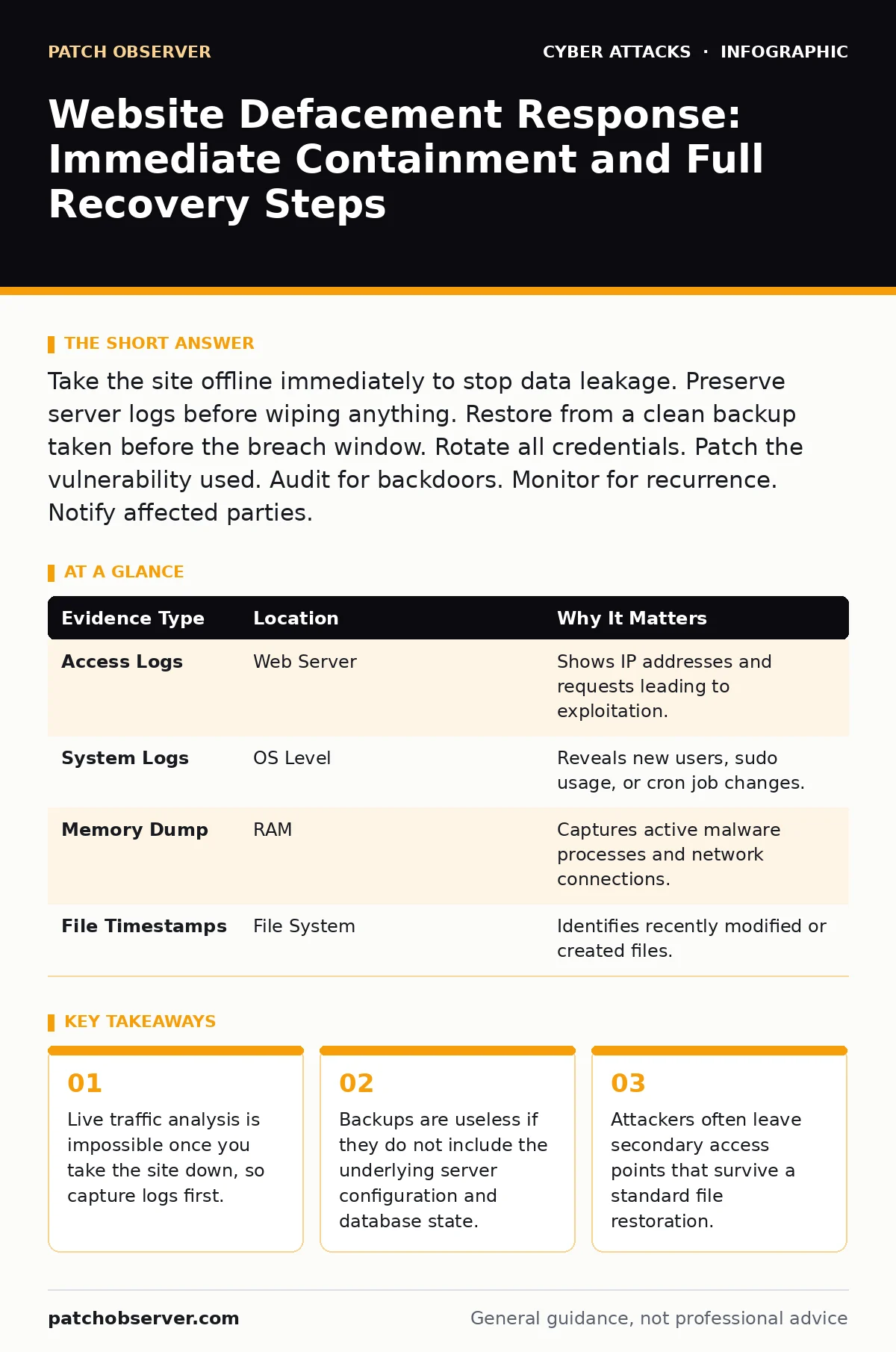
Take the site offline immediately to stop data leakage. Preserve server logs before wiping anything. Restore from a clean backup taken before the breach window. Rotate all credentials. Patch the vulnerability used. Audit for backdoors. Monitor for recurrence. Notify affected parties.
Secure the Perimeter Immediately
The moment you notice unauthorized changes, your priority shifts from availability to containment. You must stop the attacker from moving laterally or exfiltrating more data. Do not attempt to fix the visible defacement while the server is still live. This is a race against time, but panic leads to errors that compromise forensic evidence.
Take the website offline by pointing DNS records to a holding page or disabling the web service entirely. This prevents further interaction with your compromised environment. Simultaneously, isolate the affected server from the rest of your network if it is part of a larger infrastructure. This stops any potential spread to other assets.
Preserve Evidence Before Cleanup
You cannot recover effectively if you do not know how the breach happened. Deleting files or restoring backups immediately destroys the trail. You need to understand the attack vector to ensure it is closed for good. Treat the compromised server as a crime scene, even if no law enforcement is involved.
Capture full disk images of the affected systems. This creates a forensic copy you can analyze later without risking further contamination. Export all relevant logs, including web server access logs, application logs, and system event logs. These records show when the intrusion began and what files were accessed.
Check for new user accounts or modified permissions in your database. Attackers often create persistent access methods that look like legitimate administrative accounts. Document every change you see. This documentation helps you distinguish between attacker activity and normal system noise.
| Evidence Type | Location | Why It Matters |
|---|---|---|
| Access Logs | Web Server | Shows IP addresses and requests leading to exploitation. |
| System Logs | OS Level | Reveals new users, sudo usage, or cron job changes. |
| Memory Dump | RAM | Captures active malware processes and network connections. |
| File Timestamps | File System | Identifies recently modified or created files. |
Identify the Entry Point
Restoring the site without finding the door the attacker used is temporary at best. You must determine how they bypassed your defenses. This requires analyzing the logs you preserved earlier. Look for unusual spikes in traffic or requests to known vulnerable endpoints.
Review the access logs for successful logins from unfamiliar IP addresses or geographic locations. Check for requests to administrative panels that failed initially but succeeded shortly after. This pattern often indicates brute force or credential stuffing attacks.
Examine the application logs for error messages that might indicate injection attempts. SQL injection or cross-site scripting attempts often leave traces in error logs before they succeed. Identify the specific vulnerability exploited. This is the key to preventing a repeat incident.
Restore from Clean Backups
Once you have identified the entry point, you can begin recovery. Do not clean the infected files manually. It is nearly impossible to remove all traces of malware or backdoors by hand. A fresh installation from known-good backups is the only reliable method.
Ensure your backups are from a point in time before the intrusion began. If you are unsure of the exact start time, choose a backup from the furthest possible point prior to the first suspicious activity. Verify the integrity of the backup files before restoring them.
Reinstall the operating system and application software from scratch. Do not reuse the compromised disk image. Apply all security patches and updates during the reinstallation process. This ensures that any known vulnerabilities are closed before you go live again.
Harden Against Re-Infection
Going live again requires more than just a clean server. You must address the specific weakness the attacker exploited. If the issue was a software vulnerability, update to the latest version. If it was a configuration error, correct it and document the change.
Implement stricter access controls. Use the principle of least privilege for all accounts and services. Disable unnecessary features and ports. This reduces the attack surface and makes it harder for attackers to find a foothold.
Consider implementing a web application firewall to filter malicious traffic before it reaches your server. This adds a layer of protection that can block common attack patterns. Monitor traffic closely in the days following the restoration.
See also: Attack Vectors Explained: Mechanisms, Limits, and Defense Strategies · Social Engineering Tactics: How Attackers Bypass Technical Defenses
Notify Stakeholders and Review
Transparency is critical for maintaining trust. You must inform affected parties about the incident. This includes your customers, employees, and any partners who had access to the system. Provide clear information about what happened and what steps you are taking.
Do not speculate or admit liability before you have all the facts. Stick to the known details. Offer support to those who might have been impacted. This might include credit monitoring services if financial data was involved.
Review your cyber incident response team procedures. Did they work as expected? Where were the delays? Use this incident to improve your plan. Document lessons learned and update your procedures accordingly. This turns a negative event into a learning opportunity.
Monitor for Persistence and Recurrence
Attackers often return after a restoration. They may have planted backdoors that survived the cleanup. You must monitor your systems closely for any signs of repeated access. Look for new suspicious files, unexpected network connections, or unusual login attempts.
Set up alerts for critical events. This includes new user creation, privilege escalation, and access to sensitive directories. Review these alerts regularly. Do not ignore them as false positives until you have verified them.
Consider engaging a third-party auditor to review your security posture. An external perspective can identify weaknesses you might have missed. This is especially important if the attack was sophisticated or if you lack internal expertise.
Key takeaways
- Live traffic analysis is impossible once you take the site down, so capture logs first.
- Backups are useless if they do not include the underlying server configuration and database state.
- Attackers often leave secondary access points that survive a standard file restoration.
Frequently asked questions
How long should I keep the compromised server offline?
Keep it offline until you have fully analyzed the logs, identified the entry point, and restored from clean backups. This process can take several hours to days depending on complexity.
Can I just delete the defaced files and go back online?
No. Attackers often install backdoors or modify system files that are not visible on the surface. Manual cleanup is rarely effective and leaves you vulnerable to immediate re-compromise.
Do I need to notify law enforcement?
It is recommended to report significant cyber incidents to law enforcement, especially if customer data was compromised. This helps track criminal activity and may be required by local regulations.
How do I prevent this from happening again?
Regularly update software, enforce strong authentication, use firewalls, and monitor logs. Conduct periodic security audits and penetration testing to identify weaknesses before attackers do.
How this guide was produced: written by the Patch Observer editorial team with AI assistance, checked against the public references listed below, and reviewed when the facts change. See our editorial policy or report an error.