Server-Side Template Injection Warning Signs and Immediate Response
Template injection often hides in benign error messages, allowing attackers to execute arbitrary code without triggering standard web application firewalls.

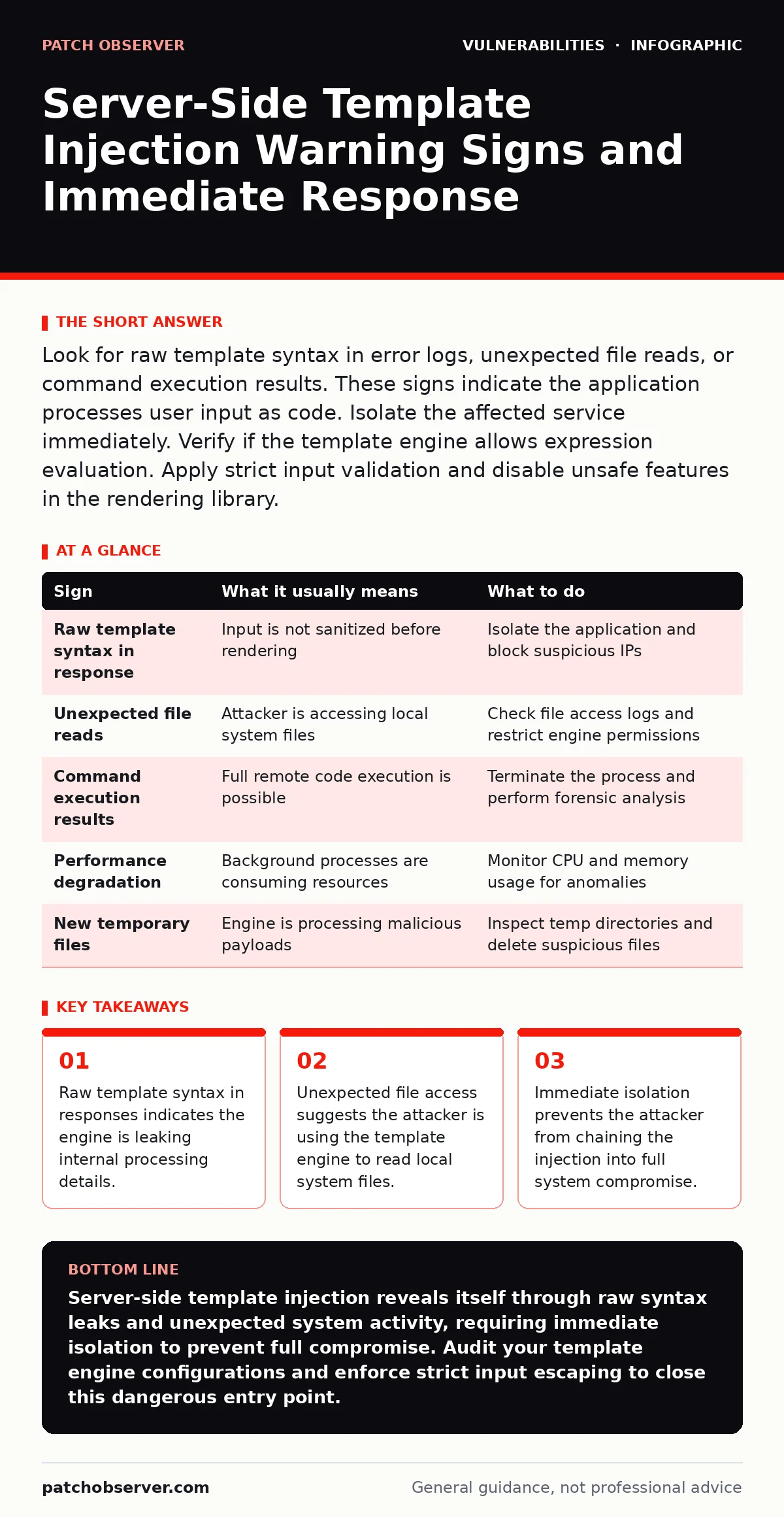
Look for raw template syntax in error logs, unexpected file reads, or command execution results. These signs indicate the application processes user input as code. Isolate the affected service immediately. Verify if the template engine allows expression evaluation. Apply strict input validation and disable unsafe features in the rendering library.
Recognizing the First Signs of Template Injection
Server-side template injection occurs when an application incorporates user-supplied data into a template string that the server then executes. You notice this first when error messages return raw template syntax instead of rendered output. If you see strings like {{77}} or ${{4242}} in a web response, the application is failing to sanitize input before passing it to the template engine. This leakage confirms the input is being interpreted as code.
The application treats user input as part of the instruction set rather than static text. This happens when developers concatenate strings directly into template files without using safe escaping mechanisms. You will see this behavior most often in applications that generate dynamic emails, reports, or configuration files. The error message itself becomes the proof of concept for the vulnerability.
Subtle Indicators That Remain Hidden
Some signs of server-side template injection are easy to miss because they do not produce visible errors. The application may render the page correctly while silently executing malicious logic in the background. You might notice slight performance degradation or unusual network traffic originating from the application server. These subtle signs indicate the attacker is using the injection for reconnaissance rather than immediate disruption.
Another hidden sign is the presence of unexpected files in temporary directories. The template engine may create temporary files to process the injection payload. If you find files with random names or unusual extensions in the server’s temp folder, check their contents. They may contain the result of executed commands or exfiltrated data. This activity often bypasses standard file integrity monitoring tools.
Understanding the Mechanism Behind the Signs
Template engines parse strings to replace variables with actual values. When the engine allows arbitrary expressions, it can execute functions available in the underlying programming language. This means an attacker can call system commands, read files, or access internal APIs. The danger lies in the breadth of functions exposed by the template engine. Not all engines are equal in their security posture.
Some engines restrict execution to simple variable substitution. Others allow complex logic, including loops and function calls. You must identify which engine your application uses and what capabilities it exposes. This knowledge helps you predict the potential impact of an injection. It also guides your remediation efforts toward the most effective controls.
Immediate Actions When You Detect Injection
When you see signs of server-side template injection, you must act quickly to contain the threat. The first step is to isolate the affected application from the network. This prevents the attacker from moving laterally or exfiltrating large amounts of data. Do not simply restart the server, as this may destroy evidence needed for forensic analysis.
Next, review the application logs to determine the scope of the attack. Look for unusual requests that contain template syntax. Identify the user agents and IP addresses associated with these requests. This information helps you understand how the attacker discovered the vulnerability. It also assists in blocking further attempts at the network level.
Mitigating the Vulnerability Effectively
Fixing server-side template injection requires changing how the application handles user input. You must ensure that all user-supplied data is treated as untrusted. Use safe escaping functions provided by the template engine to encode special characters. This prevents the engine from interpreting input as code. Avoid concatenating user input directly into template strings.
Another effective mitigation is to restrict the functions available to the template engine. Many engines allow you to whitelist specific methods or classes. By limiting the available functions, you reduce the attack surface significantly. This approach aligns with the principle of least privilege. It ensures that even if an injection occurs, the attacker cannot perform dangerous actions.
See also: Malvertising Warning Signs: What to Look For and How to React
Table of Signs and Responses
| Sign | What it usually means | What to do |
|---|---|---|
| Raw template syntax in response | Input is not sanitized before rendering | Isolate the application and block suspicious IPs |
| Unexpected file reads | Attacker is accessing local system files | Check file access logs and restrict engine permissions |
| Command execution results | Full remote code execution is possible | Terminate the process and perform forensic analysis |
| Performance degradation | Background processes are consuming resources | Monitor CPU and memory usage for anomalies |
| New temporary files | Engine is processing malicious payloads | Inspect temp directories and delete suspicious files |
Preventing Future Incidents
Prevention requires a shift in how developers write and review code. You must integrate security checks into the development lifecycle early. Use static analysis tools to detect unsafe template usage. Conduct regular code reviews focused on input handling. Train developers on the risks of template injection and how to avoid them.
Imagine an application that generates custom PDF reports for users. The developer uses a template engine to insert user-provided names and dates. If the engine allows arbitrary code execution, an attacker could inject a command to read the server’s configuration files. This scenario highlights the need for strict input validation and restricted engine capabilities. By addressing these issues proactively, you reduce the risk of severe breaches.
Integrating With Broader Security Practices
Server-side template injection often serves as an entry point for more complex attacks. Attackers may chain this vulnerability with other weaknesses to gain deeper access. Understanding how exploit chains work helps you anticipate the next steps an attacker might take. This broader perspective informs your incident response and hardening strategies.
You should also consider how vulnerability prioritization frameworks classify this risk. While template injection can be severe, its impact depends on the context and available functions. Regularly assess your applications for similar issues. Keep your template engines updated to benefit from backported security fixes that address known weaknesses. This proactive approach maintains a strong security posture over time.
Long-Term Vigilance and Maintenance
Security is not a one-time fix but an ongoing process. You must continuously monitor your applications for new signs of template injection. Update your detection rules to catch evolving attack patterns. Regularly test your applications with penetration testing to identify hidden weaknesses. This diligence ensures that your defenses remain effective against new threats.
Consider how attack vectors in CVSS scoring might change as new techniques emerge. Template injection may initially score low if it requires specific conditions. However, if combined with other vulnerabilities, the overall risk increases significantly. Stay informed about developments in template engine security. Adapt your defenses accordingly to protect your infrastructure effectively.
Key takeaways
- Raw template syntax in responses indicates the engine is leaking internal processing details.
- Unexpected file access suggests the attacker is using the template engine to read local system files.
- Immediate isolation prevents the attacker from chaining the injection into full system compromise.
Server-side template injection reveals itself through raw syntax leaks and unexpected system activity, requiring immediate isolation to prevent full compromise. Audit your template engine configurations and enforce strict input escaping to close this dangerous entry point.
Frequently asked questions
How do I know if my template engine is vulnerable?
Check the documentation for your specific engine to see if it supports arbitrary code execution or function calls. Test with safe payloads in a isolated environment to verify behavior.
Can WAFs stop server-side template injection?
Web application firewalls can block known patterns, but they may miss novel payloads. Rely on application-level validation and input sanitization for robust protection.
Is escaping user input enough to prevent injection?
Escaping helps, but you must also restrict the capabilities of the template engine. Limiting available functions reduces the impact if an injection bypasses escaping.
How often should I review template code?
Review template code during every significant update and whenever new features are added. Regular audits ensure that security practices remain consistent with current standards.
How this guide was produced: written by the Patch Observer editorial team with AI assistance, checked against the public references listed below, and reviewed when the facts change. See our editorial policy or report an error.