Server-Side Template Injection Recovery: Secure Response Steps
Template injection allows attackers to execute system commands, requiring immediate network isolation and a full rebuild rather than simple code fixes.

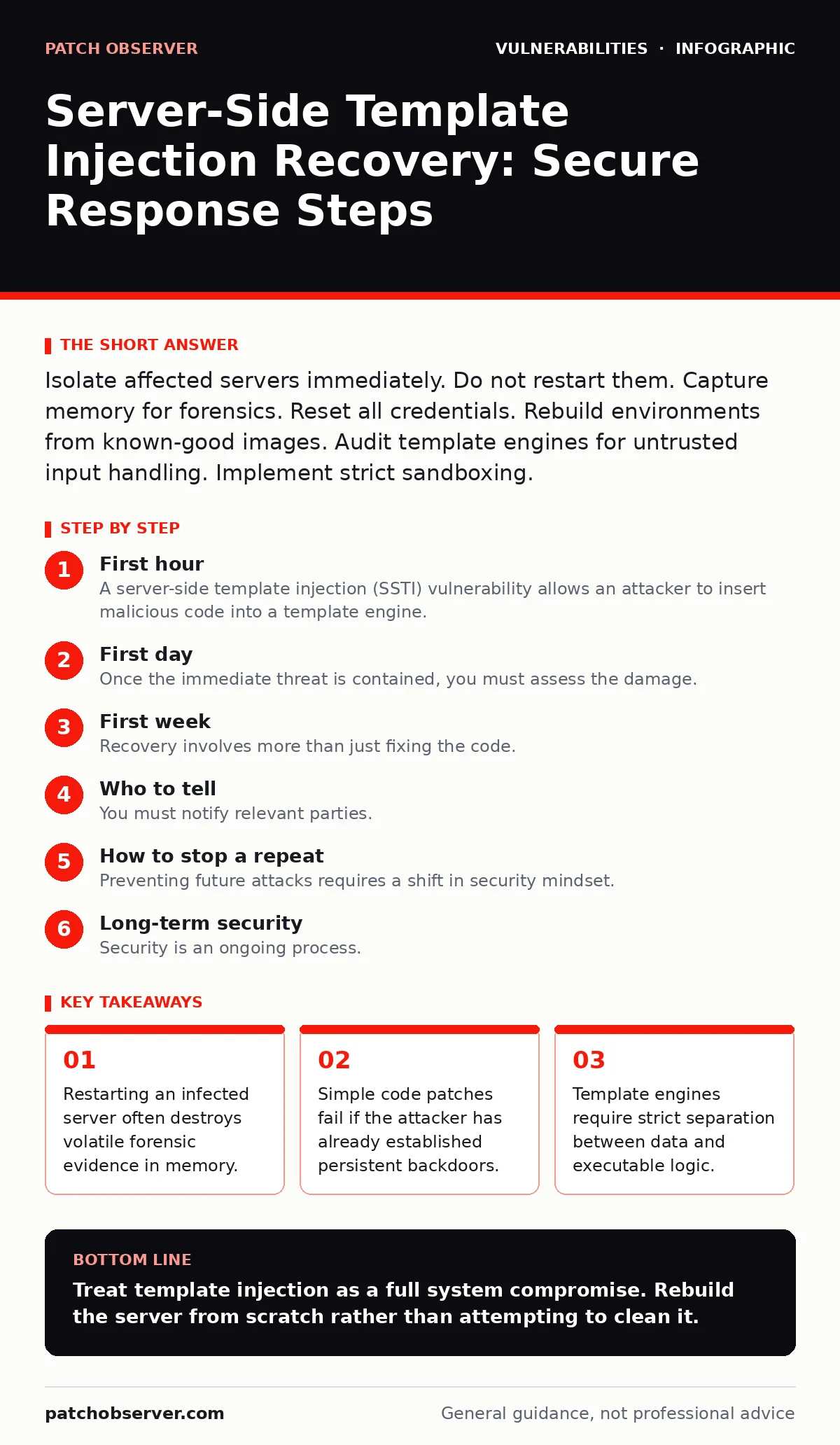
Isolate affected servers immediately. Do not restart them. Capture memory for forensics. Reset all credentials. Rebuild environments from known-good images. Audit template engines for untrusted input handling. Implement strict sandboxing.
First hour
A server-side template injection (SSTI) vulnerability allows an attacker to insert malicious code into a template engine. The engine then executes this code on the server. This is not a display error. It is a remote code execution vector. The attacker can read files, install malware, or pivot to other systems.
First Hour Checklist
- Isolate the affected server from the network.
- Preserve the current system state for forensic analysis.
- Identify the scope of the breach.
- Reset credentials for all administrative accounts.
- Disable the vulnerable application endpoint.
Immediate Isolation
You must cut the attacker’s access immediately. Pull the network cable or disable the virtual network interface. Do not trust firewall rules alone. Attackers may have installed rootkits that bypass standard filtering. Physical or virtual isolation is the only sure way to stop lateral movement.
Evidence Preservation
Before touching the system further, capture the memory dump. Use a forensic tool to image the RAM. This captures running processes, open network connections, and encryption keys. Attackers often use memory-resident malware that does not touch the disk. If you skip this step, you cannot prove what they did.
Scope Identification
Determine which user accounts were active during the breach. Check the authentication logs. Look for unusual login times or locations. Identify which files were accessed or modified. This information helps you understand the attacker’s goals. They may have stolen data or planted backdoors.
First day
Once the immediate threat is contained, you must assess the damage. The attacker likely moved laterally. They may have accessed other servers in your environment. You need to verify the integrity of your entire infrastructure.
Credential Reset
Assume all credentials are compromised. This includes database passwords, API keys, and administrative passwords. Rotate them all. Do not reuse old passwords. Use a password manager to generate strong, unique credentials. This prevents the attacker from returning with stolen keys.
Log Analysis
Review application logs and system logs. Look for suspicious template inputs. Attackers often use specific syntax to test for vulnerabilities. Look for patterns like {{77}} or ${77}. These are common tests for template injection. Identify the source IP addresses of these requests. Block them at the firewall.
Backdoor Removal
Attackers often install web shells. These are small scripts that allow remote access. They may hide in template directories or uploaded files. Scan the entire filesystem for unknown scripts. Check file modification times. Look for files that do not belong to the application. Delete any suspicious files.
First week
Recovery involves more than just fixing the code. You must rebuild the environment. Trust nothing on the compromised server. Reinstall the operating system from a known-good image. Restore data from clean backups. Verify the integrity of every file.
Environment Rebuild
Do not attempt to clean the server. Rootkits can hide in the kernel. It is nearly impossible to remove them completely. Reinstall the operating system. Apply all security updates. Configure the system securely. Restore data from backups that were created before the breach. Verify that the backups are clean.
Code Remediation
Fix the template injection vulnerability. The root cause is usually untrusted user input being passed to the template engine. Use a context-aware escaping library. This ensures that user input is treated as data, not code. Avoid using raw template evaluation functions. Use strict sandboxing for dynamic content.
Monitoring Enhancement
Implement stricter monitoring. Watch for unusual template rendering activity. Alert on high CPU usage or unexpected network connections. Use intrusion detection systems to identify suspicious payloads. This helps you detect future attacks early.
Who to tell
You must notify relevant parties. This includes your internal security team, management, and potentially customers. Transparency is key. Delaying notification can worsen the situation.
Internal Notification
Inform your incident response team. Provide them with all forensic data. They need to understand the scope and impact. Management needs to know the business risk. They may need to make decisions about public disclosure.
External Notification
If customer data was accessed, you may need to notify them. Check your legal obligations. Provide clear information about the breach. Explain what steps you have taken to secure the environment. Offer support if needed.
How to stop a repeat
Preventing future attacks requires a shift in security mindset. You must treat all user input as untrusted. You must validate and sanitize every input. You must use secure coding practices.
Input Validation
Validate all user input on the server side. Do not rely on client-side validation. Attackers can bypass client-side checks. Use allowlists for expected input formats. Reject anything that does not match the expected pattern.
Secure Template Usage
Use template engines that support strict sandboxing. Disable features that allow arbitrary code execution. Limit the variables and functions available to templates. This reduces the attack surface.
Regular Testing
Conduct regular security testing. Use automated scanning tools to identify vulnerabilities. Perform manual penetration testing. This helps you find weaknesses before attackers do. See our guide on vulnerability prioritization to focus your efforts on the most critical risks.
Continuous Monitoring
Monitor your applications for unusual activity. Use security information and event management systems. Correlate logs from different sources. This helps you detect complex attacks. See our guide on exploit chains to understand how attackers combine multiple vulnerabilities.
See also: Credential Stuffing Response: Immediate Containment and Recovery Steps · Attack Vectors Explained: Mechanisms, Limits, and Defense Strategies
Long-term security
Security is an ongoing process. You must continuously improve your defenses. Stay updated on new threats. Train your developers on secure coding practices. Foster a culture of security within your organization.
Developer Training
Educate your developers on common vulnerabilities. Teach them how to write secure code. Provide them with secure coding guidelines. Encourage them to ask questions. This helps prevent vulnerabilities from being introduced in the first place.
Security Reviews
Conduct regular security reviews. Review your code for potential vulnerabilities. Review your architecture for security weaknesses. Address any issues promptly. This helps you maintain a strong security posture.
Incident Response Plan
Update your incident response plan. Ensure it covers template injection attacks. Test your plan regularly. This ensures you are prepared for future incidents.
Key takeaways
- Restarting an infected server often destroys volatile forensic evidence in memory.
- Simple code patches fail if the attacker has already established persistent backdoors.
- Template engines require strict separation between data and executable logic.
Treat template injection as a full system compromise. Rebuild the server from scratch rather than attempting to clean it.
Frequently asked questions
Can I fix SSTI by just updating the library?
No. Updating the library may fix the specific vulnerability, but the attacker may have already installed backdoors. You must rebuild the environment to ensure it is clean.
How do I know if my template engine is vulnerable?
Check the documentation for sandboxing features. Look for functions that allow arbitrary code execution. Test your application with common injection payloads.
Should I use a web application firewall?
Yes. A WAF can block known attack patterns. It provides an additional layer of defense but does not replace secure coding practices.
How often should I review my template code?
Review your template code regularly, especially after updates. Look for new features that may introduce vulnerabilities. Ensure all user input is properly escaped.
How this guide was produced: written by the Patch Observer editorial team with AI assistance, checked against the public references listed below, and reviewed when the facts change. See our editorial policy or report an error.