What Is DNS Hijacking: How Attackers Redirect Traffic and How to Stop It
DNS hijacking alters name resolution records to send users to fraudulent sites, bypassing browser warnings and encryption checks by corrupting the initial address lookup.

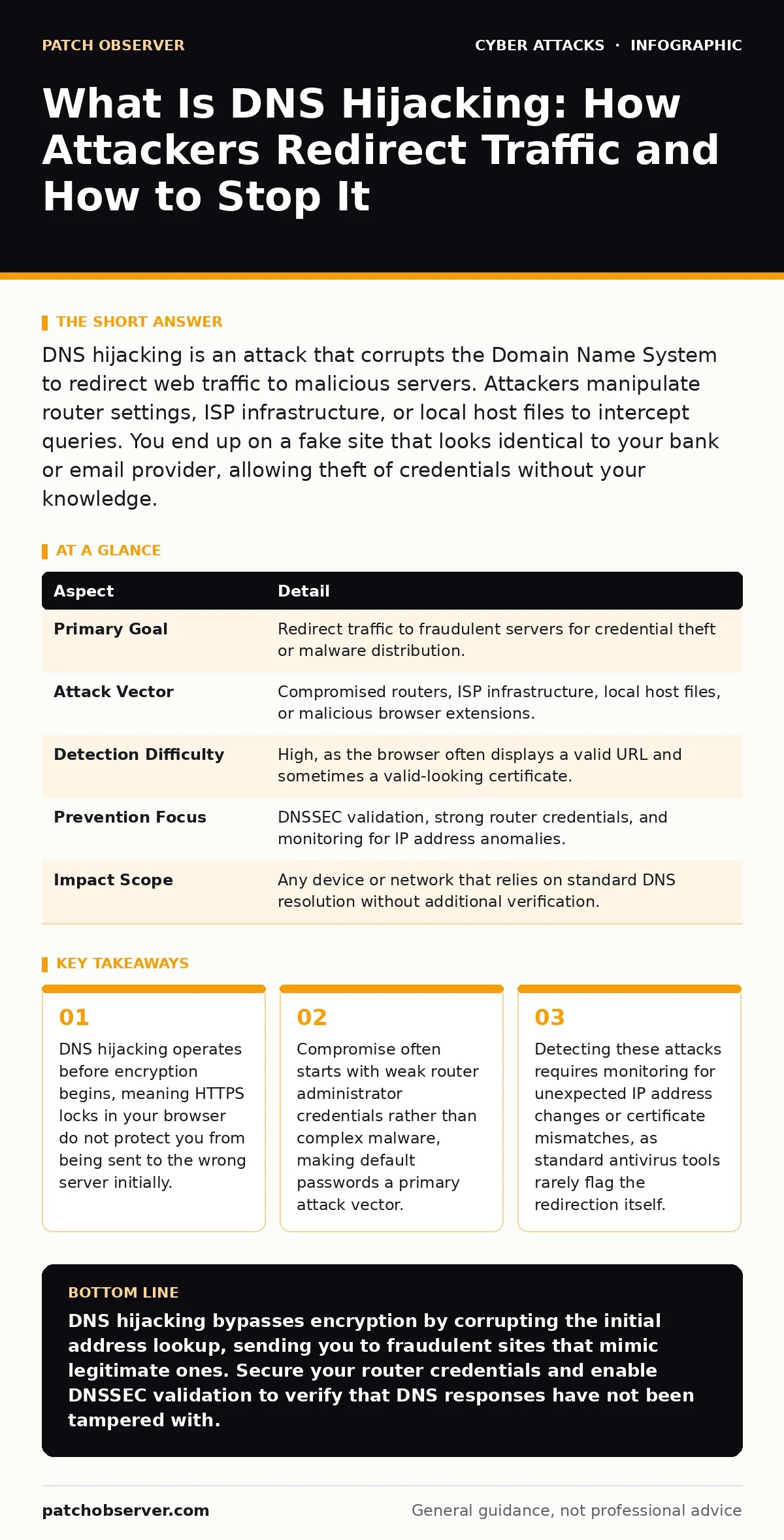
DNS hijacking is an attack that corrupts the Domain Name System to redirect web traffic to malicious servers. Attackers manipulate router settings, ISP infrastructure, or local host files to intercept queries. You end up on a fake site that looks identical to your bank or email provider, allowing theft of credentials without your knowledge.
The Postal Service Analogy
Imagine you send a letter to a known company using a standard address label. The postal service uses a directory to find the correct building. If someone tampers with that directory, your letter arrives at a different building that looks exactly like the original. The recipient inside copies your letter and forwards a fake reply. You believe the transaction succeeded. DNS hijacking works by tampering with the digital directory that translates human-readable website names into numeric IP addresses.
This mechanism relies on the Domain Name System, which acts as the internet’s phonebook. When you type a web address, your device asks a DNS server for the corresponding IP address. The server responds with the location of the website. If an attacker intercepts this request or alters the server’s response, your device receives the wrong IP address. Your browser then connects to the attacker’s server instead of the legitimate site.
What Is DNS Hijacking
DNS hijacking, also known as DNS poisoning or DNS redirection, is the unauthorized alteration of DNS records to divert internet traffic. It is not a single technique but a category of attacks that share the same outcome: the victim connects to a destination they did not intend. The attack succeeds because the victim’s device trusts the DNS response it receives.
The process typically involves three stages. First, the attacker gains the ability to intercept or modify DNS queries. Second, the attacker provides a false IP address for the requested domain. Third, the victim’s device accepts this false address and establishes a connection. The entire sequence happens in milliseconds. You see the website load normally. The address bar shows the correct name. The only difference is that the data you send goes to the attacker.
| Aspect | Detail |
|---|---|
| Primary Goal | Redirect traffic to fraudulent servers for credential theft or malware distribution. |
| Attack Vector | Compromised routers, ISP infrastructure, local host files, or malicious browser extensions. |
| Detection Difficulty | High, as the browser often displays a valid URL and sometimes a valid-looking certificate. |
| Prevention Focus | DNSSEC validation, strong router credentials, and monitoring for IP address anomalies. |
| Impact Scope | Any device or network that relies on standard DNS resolution without additional verification. |
How the Attack Works
Attackers exploit weaknesses in the trust chain of DNS resolution. The most common method involves compromising a local network router. Routers often act as the local DNS forwarder for all devices on a home or small office network. If an attacker discovers the router’s administrative password, they can log in and change the DNS settings. They replace the legitimate DNS server address with one they control. Every device on that network now sends its queries to the attacker’s server.
Another method targets the user’s device directly. Malware can modify the local hosts file, which overrides DNS lookups for specific domains. This allows an attacker to redirect only certain sites, such as banking portals, while leaving other traffic untouched. This selective redirection makes the attack harder to detect because general internet usage appears normal.
A third method involves compromising the DNS server itself. This is rarer and requires higher skill. Attackers exploit vulnerabilities in DNS software to insert false records. When the server responds to queries, it includes the attacker’s IP address. This affects all users who rely on that specific server, potentially impacting thousands of devices simultaneously.
Who Is Affected
DNS hijacking affects anyone who uses the internet, but the risk varies by environment. Home users are vulnerable due to weak router passwords and lack of monitoring. Many people never change the default administrator credentials on their internet gateway. This leaves the door open for remote exploitation. Small businesses often share the same vulnerabilities, compounded by a lack of dedicated IT security staff.
Enterprise environments face different challenges. Large organizations use complex DNS infrastructures with multiple servers. An attack here might target internal DNS records, redirecting employees to fake internal portals. This allows attackers to harvest corporate credentials or deploy malware within the network. The impact is severe because internal trust is high. Employees are less likely to question an internal-looking URL.
The attack also impacts IoT devices. Smart home devices often have weak security and cannot easily enforce DNS security extensions. If a smart TV or thermostat is compromised, it can be used to scan the local network for other vulnerabilities or to act as a pivot point for further attacks.
Common Misconceptions
People often assume that HTTPS protects them from DNS hijacking. This is incorrect. HTTPS encrypts the data between your browser and the server. It does not verify that you are connecting to the correct server in the first place. If DNS hijacking sends you to a fake site, that fake site can also use HTTPS. Modern browsers may warn you if the certificate does not match the domain, but many users ignore these warnings. Attackers can also obtain valid certificates for look-alike domains, bypassing browser checks entirely.
Another misconception is that DNS hijacking requires sophisticated malware. In reality, many attacks succeed through simple social engineering or weak passwords. An attacker might trick a user into revealing their router password via a phishing email. Once they have the password, they do not need to install any software on your device. They simply change the router settings remotely.
Users also believe that antivirus software will detect DNS hijacking. Most antivirus programs focus on file-based threats. They scan for known malware signatures. DNS hijacking is a configuration change or a network-level redirection. It does not involve downloading a malicious file to your hard drive. Therefore, traditional antivirus tools often miss it entirely. You need network monitoring and DNS security features to detect these changes.
Mitigation and Defense
Defending against DNS hijacking requires a layered approach. Start by securing your local network. Change the default administrator password on your router to a strong, unique phrase. Disable remote management features if you do not need them. This prevents attackers from accessing your router settings from the internet. Regularly update your router firmware to patch known vulnerabilities.
Use DNSSEC, which stands for Domain Name System Security Extensions. DNSSEC adds cryptographic signatures to DNS records. This allows your device to verify that the DNS response has not been tampered with. If an attacker tries to inject a false IP address, DNSSEC will reject the response because the signature does not match. Many public DNS providers offer DNSSEC validation. Switching to a trusted public DNS service can add a layer of protection if your ISP’s DNS is compromised.
Monitor your network for unusual activity. Look for sudden changes in DNS server settings on your router. Check for unexpected redirects or certificate errors in your browser. If you use a managed service, ensure they have processes to detect and alert on DNS configuration changes. Regular audits of DNS records can help identify unauthorized modifications.
Consider using a firewall that can block traffic to known malicious IP addresses. While this does not prevent the hijacking itself, it can stop the connection if the attacker’s server is already flagged. Combine this with threat intelligence feeds to stay updated on emerging attack patterns.
Related Security Considerations
DNS hijacking often works in tandem with other attack methods. Attackers may use social engineering to trick users into changing their own DNS settings. They might pose as tech support and convince a user to modify their network configuration. Understanding social engineering red flags is critical to preventing this initial step. If you are unsure about a request to change network settings, verify it through a separate, trusted channel.
Once an attacker redirects traffic, they may attempt to install malware or steal credentials. This increases the blast radius of the initial compromise. A single DNS hijack can lead to widespread data theft if the victim has access to sensitive systems. Limiting user privileges and using multi-factor authentication can reduce the impact of stolen credentials. Even if an attacker captures a password, they cannot access the account without the second factor.
In some cases, DNS hijacking is used to facilitate website defacement. Attackers redirect traffic to a page displaying offensive or political messages. This damages the reputation of the targeted organization. Regularly monitoring your website’s content and DNS records can help detect such changes quickly. Implementing content delivery networks with security features can also provide an additional layer of protection against these types of attacks.
For organizations handling sensitive communications, secure email gateways can help detect phishing attempts that might accompany DNS hijacking. These gateways scan incoming emails for malicious links and attachments. If an attacker sends a phishing email that directs users to a hijacked domain, the gateway can block the email before it reaches the user’s inbox. This reduces the likelihood of successful credential theft.
Key takeaways
- DNS hijacking operates before encryption begins, meaning HTTPS locks in your browser do not protect you from being sent to the wrong server initially.
- Compromise often starts with weak router administrator credentials rather than complex malware, making default passwords a primary attack vector.
- Detecting these attacks requires monitoring for unexpected IP address changes or certificate mismatches, as standard antivirus tools rarely flag the redirection itself.
DNS hijacking bypasses encryption by corrupting the initial address lookup, sending you to fraudulent sites that mimic legitimate ones. Secure your router credentials and enable DNSSEC validation to verify that DNS responses have not been tampered with.
Frequently asked questions
Can DNS hijacking happen on mobile devices?
Yes, mobile devices are vulnerable when connected to unsecured Wi-Fi networks. Attackers can intercept DNS queries on public networks, redirecting your mobile browser to malicious sites. Using a trusted VPN can help protect your DNS traffic on mobile devices.
Does using a different browser prevent DNS hijacking?
No, the browser does not control DNS resolution. The operating system or network router handles DNS queries. Changing browsers will not stop the redirection if the underlying DNS settings are compromised. You must secure the network configuration and use DNS security features.
How can I tell if my DNS has been hijacked?
Look for unexpected redirects to unrelated websites or certificate errors in your browser. Check your router settings to ensure the DNS server addresses are correct. Use online tools that test your DNS resolution to see if you are receiving the expected IP addresses for known domains.
Is DNSSEC available for all websites?
DNSSEC adoption varies. Many major websites and government domains use DNSSEC, but smaller sites may not. You can check if a domain supports DNSSEC using online verification tools. Even if the target site does not use DNSSEC, your DNS resolver can still validate the chain of trust for domains that do.
How this guide was produced: written by the Patch Observer editorial team with AI assistance, checked against the public references listed below, and reviewed when the facts change. See our editorial policy or report an error.