Social Engineering Myths: 6 Beliefs That Leave You Vulnerable
Technical controls fail to stop social engineering because attackers bypass system logic by manipulating human psychology and organizational trust.

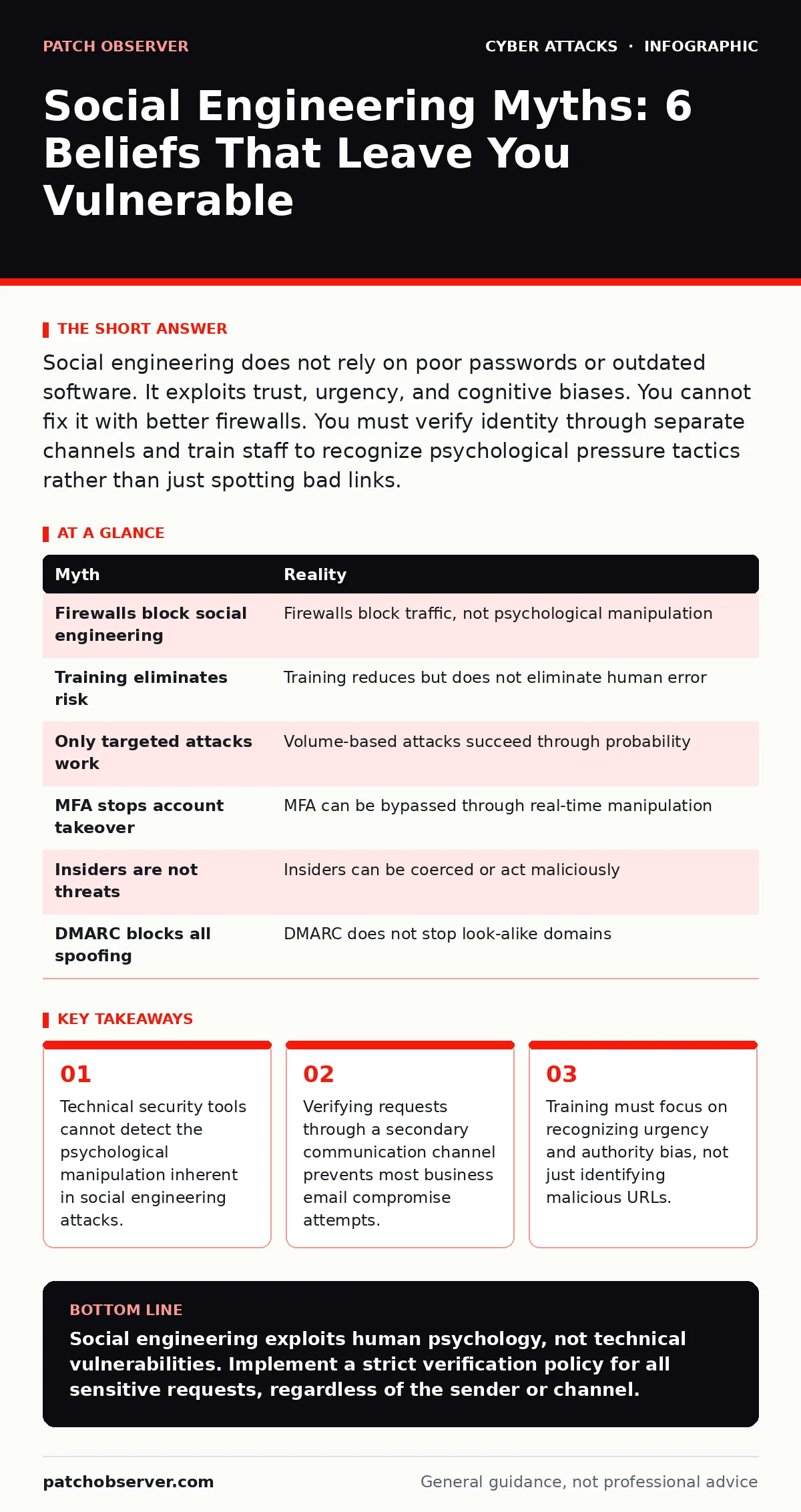
Social engineering does not rely on poor passwords or outdated software. It exploits trust, urgency, and cognitive biases. You cannot fix it with better firewalls. You must verify identity through separate channels and train staff to recognize psychological pressure tactics rather than just spotting bad links.
Myth: Better Firewalls Stop Social Engineering
Reality: Firewalls and intrusion detection systems monitor network traffic, not human behavior. They block known malicious IP addresses and scan for malware signatures. They do not read email content for persuasive language or analyze the sender’s intent. An attacker who convinces an employee to voluntarily upload sensitive data to a cloud service bypasses perimeter defenses entirely. The data leaves the network through authorized channels, appearing as normal user activity.
Imagine an employee receives a convincing request from their CEO to transfer funds. The email contains no links and no attachments. The firewall sees only standard SMTP traffic. The employee complies because the request appears legitimate. No technical control triggers an alert because no protocol was violated. The breach occurs through social manipulation, not technical exploitation.
Myth: Security Awareness Training Eliminates Risk
Reality: Periodic training sessions create a false sense of security. Employees may pass a quiz on identifying phishing emails but fail under real pressure. Cognitive load increases during urgent situations, reducing critical thinking. Attackers exploit this by creating time-sensitive scenarios that force quick decisions. Training that focuses on static examples fails to prepare staff for novel tactics. Real-world attacks evolve faster than training materials can be updated.
Suppose a staff member receives a call from someone claiming to be IT support. The caller uses correct terminology and references recent internal changes. The employee, wanting to be helpful, shares credentials. Training taught them to never share passwords, but the caller never asked for them directly. They asked the employee to log in to a "secure portal" where the employee typed the credentials themselves. The training did not cover this indirect extraction method.
Myth: Only Targeted Phishing Threatens Large Organizations
Reality: Broad, untargeted campaigns often succeed because they rely on volume rather than precision. Large organizations have many employees, increasing the probability that one will click a malicious link. Attackers use automated tools to send millions of emails with generic lures. They do not need to know your name; they only need you to be in a hurry. The lack of personalization does not reduce effectiveness; it reduces the cost per attempt for the attacker.
Consider a campaign targeting invoice processing departments. The email claims a vendor updated their payment details. It uses a generic greeting. Hundreds of employees receive it. The attack succeeds not because it was clever, but because it was persistent.
Myth: Multi-Factor Authentication Prevents Account Takeover
Reality: Multi-factor authentication adds a layer of verification, but it does not stop all social engineering. Attackers can intercept one-time codes if they compromise the user’s session or device. They may ask the victim to approve a login prompt on their phone, claiming it is a test or a routine check. This is known as real-time MFA fatigue or approval manipulation. The authentication succeeds because the user voluntarily provides the second factor. The system sees a valid login from a trusted device.
Imagine a user receives a text message with a verification code. Simultaneously, they get a call from "bank security" asking for that code to verify their identity. The user provides the code, thinking they are helping security. The attacker uses the code to log in. The MFA worked technically; it failed socially. You must train users to never share codes, even with someone claiming to be support.
Myth: Internal Employees Are Never the Attackers
Reality: Disgruntled employees or those coerced by attackers can be the primary threat. Insiders already have valid credentials and access rights. They do not need to bypass firewalls or guess passwords. Social engineering can turn an insider into an unwitting agent or a malicious actor. Attackers may groom an employee over time, building trust before asking for data. This type of manipulation is harder to detect because the source is known and trusted.
Suppose an attacker poses as a job recruiter and befriends an employee on social media. Over months, they discuss workplace frustrations. The attacker then asks for "anonymous" feedback, which turns into requests for internal documents. The employee complies, believing they are helping a peer. The data exfiltration comes from a trusted source, bypassing most external monitoring tools.
See also: How Smishing Works: The Step-by-Step Attack Lifecycle
Myth: DMARC Blocks Spoofed Emails Completely
Reality: DMARC helps verify sender authenticity, but it does not stop all spoofing. Attackers can register domains that look similar to yours, known as typosquatting. They may use legitimate email providers to send messages that pass DMARC checks for their own domain. DMARC protects your brand reputation by preventing others from sending email as you. It does not protect your users from emails that look like they are from you but are not.
Consider an email from "[email protected]" versus "[email protected]". The second domain is different but visually similar. DMARC will not flag it as spoofed if the attacker owns that domain. Users must still verify the sender’s address carefully. Technical alignment does not equal trust. You need to educate users to check the exact domain name, not just the display name.
Myth: Social Engineering Is Only an Email Problem
Reality: Attackers use multiple channels to bypass defenses. They may call your help desk, send SMS messages, or leave voicemails. Voice phishing, or vishing, relies on the authority of the caller’s voice. SMS phishing, or smishing, exploits the immediacy of mobile devices. These channels often lack the same level of scrutiny as email. Users are more likely to trust a phone call than an email.
Imagine a caller pretending to be from the cloud provider. They claim your service will be suspended unless you verify your account. They guide you to a fake login page. The attack succeeds because you trusted the voice and the urgency. You must apply the same verification standards to phone calls as you do to emails.
| Myth | Reality |
|---|---|
| Firewalls block social engineering | Firewalls block traffic, not psychological manipulation |
| Training eliminates risk | Training reduces but does not eliminate human error |
| Only targeted attacks work | Volume-based attacks succeed through probability |
| MFA stops account takeover | MFA can be bypassed through real-time manipulation |
| Insiders are not threats | Insiders can be coerced or act maliciously |
| DMARC blocks all spoofing | DMARC does not stop look-alike domains |
Key takeaways
- Technical security tools cannot detect the psychological manipulation inherent in social engineering attacks.
- Verifying requests through a secondary communication channel prevents most business email compromise attempts.
- Training must focus on recognizing urgency and authority bias, not just identifying malicious URLs.
Social engineering exploits human psychology, not technical vulnerabilities. Implement a strict verification policy for all sensitive requests, regardless of the sender or channel.
Frequently asked questions
How do I verify an urgent request from my boss?
Call the person using a known, trusted phone number. Do not use the number provided in the email or message. Confirm the request verbally before taking any action.
Can AI-generated voices be used in social engineering?
Yes. AI can clone voices from public recordings. Treat voice calls with the same skepticism as emails. Verify identity through a secondary method before sharing sensitive information.
What should I do if I accidentally click a malicious link?
Disconnect from the network immediately. Change your passwords from a different device. Report the incident to your security team. Do not wait for signs of infection.
Are phishing simulations effective for training?
They can raise awareness but may cause frustration if too frequent. Combine simulations with positive reinforcement and clear guidance on how to report suspicious activity.
How this guide was produced: written by the Patch Observer editorial team with AI assistance, checked against the public references listed below, and reviewed when the facts change. See our editorial policy or report an error.