OpenSSH Vulnerability Myths That Put Your Infrastructure at Risk
Secure shell implementations hide silent data exfiltration paths that routine patching misses, requiring continuous protocol verification rather than simple version checks.

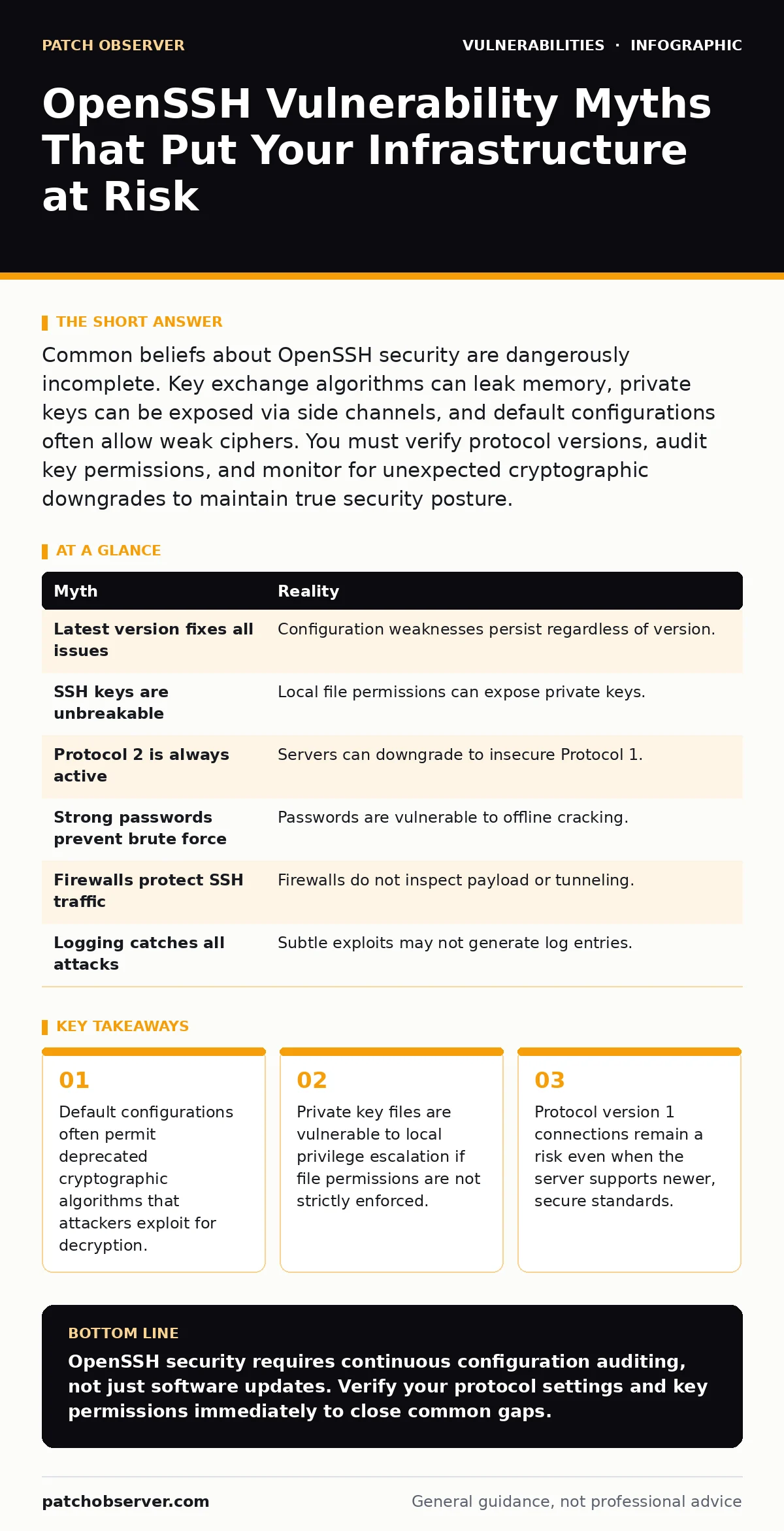
Common beliefs about OpenSSH security are dangerously incomplete. Key exchange algorithms can leak memory, private keys can be exposed via side channels, and default configurations often allow weak ciphers. You must verify protocol versions, audit key permissions, and monitor for unexpected cryptographic downgrades to maintain true security posture.
Myth: The latest version fixes all security issues
Reality: Software updates address known code defects but do not eliminate configuration weaknesses or architectural risks. A current binary can still operate with insecure defaults if the administrator has not hardened the service. You must treat versioning as one control among many. The underlying threat model changes independently of release cycles.
Imagine a server running the most recent release. The code is clean, but the configuration file allows password authentication and weak ciphers. An attacker exploits the weak cipher to capture traffic. The vulnerability was not in the code but in the policy. You must audit the configuration file after every update. Default settings often revert to permissive modes during major upgrades.
Myth: SSH keys are unbreakable secrets
Reality: Private keys are only as secure as the storage mechanism protecting them. If an attacker gains local access to the host, they can read the key file if permissions are loose. Key-based authentication shifts the trust boundary from the network to the host filesystem. You must enforce strict file permissions on key directories.
Suppose a user saves their private key in a world-readable directory. A low-privilege process on the same server reads the file. The attacker now possesses the credentials for remote access. This is a local privilege escalation vector. You must set permissions to 600 for private keys and 700 for the containing directory. This prevents other users from reading the cryptographic material.
Myth: Protocol version 2 is always active
Reality: Servers can negotiate down to Protocol version 1 if the client requests it and the server is configured to allow it. Protocol 1 has known cryptographic flaws that allow session hijacking. You must explicitly disable Protocol 1 in the server configuration. Many legacy clients still request the older protocol by default.
Imagine a legacy device connecting to your server. It requests Protocol 1. If your server accepts this, the entire session is vulnerable to man-in-the-middle attacks. You must configure the server to reject Protocol 1 connections entirely. This forces all clients to use the secure version. Check the configuration for the explicit disable directive.
Myth: Strong passwords prevent brute force
Reality: Password authentication is inherently vulnerable to offline guessing attacks if credentials are intercepted. Even complex passwords can be cracked if the hash is obtained. You must disable password authentication entirely and use key-based methods. This removes the attack surface for credential stuffing and dictionary attacks.
Suppose an attacker intercepts the SSH traffic. If password authentication is enabled, they may capture the exchange. Modern attacks can crack hashed passwords faster than you can change them. You must rely on public key cryptography. This eliminates the password vector completely. Ensure you have backup access methods before disabling passwords.
Myth: Firewalls protect SSH traffic
Reality: Firewalls filter network packets but do not inspect the payload for malicious commands or exploits. An attacker can tunnel other services through SSH if port forwarding is enabled. You must restrict port forwarding and agent forwarding in the configuration. This limits the lateral movement capabilities of an attacker who gains access.
Imagine an attacker gains access to a server with open port forwarding. They create a tunnel to internal databases. The firewall sees only SSH traffic and allows it. You must disable unnecessary forwarding features. This reduces the blast radius of a compromised host. Audit your forwarding settings regularly to ensure they match your security policy.
Myth: Logging catches all SSH attacks
Reality: Standard logs record connection attempts but may miss subtle exploitation techniques. Attackers can use timing attacks or side-channel analysis that do not trigger log entries. You must enable detailed logging and monitor for anomalies. This includes tracking key usage and authentication methods.
Suppose an attacker uses a timing attack to guess a password. The server logs show successful logins only. The failed attempts are not recorded in detail. You must configure the server to log all authentication failures. This provides visibility into brute force attempts. Analyze logs for patterns that indicate automated attacks.
| Myth | Reality |
|---|---|
| Latest version fixes all issues | Configuration weaknesses persist regardless of version. |
| SSH keys are unbreakable | Local file permissions can expose private keys. |
| Protocol 2 is always active | Servers can downgrade to insecure Protocol 1. |
| Strong passwords prevent brute force | Passwords are vulnerable to offline cracking. |
| Firewalls protect SSH traffic | Firewalls do not inspect payload or tunneling. |
| Logging catches all attacks | Subtle exploits may not generate log entries. |
Key takeaways
- Default configurations often permit deprecated cryptographic algorithms that attackers exploit for decryption.
- Private key files are vulnerable to local privilege escalation if file permissions are not strictly enforced.
- Protocol version 1 connections remain a risk even when the server supports newer, secure standards.
OpenSSH security requires continuous configuration auditing, not just software updates. Verify your protocol settings and key permissions immediately to close common gaps.
Frequently asked questions
How do I check if Protocol 1 is enabled?
Review the server configuration file for the Protocol directive. Ensure it is set to 2 only. If the directive is missing, check the default behavior for your version.
Can I use both keys and passwords?
Yes, but this increases the attack surface. Disable password authentication if possible. Use keys for primary access and passwords only as a last resort with strict rate limiting.
What is the best way to rotate SSH keys?
Generate new keys and distribute them to authorized hosts. Remove old keys from the authorized_keys file. Test access with the new keys before removing the old ones entirely.
How do I detect SSH tunneling abuse?
Monitor for unexpected outbound connections from SSH sessions. Check logs for port forwarding commands. Disable forwarding if it is not required for your operations.
How this guide was produced: written by the Patch Observer editorial team with AI assistance, checked against the public references listed below, and reviewed when the facts change. See our editorial policy or report an error.