Bluetooth Attacks Explained: Defenses Against Airborne Threats
Bluetooth protocols expose devices to silent data theft and relay attacks that bypass physical proximity requirements without user interaction.

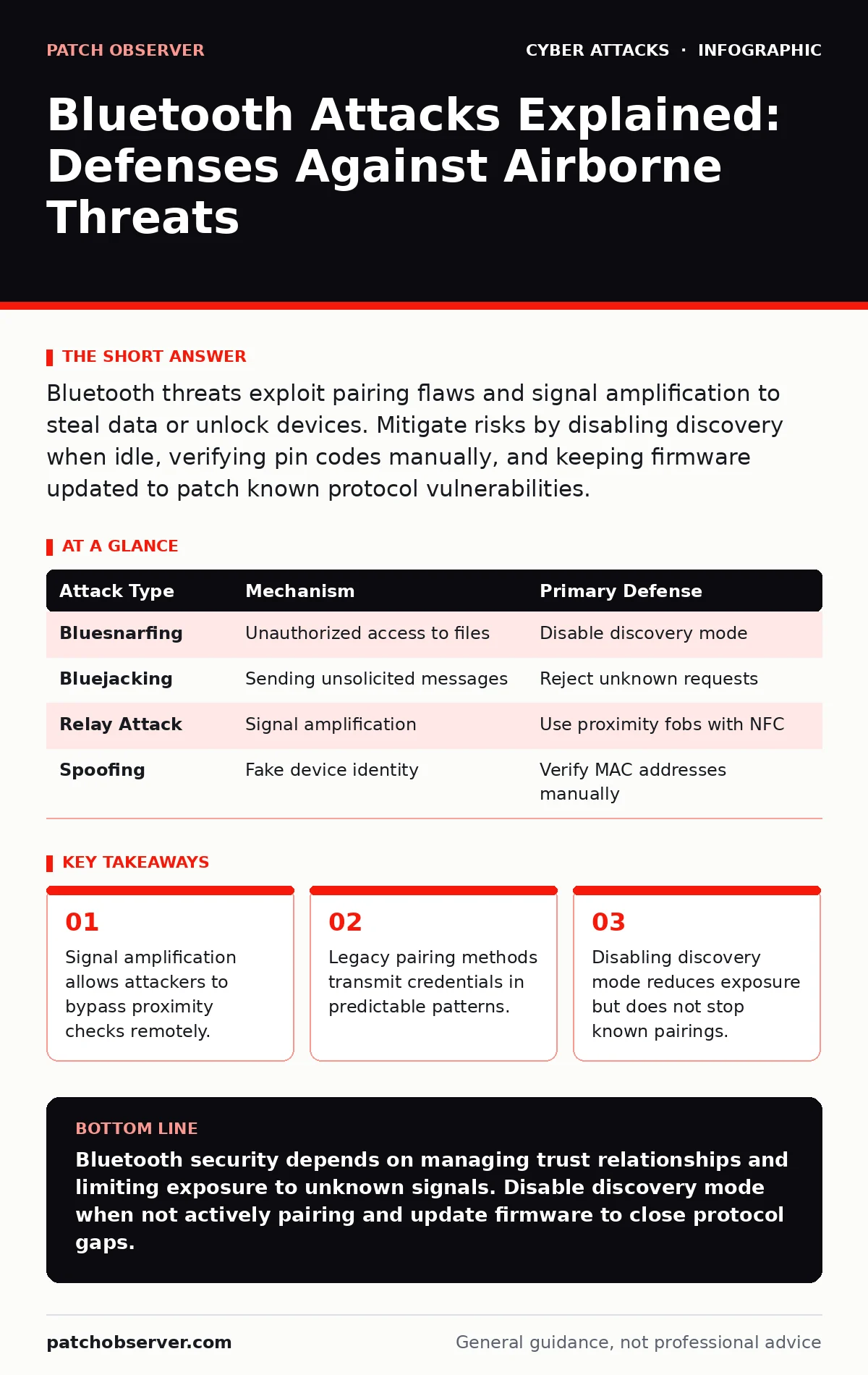
Bluetooth threats exploit pairing flaws and signal amplification to steal data or unlock devices. Mitigate risks by disabling discovery when idle, verifying pin codes manually, and keeping firmware updated to patch known protocol vulnerabilities.
What exactly is a Bluetooth attack?
A Bluetooth attack exploits vulnerabilities in the wireless protocol to intercept, manipulate, or hijack communication between devices. Attackers target the handshake process where devices identify and authenticate each other before exchanging data. This initial phase often lacks strong encryption, allowing malicious actors to insert themselves into the conversation. You might think your device is talking only to your headphones, but an attacker can convince it otherwise.
Can hackers steal data from my phone via Bluetooth?
Yes, attackers can intercept data if your device is set to discoverable and paired with a malicious device. This method relies on the target accepting a connection request from an unknown source. Once connected, the attacker can access contacts, messages, or files depending on the permissions granted. The risk increases when automatic pairing features are enabled, as the device may connect without explicit user confirmation.
How do Bluetooth relay attacks work?
Relay attacks amplify your Bluetooth signal to trick a device into thinking you are nearby when you are far away. Imagine your car thinks your key fob is in your pocket because an attacker is standing next to the car, relaying the signal from your house. This bypasses proximity checks that rely on signal strength to verify presence. The attack requires no decryption because the legitimate device believes it is communicating directly with the authorized key.
Is "Just Works" pairing safe for sensitive devices?
No, this pairing method skips authentication steps to simplify the user experience, leaving the connection vulnerable to man-in-the-middle attacks. When you select this option, the devices establish a link without verifying each other's identity cryptographically. An attacker positioned between them can intercept and alter data without either device knowing. You should avoid this method for devices handling financial or personal information.
Why does turning off Bluetooth not fully protect me?
Disabling Bluetooth stops new discovery requests, but it does not remove existing pairings stored in memory. If an attacker previously paired with your device, they may still trigger connections or exploit lingering vulnerabilities. Some operating systems maintain background services that listen for specific signals even when the main toggle is off. You must also unpair old devices to eliminate these hidden entry points.
| Attack Type | Mechanism | Primary Defense |
|---|---|---|
| Bluesnarfing | Unauthorized access to files | Disable discovery mode |
| Bluejacking | Sending unsolicited messages | Reject unknown requests |
| Relay Attack | Signal amplification | Use proximity fobs with NFC |
| Spoofing | Fake device identity | Verify MAC addresses manually |
Do newer Bluetooth versions fix all security flaws?
Newer versions like Bluetooth 5.0 introduce stronger encryption and improved pairing methods, but they do not eliminate all risks. Protocol complexity introduces new attack surfaces that researchers are still mapping. Legacy devices often fall back to older, weaker standards when communicating with newer hardware. This compatibility requirement creates a weakest-link scenario where the entire chain is only as secure as the oldest device involved.
How can I protect IoT devices with limited processing power?
Internet of Things devices often lack the hardware resources to run complex encryption algorithms, making them prime targets. They frequently use static keys or simplified pairing methods that cannot be updated remotely. You should segment these devices on a separate network to limit their access to critical systems. This containment strategy prevents a compromised sensor from accessing your main data infrastructure.
What is the role of firmware updates in Bluetooth security?
Firmware updates patch known vulnerabilities in the Bluetooth stack, which is the software layer managing wireless communication. Manufacturers release these patches when researchers discover flaws in how the protocol is implemented. Ignoring updates leaves your device running code that may have public exploits. You must enable automatic updates where possible to ensure you receive these fixes promptly.
Can Bluetooth attacks spread malware to my computer?
Yes, if your computer accepts file transfers from unknown Bluetooth devices, malware can install itself silently. This method exploits the trust relationship established during pairing. Once the malicious file is received, it executes if the operating system does not scan incoming data. You should configure your firewall to block incoming Bluetooth file transfer requests from untrusted sources. This restriction adds a layer of defense against automated scanning bots.
Key takeaways
- Signal amplification allows attackers to bypass proximity checks remotely.
- Legacy pairing methods transmit credentials in predictable patterns.
- Disabling discovery mode reduces exposure but does not stop known pairings.
Bluetooth security depends on managing trust relationships and limiting exposure to unknown signals. Disable discovery mode when not actively pairing and update firmware to close protocol gaps.
Frequently asked questions
Can I use Bluetooth in a secure office environment?
Yes, if you enforce strict pairing policies and disable discovery on all corporate devices.
Does Bluetooth drain battery faster when scanning for attacks?
No, the battery impact is minimal, but constant scanning increases exposure to spoofing attempts.
Are Bluetooth keyboards vulnerable to keylogging?
Yes, if the connection is not encrypted properly, attackers can intercept keystrokes in transit.
How do I know if my device has been hacked via Bluetooth?
Look for unexpected battery drain, unknown paired devices, or strange network activity.
How this guide was produced: written by the Patch Observer editorial team with AI assistance, checked against the public references listed below, and reviewed when the facts change. See our editorial policy or report an error.